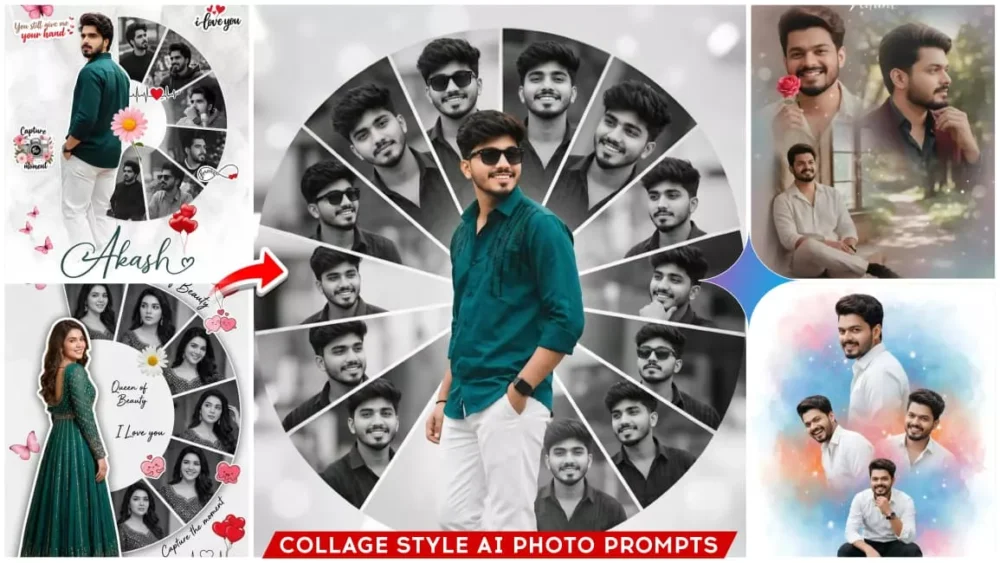
Google Gemini Portrait Collage Ai Photo Editing Prompts – For boys, if you want to create different types of photos in which you can see your photo with different reactions in a single photo, then this is called a portrait and if a photo also appears here, that is, in one, then it is called a college photo and it is very viral these days. People are very fond of creating such photos. If you look at the Explore feed of Instagram, you will definitely find such a photo there. If you want to create such a photo, then in this article I will explain to you how you can create your photo with such multiple faces using a single photo. This is going viral very much, so it is very important for you to create it.
Details Of Google Gemini Portrait Collage Ai Photo Editing Prompts
The photos you’ll see in this are like a frame of your photo, where you’ll see photos with different faces and different reactions. This is why people are liking these photos because they resonate with them. What I mean to say is that some reactions in them are such that you smile, some are such that you’re looking angry. Some have slightly different reactions. These are liked for so many reasons. You’ll see that people use it for birthdays as well. Like normally, they put text there. At the bottom, and then they edit them too. This is also a perfectly fine method. If you want, you can use it for birthdays. Your editing will go 100% viral.
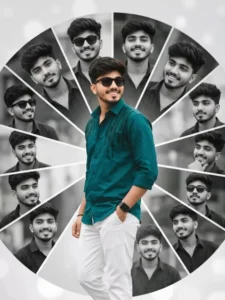
A creative romantic digital photo collage featuring a young handsome man in a black shirt and white trousers. The main subject is a full-body cutout placed slightly left, turned back and smiling over hes shoulder, wearing a peacock black embellished shirt. Behind and around him is a semi-circular collage of multiple black-and-white portrait shots of the same man, each in different expressions and poses, arranged in curved segments. The background is a soft light grey. Wear sunglasses
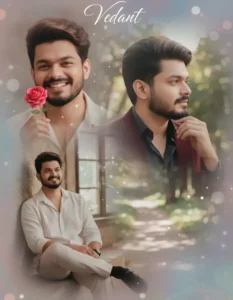
Create a realistic, high-detail 4K collage portrait of me (same face as in the uploaded image, 100% accurate face matching) named "Vedant".
he, glowing skin, and a soft, joyful expression.
he appears in three beautifully blended poses within a dreamy collage composition:
Close-up: he smiles brightly, playfully holding a small pink rose near his face.
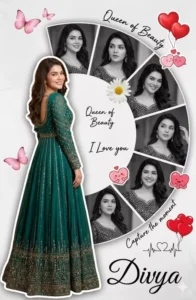
A creative romantic digital photo collage featuring a young handsome woman in a peacock green frock. The main subject is a full-body cutout placed slightly left, turned back and smiling over her shoulder, wearing a peacock green embellished rich frock. Behind and around her is a semi-circular collage of multiple black-and-white portrait shots of the same woman, each in different expressions and poses, arranged in curved segments. The background is a soft light grey textured surface with a minimal aesthetic.Decorative elements include pink butterflies, a floral daisy near the center, red heart balloons, and cute love-themed stickers Handwritten-style text elements like “Queen of Beauty,” “I Love you,” and “Capture the moment” are scattered around. A small heartbeat line with a heart icon is included. At the bottom, the name “Divya” appears in elegant cursive typography. Soft shadows, smooth cutout blending, high-end Photoshop manipulation, romantic mood, pastel tones, high
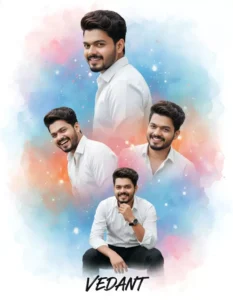
Create a vibrant, cinematic birthday-style collage portrait of a handsome young man instead of the woman. Keep the exact same layout, background, and artistic style as the referencien soft watercolor background blending blue, pisloforange and white tones, glowing dreamy effects, festi Indian celebration be. Include multiple poses of the same male: A large side profile at the top, looking backwards over the shoulder with a calm confident expression (same angle as original top portrait). Two mid-size smiling portraits in the center, natural laughter and traditional celebration mood. One sitting pose at the bottom, restin joyful manner - same position as nd on chin in a thoughtful, e original bottom boy. Outfit: crisp white full-sleeve shirt, black formal trousers, well-groomed hair, subtle traditional accessories like a wristwatch (no heavy jewelry). Natural skin tone, soft shadows, clean facial features. Background remains festive and artistic - watercolor color splash blending orange, blue, pink smoke-style effects. Traditional Indian celebration essence but adapted for a male look. Text at the bottom in stylish handwritten font should display only "VEDANT" (no birthday text). High-resolution, ssy pester style
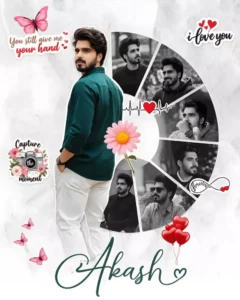
A creative romantic digital photo collage featuring a young handsome man in a peacock green shirt and white trousers. The main subject is a full-body cutout placed slightly left, turned back and smiling over hes shoulder, wearing a peacock green embellished shirt.
Behind and around him is a semi-circular collage of multiple black-and-white portrait shots of the same man, each in different expressions and poses, arranged in curved segments. The background is a soft light grey textured surface with a minimal aesthetic.
Decorative elements include pink butterflies, a floral daisy near the center, red heart balloons, and cute love-themed stickers. Handwritten-style text elements like “#,” “# you,” and “Capture the moment” are scattered around. A small heartbeat line with a heart icon is included. At the bottom, the name “#” appears in elegant cursive typography. Soft shadows, smooth cutout blending, high-end Photoshop manipulation, romantic mood, pastel tones, high resolution, 4k.
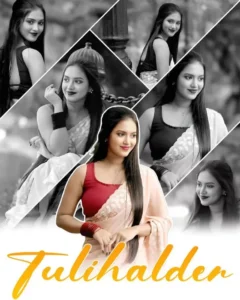
“Create a 4K ultra‑realistic collage of one beautiful young Indian woman wearing a light pastel saree and sleeveless blouse, long straight hair open, soft smile. Arrange 5–6 different poses in diagonal panels like a modern Instagram collage. Background in all side photos should be black and white while the girl remains in full color, giving a color‑splash effect. Central main image should be in full color, front‑facing, waist‑up portrait, with smooth skin, natural makeup and soft bokeh background
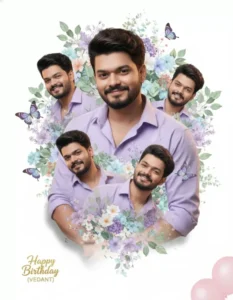
A stylish birthday collage portrait of a handsome young man (use uploaded image as face reference), smiling confidently, wearing a lavender shirt with rolled-up sleeves. Central full-body pose with arms gently crossed. Surrounding hìm in a heart-shaped halo: 5 smaller headshots (same face) at different angles, all smiling. Entire composition framed by lush watercolor-style purple-blue-green florals, leaves, and floating blue butterflies. Behind the central figure: soft double-exposure of his face (eyes closed, serene smile) blended into blooming bougainvillea. Golden sparkling text "Happy Birthday (VEDANT)" at bottom center. Three pink balloons float in lower right. Clean white background, soft shadow under figure, smooth DSLR lighting. 8K photorealistic, Hapartistic collage, bright cheerful theme.
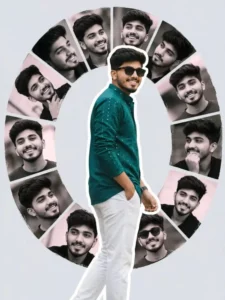
A creative romantic digital photo collage featuring a young handsome man in a black shirt and white trousers. The main subject is a full-body cutout placed slightly left, turned back and smiling over hes shoulder; wearing a peacock black embellished shirt. Behind and around him is a semi-circular collage of multiple black-and-white portrait shots of the same man, each in different expressions and poses, arranged in curved segments. The background is a soft light grey. Wear sunglasses
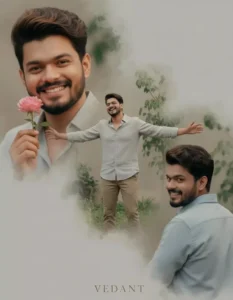
Create a realistic, high-detail 4K collage portrait of me (same face as in the uploaded image, 100% accurate face matching) named "Vedant". he, glowing skin, and a soft, joyful expression. he appears in three beautifully blended poses within a dreamy collage composition: Close-up: he smiles brightly, playfully holding a small pink rose near his face.

Create a dramatic tribute poster with a bold red monochrome background. The background should feature a faint, large close-up of a woman’s eyes blended into the red texture for intensity. In the center, design a collage layout with five vertical rectangular panels showing black-and-white portraits of the same stylish woman (Priya), in different poses and expressions (serious, smiling, side profile, casual stance).
Secrets Of Color And Texture In Google Gemini
I’ll tell you the secrets of Google Gemini: setting up tone and texture. For example, if you want to keep your color tone and texture absolutely perfect, whatever you generate in your photo, you’ll have to explain it using the prompt. For example, here we want a soft texture and a warm tone in our photo. This will create a combo portrait for you. If you want high texture with more detail in your photo and you want a different color tone, write “high texture” and “smooth tone” there, and it will give your photo a different type of texture. These were some of the secrets I’ve just told you. If you want, you can experiment and test them in your own photo. You’ll get very good results.
How To Use Google Gemini Portrait Collage Ai Photo Editing Prompts
And if you want to generate a photo, you won’t understand the correct method for generating a photo, because without understanding it, you can’t add your own texture or adjust the color tone. First, copy the prompt, for which I’ve written an article here. You’ll find a button to copy it. After copying from there, go to the Google Gemini button. You’ll find it below. You’ll find the Create Image option. Click on it directly. When you go there, first paste the prompt. Paste whatever your prompt is there, then go to the Plus option and upload your photo. You want to upload a selfie-type photo, so it’s clearly visible to people. Then, paste the prompt there. Now, as I explained to you, you want to add a texture to the prompt you just copied and pasted. You can add that element there, as this photo is edited based on that. It’s the one that’s going viral on Instagram. If you want to add all this detailing to your photo, you’ll have to type it in separately. You just add it there, and then you don’t have to click “Generate.” You simply click the “Generate” button, and it will generate.
Gemini Vs Photoshop
So, I’ve always shared a lot of secret tips and tricks with you. Many people ask me which is the best between Photoshop and Gemini. Look, we can’t say whether Photoshop is the best or Gemini is the best today. Both have their own advantages, and both are excellent in their own way. For example, if we need to use Gemini for certain things, like changing the background or replacing something, we can do it in one click. Perfectly. But if we need to remove a particular part, for example, if someone is there the day before and we need to remove it, we won’t use Gemini for that because it won’t be able to do it perfectly, and this is something that may happen later in the future. This may be fixed. There’s a lot of detailing that Gemini won’t be able to provide, and we can do it ourselves in Photoshop.