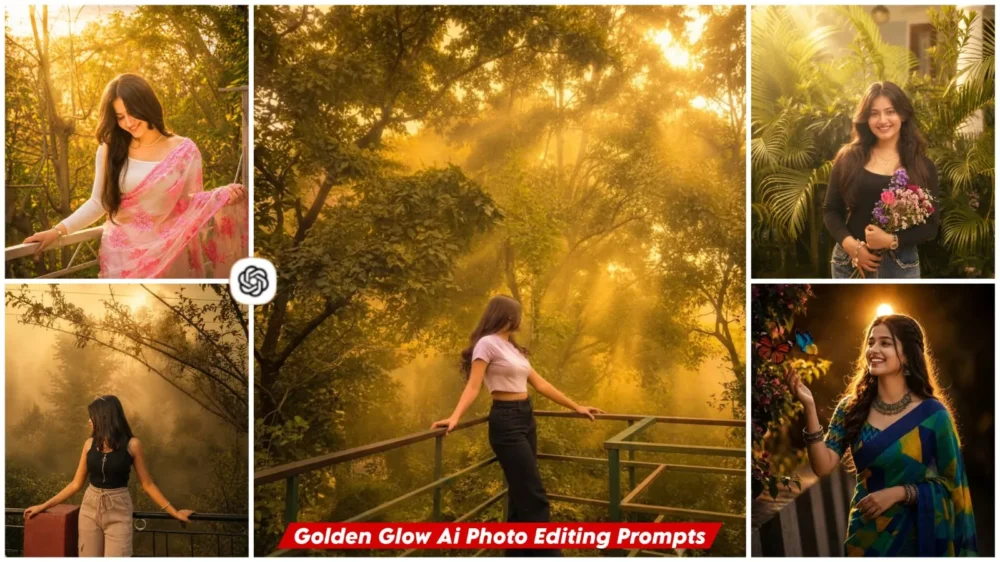
Golden Glow Ai Photo Editing Prompt – You have likely noticed the current trend of AI photo editing on Instagram and other social media platforms, where people are creating various images using AI. Seeing this, we decided to share similar edits on our website. In this article, we will show you how to create another viral edit that features a “golden glow”—an effect resembling the natural sunlight seen during the golden hours of morning or evening. You can apply this effect to your ordinary photos. You can generate these types of images using specific prompts; if you follow the right method, you will achieve excellent results.
Details Of Golden Glow Ai Photo Editing Prompt
What is the “Golden Glow” editing effect? It is a style of editing where a natural golden light appears to surround the subject in the photo. It adds a warm, soft glow without altering your facial features, giving the image a cinematic quality. The goal isn’t simply to add a shiny golden light; it is to make the photo feel completely realistic—as if it were actually captured during the “golden hour.”
What Makes This Prompt Special?
It provides very clear instructions: your facial features remain unchanged, and the image features a golden light. The skin tone is highlighted and soft, while the background is cinematic and warm-toned. The photo must look ultra-realistic. The final result resembles a premium DSLR portrait—which is what makes the image truly excellent—and that is the unique strength of this prompt. This is why the resulting photo looks so natural.
What Kind Of Image You Can Use?
If you want the best results for a golden color effect on your photos, you should always use a high-quality image where your face is clearly visible and you are striking a natural pose. Ensure there is good lighting, and always avoid low-quality or blurry photos.
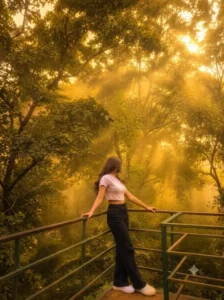
Transform this image into a breathtaking ultra-realistic Golden Glow Forest masterpiece while preserving the original composition and subject. Add dense natural golden fog covering the entire environment, creating a warm, magical, and cinematic atmosphere. Apply luxurious forest-inspired color grading with rich emerald green, deep moss green, olive tones, warm golden yellow, amber, honey, and earthy brown colors. Enhance all trees, foliage, grass, and background elements to resemble a lush premium forest illuminated by soft golden sunrise light.

Introduce beautiful volumetric golden sun rays filtering naturally through the tree canopy, interacting realistically with the dense fog to create glowing atmospheric depth. Add soft golden haze, subtle warm bloom, realistic light scattering, and cinematic mist layers throughout the scene while maintaining natural realism.

Increase the overall image quality to ultra-high-definition 4K (or 16K) with razor-sharp details, HDR enhancement, realistic textures, balanced contrast, professional dynamic range, crisp foliage, and DSLR-quality clarity. Improve shadows, highlights, color depth, and fine details while preserving a realistic photographic appearance.

Create a premium Hollywood-style golden forest atmosphere with dreamy golden fog, atmospheric perspective, luxurious warm lighting, soft cinematic glow, natural color harmony, and immersive depth. The final result should look like a high-end DSLR photograph captured during a peaceful golden sunrise in a dense misty forest, featuring ultra-realistic details, rich textures, warm sunlight, glowing fog, and stunning cinematic quality.

Style

Golden Hour Forest Photography, Golden Sunrise, Dense Golden Fog, Warm Cinematic Lighting, Volumetric Sun Rays, HDR, Ultra Realistic, DSLR Photography, Professional Color Grading, Atmospheric Depth, Hollywood Cinematic Look, 16K Quality, Photorealistic, Premium Nature Photography.

Negative Prompt

**Do not change the person, face, hairstyle, skin tone, clothing, pose, composition, camera angle, background layout, or proportions. Do not add or remove trees, plants, buildings, roads, vehicles, people, animals, flowers, waterfalls, rivers, lakes, mountains, rocks, benches, signs, or any extra objects. No fantasy elements, no artificial glow, no oversaturation, no cartoon style, no AI artifacts, no blurry subject, no distorted anatomy, no duplicated objects. Only apply premium golden fog, warm cinematic forest color grading, realistic volumetric sunlight, HDR enhancement, and ultra-high-quality photorealistic detail.
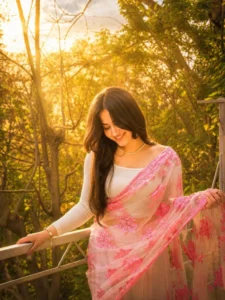
Soft dreamy golden glow, warm sunlight bloom, et hereal forest lighting, cinematic sun rays filtering t hrough trees, luminous green highlights, soft haze, atmospheric mist, glowing edges, natural light diff usion, subtle lens glow, radiant ambient light, drea my bokeh, volumetric lighting, golden hour illumin ation, ultra-realistic light bloom, soft-focus backgr ound, magical nature glow, vibrant yet natural colo rs, cinematic depth, 8k HDR quality lighting. Vartic al aspect retio 3:4
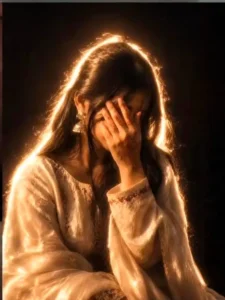
Add dramatic flash glow effect, dark black background, cinematic low light, strong backlighting around subject, glowing edges, soft bloom light, vintage camera flash look, high contrast shadows, moody aesthetic, film grain texture, warm golden highlights, dreamy blur, Y2K flash photography style, realistic skin texture, overexposed flash lighting, soft haze, night shoot vibe, Instagram restyle aesthetic, detailed shadows and glow.
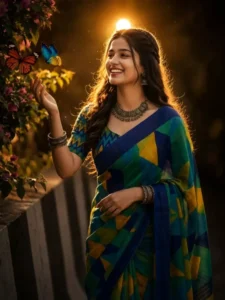
Transform this normal portrait into a cinematic night portrait with dramatic backlighting. Add a strong warm golden light source directly behind the subject's head, creating a beautiful halo glow around the hair and body edges. Create realistic rim lighting on hair, face edges, shoulders, and neck. Add soft light bloom, lens glow, subtle dust particles floating in the air, and atmospheric cinematic lighting. Increase contrast while keeping skin texture natural and realistic. Hair strands should catch the light naturally with glowing highlights. Background should stay dark for strong subject separation. Add warm orange-gold color grading, DSLR flash photography look, ultra realistic, high detail, sharp focus, professional portrait retouching, soft shadows, premium Instagram aesthetic, natural facial features preserved, no face change, no beauty filter, realistic skin pores, 8k quality.
Extra Negative Prompt (agar option ho): blurry, overexposed face, artificial skin, cartoon, extra glow
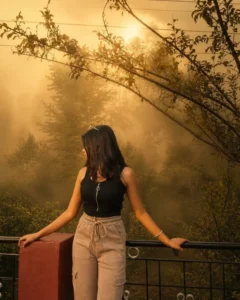
Transform this image while preserving the ORIGINAL PHOTO exactly. ======================== STRICT IDENTITY LOCK Preserve the person exactly as shown in the reference image. Do NOT change the face, hairstyle, skin tone, facial features, expression, body shape, age, clothing, footwear, accessories, pose, hand position, or body proportions. ======================== STRICT COMPOSITION LOCK Keep the original composition exactly unchanged. Do NOT crop. Do NOT zoom. Do NOT rotate. Do NOT change the camera angle. Do NOT change the focal length. Do NOT change the perspective. Keep the subject in the exact same position and scale. ======================== GOLDEN FOG FOREST LOOK ONLY Do NOT add, remove, replace, or modify any objects, trees, road, plants, or background elements. Apply an ultra-realistic premium Golden Forest cinematic color grading with rich emerald green foliage, warm golden highlights, soft amber glow, earthy brown tones, balanced HDR contrast, and natural DSLR-quality lighting. Add extremely thick, dense, natural-looking golden fog covering the entire scene from foreground to background. Create realistic atmospheric depth with soft volumetric mist between the trees and along the path. Reduce distant visibility naturally while keeping the subject perfectly sharp. Let warm golden sunrise light filter softly through the tree canopy, creating subtle volumetric light rays, glowing mist, and a luxurious cinematic atmosphere. Enhance textures, sharpness, clarity, dynamic range, shadows, and color depth. Preserve all original details while giving the image a premium Hollywood Golden Fog Forest aesthetic. Increase the image to ultra-high-definition 16K quality with photorealistic detail, crisp textures, HDR enhancement, and professional cinematic color grading. ======================== NEGATIVE PROMPT Do not change the person, face, hairstyle, clothing, pose, composition, road, trees, plants, or background layout. Do not add or remove objects, vehicles, animals, flowers, leaves, rocks, signs, buildings, benches, people, birds, butterflies, waterfalls, rivers, lakes, mountains, fences, or any extra elements. No fantasy effects, no artificial glow, no oversaturation, no cartoon style, no AI artifacts, no blurry subject, no duplicated objects, no distorted anatomy. Only apply dense golden fog, cinematic forest color grading, realistic lighting, HDR enhancement, and ultra-high-quality 16K detail.
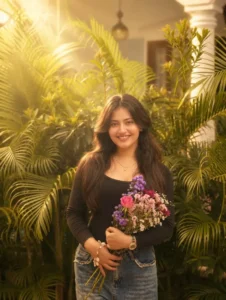
Create soft. etherea studio lighting with warm
golden tones. Add diffused sunlight coming from the side, casting gentle soft-edged shadows on the face. Maintain smooth, creamv skin highlights, slight bloom/glow around bright areas, and a hazy cinematic atmosphere. Keep the contrast low, whites glowing, and overall mood dreamy, warm, and angelic. Preserve natural skin texture while adding a subtle glossy sheen.
The Benefits Of Golden Glow Editing?
The benefits of this ‘Golden Glow’ editing style are that it transforms your ordinary photo into a cinematic one—the kind of content you frequently see on social media. You can create this using ChatGPT without needing complex, labor-intensive editing in Photoshop. It is perfect for beginners to try, and it gives AI portraits a truly luxurious look.
How to create This Golden Glow Image?
We have already shared the prompts for creating these photos. Simply copy the prompt you prefer, then open ChatGPT. Click on the ‘plus’ option to upload your reference photo—as we previously mentioned, you need to add the photo here. Next, paste the prompt you copied and hit ‘Generate.’ It will create the photo for you, yielding results like those shown in the article.