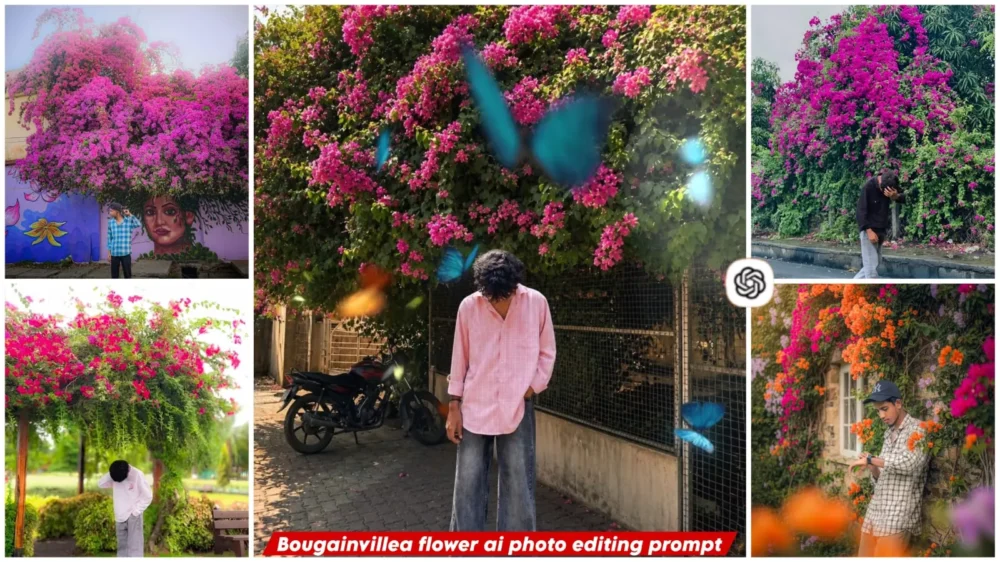
Bougainvillea Flower Ai photo Editing Prompts – You may have recently noticed a viral photo going viral on Instagram. People see these pink flowers hovering over us. It looks quite aesthetic, and it seems to be present in our photos. It makes our photos appear completely natural and different from other Instagram posts. This is why you’ll notice that most people who see these flowers in real life immediately click photos, but many people can’t find them. What can you do in this situation? You can apply the method I’m going to explain in this article. This will make your photos absolutely perfect. Your editing will be done very easily and naturally.
Details Of Bougainvillea Flower Ai photo Editing Prompts
What is this AI editing style? It is a viral trend where realistic pink or purple flowers—often appearing as trailing vines—are added around your ordinary photo. The result looks incredibly natural and realistic; the flowers blend in with such depth that the entire image appears authentic. The goal of this editing isn’t just to beautify the photo, but to give it a premium outdoor look—ensuring it doesn’t look like an AI-generated image at all.
Why Is This “Flower-style” Editing Going So Viral?
In today’s social media landscape, this kind of floral editing stands out as unique; people currently prefer natural aesthetics. The main reason for its popularity is that the flowers are created in a completely natural way—they look incredibly realistic within the frame and make the photo visually captivating. The most amazing part is that, despite being AI-generated, the image looks so authentic that you wouldn’t be able to tell it wasn’t a real photograph. It allows you to achieve a premium editing look.
What Makes This Prompt Special?
It includes specific instructions to ensure your face remains unchanged and the pink flowers look completely natural—avoiding any artificial or plastic appearance in favor of a realistic, authentic look. It also ensures the composition is well-balanced, maintaining natural sunlight and greenery, giving your photo a premium, DSLR-quality finish. All these elements are incorporated into the prompt to ensure your photo turns out absolutely perfect.
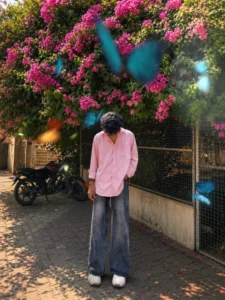
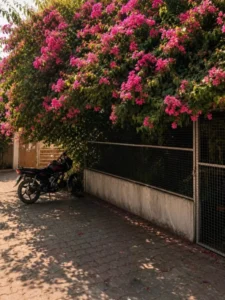
Change ONLY the background. Keep the subject 100% unchanged same face, hairstyle, skin tone, pose, body proportions, clothing, angle, framing, fighting, and expression. Place a large natural lush tree with a thick trunk and abundant green leaves, with the subject sitting under the tree. Add a peaceful lake or river behind the tree, with a small portion of natural sky visible. Create a highly realistic outdoor environment with rich foliage and natural depth. Apply strong yet natural 85mm DSLR lens background blur (bokeh), keeping the subject perfectly sharp while the tree, leaves, lake, and distant scenery blend into a smooth cinematic blur. Ultra-realistic photography, natural colors, realistic lighting and shadows, professional DSLR quality. Do not add, remove, or modify anything on the subject.
Background replacement only.
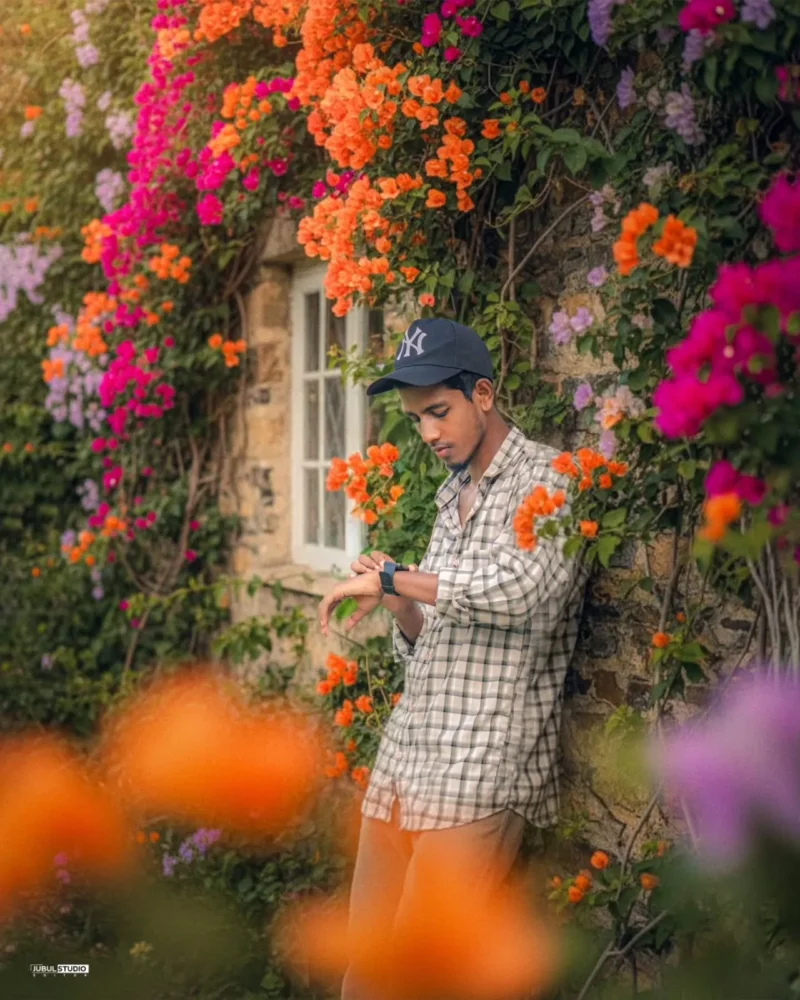
Create an ultra-HD, hyper-realistic 4:5 overhead close-up of a human subject using the exact face from the provided selfie 100% accurate, with no editing, no retouching, no smoothing. Preserve natural skin texture, sharp features, and maintain highest clarity with sharp focus. The subject is calmly leaning against an ivy-covered stone wall of an old countryside cottage during golden hour, checking the time on his watch with his head slightly tilted down, one hand brushing away a dangling vine. The flowering vines are in full bloom with orange, magenta, and lavender hues, softly blurred in the foreground. The outfit must remain exactly the same as in the uploaded reference image.
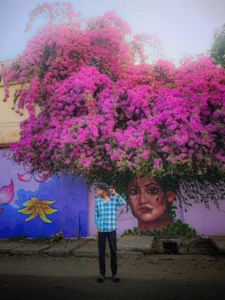
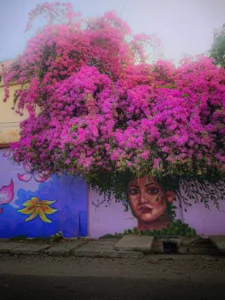
A high-quality, cinematic 8k photograph of a person walking along a wet asphalt road, captured in a full-body shot. The person is wearing a black button-down shirt and light-wash jeans, with one hand placed over their face in a contemplative or modest pose. In the background, there is a large, vibrant bush overflowing with bright magenta bougainvillea flowers, creating a dense and colorful floral wall. The lighting is soft and diffused, highlighting the wet texture of the road and the vivid colors of the flowers. The overall aesthetic is moody, artistic, and natural."
Background replacement only.
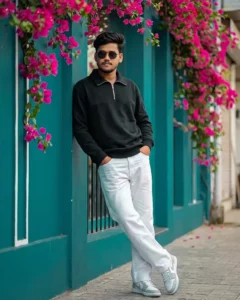
Use the uploaded photo as the ONLY identity reference. Full body leaning pose against a teal wall and window frame, both hands inside pockets, legs crossed casually, relaxed street fashion attitude. Surrounded by hanging pink bougainvillea flowers and clean aesthetic café background with smooth background blur. Realistic lighting, natural colors, high detail textures, cinematic framing, hyper realistic 4k resolution, natural photo. Outfit & accessories: black half-zip sweatshirt, white jeans, white & sneakers, black sunglasses.
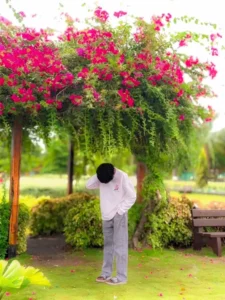
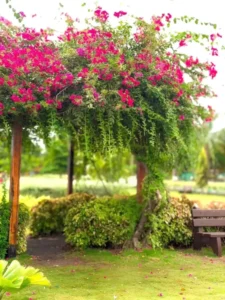
A high-quality, cinematic portrait of a person standing under a lush, vibrant archway overflowing with bright pink bougainvillea flowers. The person is wearing a light-colored long-sleeve sweatshirt and grey jeans, positioned with their head bowed, creating a contemplative or shy mood. The background features a soft-focus park setting with green grass and a wooden bench. The lighting is natural and soft, emphasizing the vibrant colors of the flowers and the serene atmosphere.
Background replacement only
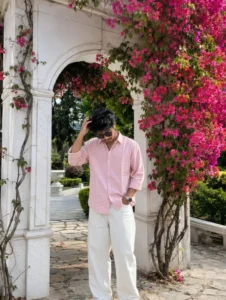
Ultra-realistic iPhone portrait photo of a young man standing under a large white marble structure and bougainville filled with dense vibrant hot-pink flowers and fresh green leaves, flowers covering the structure naturally. Full-body shot, vertical composition, captured on iPhone camera with natural HDR detail, sharp focus, realistic texture, premium mobile photography quality.
The young man is standing on a stone-paved garden pathway in a relaxed candid pose, head tilted downward, eyes looking at the ground, calm thoughtful expression.
He is adjusting the black side of his hair from his right hand. He has medium length messy textured hair, soft facial features, medium skin tone, natural skin texture.
Outfit: boxy-fit baby pink button-down shirt with
sleeves rolled slightly above wrists, loose fit untucked style, white heavy washed wide-leg denim jeans, metal wrist watch, rectangle frame dark lens sunglasses, Converse all star Balck and white sneakers.
Environment: elegant marble
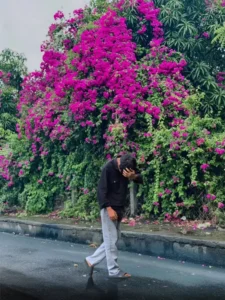
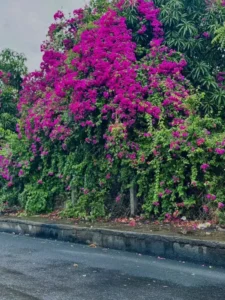
A high-quality, cinematic 8k photograph of a person walking along a wet asphalt road, captured in a full-body shot. The person is wearing a black button-down shirt and light-wash jeans, with one hand placed over their face in a contemplative or modest pose. In the background, there is a large, vibrant bush overflowing with bright magenta bougainvillea flowers, creating a dense and colorful floral wall. The lighting is soft and diffused, highlighting the wet texture of the road and the vivid colors of the flowers. The overall aesthetic is moody, artistic, and natural."
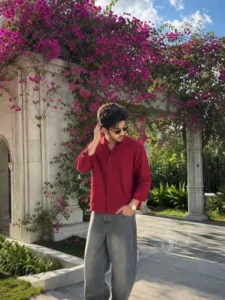
Ultra-realistic iPhone portrait photo of a young man standing under a large white marble structure and bougainvillea filled with dense vibrant hot-pink flowers and fresh green leaves, flowers covering the structure naturally. Full-body shot, vertical composition, captured on iPhone camera with natural HDR detail, sharp focus, realistic texture, premium mobile photography quality.
The young man is standing on a stone-paved garden pathway in a relaxed candid pose, head tilted downward, eyes looking at the ground, calm thoughtful expression. He is adjusting the black side of his hair from his left hand. He has medium length messy textured hair, soft facial features, medium skin tone, natural skin texture.
Outfit: boxy-fit cherry red button-down shirt with sleeves rolled slightly above wrists, loose fit untucked style, grey heavy washed wide-leg denim jeans, metal wrist watch, rectangle frame dark lens sunglasses, Converse all star Balck and white sneakers.
Environment: elegant marble structure and grass setting with blue sky and dramatic clouds strong warm sunshine with cinematic day light.
Sunlight hitting from the side on face and body, natural shadows, glowing highlights dreamy soft atmosphere.
Style: candid luxury Instagram aesthetic, realistic lifestyle photography.
How To Create Image Using prompt
If you want to create an image based on a reference photo, here is how you do it. First, select one of the unique prompts provided in the article—whichever one appeals to you—and copy it. Next, open ChatGPT, as we will be using it for this process. Paste the prompt and click the plus (+) icon to upload your reference photo—that is, the specific type of image you want to use as a reference. I have explained this in previous articles; if you have read them, great—if not, feel free to ask me. Finally, select the ‘Generate’ option, and your image will be perfectly created.
Conclusion
You can easily create this trending Instagram edit. We have already explained the details of how to go about it; you simply need to follow the correct steps to create it. If you face any issues, feel free to ask us—we will certainly guide and help you with the process. We are here to assist you in learning new editing techniques.