Viral Baby Dance Ai Video Editing Prompt – You have children at home, and you probably post their normal photos or videos on social media. Why not create something amazing that will make your child’s video go viral? You should definitely create a dance video. It’s not about your child actually dancing and following specific steps. That’s not how your video will go viral. Here, we’ll show you a process where you’ll only need one photo of your child, and a completely realistic dance video will be ready. If you want to learn more about this, and want to create similar videos for young children or even adults, I’ll explain all the steps in this article.
Details Of This Ai Video
Watch this video to see what you’ll get: your children will perform dance moves that even adults can’t do, and you’ll see how it’s possible. A reference video is used in this process. You need to use a video of a skilled dancer. You’ll find many people on Instagram who are amazing dancers. You need to use one of their videos as a reference. This editing process is completed by following the motion in that reference video. The software tracks the motion and applies it to your photo, making the people in your photo appear to be dancing. We’ll discuss which tool we’ll use to edit this and explain how easy it is to create this effect.
Create Video Using Kling Ai
Look, for this we will use Kling AI. You can find the kling AI application on the Play Store. Its website is also available. Let me make this clear: this is not an affiliate link, nor is it Kling’s official website. We are simply explaining the editing process using this tool. You can use the application on both Android and iPhone. You’ll find the app available for both platforms, so choose whichever you prefer. I will explain the process of creating videos with it further on, but understand that this motion control process is currently only available in Kling. You won’t find it in any other tool. So, if you’re thinking of creating it elsewhere, it’s simply not possible. You will have to create it using Kling, even if you go to another platform. You will still see the Kling option there.
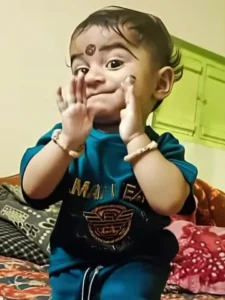
A cute baby dancing exactly to the rhythm of the provided song, precise beat synchronization, joyful baby expressions, smooth natural movements, no exaggeration, realistic body motion, high resolution, social media reel style
How Do You Create This Video?
First, you need to use a photo of yourself. You need to take a full-body photo; remember, you shouldn’t use a half-body photo. For best results, you must follow the process I’m describing. Take a full-body photo, and then open Kaling AI. You can use the application or the browser. Go to the AI video option. You’ll find several options there; select Motion Control. In this, you have to upload an image first and then a video. So, what kind of image and video should you upload? First, upload your full-body photo, as I mentioned earlier. Second, provide a reference video. This should be the type of dance video or action you want to perform. After that, you’ll need to enter a prompt below. It will be a video prompt; I’ve provided the link for it. Paste it there and then generate the video. It will be ready. Yes, you will need some credits for this. First-time users will receive some credits. You can use them to generate the video.
Conclusion
This is how you can create such viral videos. You can create these viral videos using a normal photo. I hope these details were helpful to you because I have explained everything according to my knowledge of editing, so that you can use it to create great videos. The details have now been explained thoroughly. Use them, create your videos, and let us know what you think of the results!