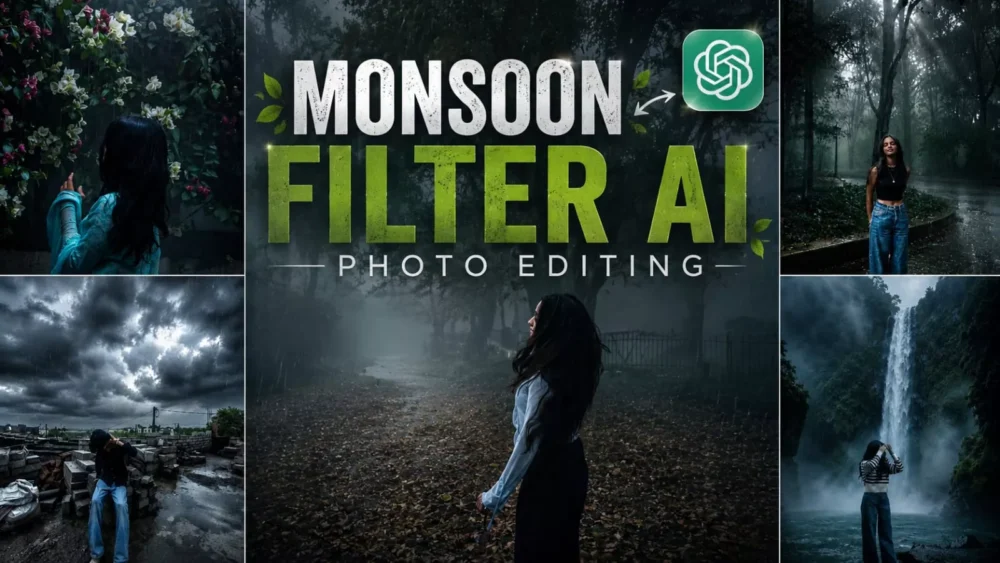
Monsoon Ai Photo Editing Prompt – The monsoon season brings a unique feeling—wet roads, a light drizzle, and lush greenery all around. The scenery becomes absolutely beautiful. There is a filter currently going viral on social media that can transform your ordinary photos to capture this specific atmosphere—recreating that slightly dim, moody, and cinematic look typical of rainy weather. In this article, I will explain two ways to achieve this: one using Instagram and the other using ChatGPT. You can follow these methods to create your own images.
Details Of Monsoon Ai Photo Editing Prompt
What is this “monsoon AI photo editing”? It is a viral editing trend that utilizes current AI techniques to transform your standard photos into images featuring a rainy atmosphere—complete with light mist and wet surfaces—creating a truly cinematic look. You can see examples of these images in the article to get a clear idea of the style.
Why Is This “Monsoon filter” Going So Viral?
It applies a cinematic look to ordinary photos. It doesn’t change the background; instead, it alters the color grading and lighting of your standard photo. Its biggest appeal lies in how perfectly it captures the rainy season vibe, giving the image a cinematic color tone—specifically, a slight blueish hue. Anyone creating content with this filter and uploading tutorials for it is seeing their photos or videos go viral. That is why we are sharing this editing style with you—so you, too, can go viral.
What Makes This Prompt Special?
Well, if you want to create a perfect photo, the details in your prompt need to be spot-on; precise detailing ensures a superior result. First, ensure the prompt preserves your facial features exactly as they are. The rain should appear light and natural. If you are creating a monsoon-themed image, the sky should be overcast with clouds. Additionally, the road and the surrounding environment should evoke the authentic atmosphere of a rainy day—that is what creates the perfect photo. I have incorporated all these specific details into this prompt to ensure you get the best possible results.
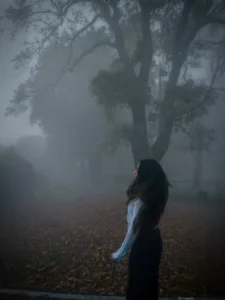
Moody Nature, Dense Fog Weather, Volumetric Lighting, HDR, Ultra Realistic, Professional Color Grading, 4K Quality, DSLR Shot, Atmospheric Depth, Photorealistic!
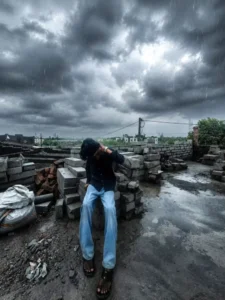
Ultra-realistic cinematic monsoon color grading, dark stormy atmosphere, deep gray rain clouds, cool moody tones, rich emerald green vegetation, wet reflective surfaces, realistic rainfall streaks, high dynamic range (HDR), dramatic contrast, soft natural light through clouds, desaturated sky, enhanced depth, realistic shadows, premium DSLR photography, natural colors, ultra detailed textures, cinematic weather mood, realistic rain reflections, crisp clarity, professional color grading, masterpiece, 8K quality.
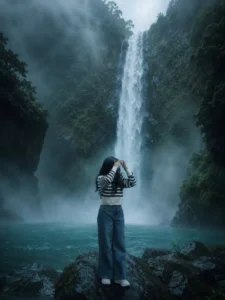
Refer to the uploaded user photo for the person's
face and appearance. Place this exact person inside a breathtaking cinematic masterwork scenery of a majestic waterfall cascading down a steep, moss-covered rocky cliff into a crystal-clear, vibrant turquoise pool. The entire environment must be filled with heavy, dense, and thick mystical fog and swirling mist. The lighting must be highly dramatic and atmospheric; the cool blue, cyan, and green colors of the foggy environment must realistically reflect onto the person's skin and face, blending their skin tone perfectly with the background. Cinematic look, photorealistic, 8k resolution, ultra-detailed texture, epic scale, enchanting
mood. --ar 3:4 ratio
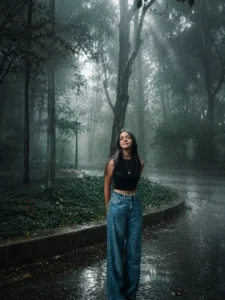
Transform this image into a breathtaking ultra-realistic foggy forest masterpiece. Add dense natural white fog covering the entire environment, creating a mysterious and cinematic atmosphere. Apply rich forest-inspired color grading with deep emerald green, dark teal, moss green, and earthy brown tones. Enhance the trees, foliage, and background elements to resemble a lush enchanted forest hidden in the mist.

Add heavy natural rainfall throughout the entire scene with ultra-realistic raindrops falling at different distances and speeds. Include fine rain streaks, misty rain particles, water droplets on leaves, wet tree trunks, soaked ground, puddles with realistic reflections, and subtle splashes where raindrops hit surfaces. Create a cold rainy forest atmosphere with moisture in the air, soft rain haze, and realistic humidity. Add gentle wind interaction with the rain and foliage for a dynamic cinematic feel while maintaining a natural appearance.

Introduce soft volumetric light rays subtly penetrating through the fog and rain, creating depth and realism. Increase overall image quality to ultra-high-definition 4K resolution with razor-sharp details, HDR enhancement, realistic textures, balanced contrast, and natural color harmony. Improve shadows, highlights, and dynamic range while maintaining a realistic appearance. Add a moody woodland aesthetic, dreamy fog layers, atmospheric perspective, wet cinematic reflections, and professional cinematic photography grading.

The final result should look like a premium DSLR forest photograph captured during a cold, rainy, misty morning, with ultra-realistic details, immersive depth, soft diffused natural lighting, stunning visual quality, realistic rain effects, and a highly cinematic atmosphere.

Style: Cinematic Forest Photography, Moody Nature, Dense Fog Weather, Heavy Rain, Wet Atmosphere, Volumetric Lighting, HDR, Ultra Realistic, Professional Color Grading, 4K Quality, DSLR Shot, Atmospheric Depth, Photorealistic.
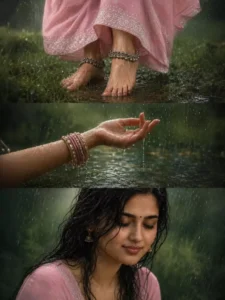
Ultra-realistic cinematic Indian monsoon photography featuring a beautiful young South Asian woman enjoying a gentle rain shower in a lush green countryside setting. The composition is arranged as a luxury three-panel editorial collage. Top Panel Close-up of bare feet walking through wet grass and shallow rainwater puddles. She wears traditional silver anklets (payal) and a deep maroon embroidered ethnic outfit with intricate gold border detailing. Raindrops splash around her feet, creating realistic water ripples and reflections. Middle Panel Elegant close-up of her hand extended toward the sky, feeling the rain. Traditional red-and-gold bangles adorn her wrist. Crystal-clear raindrops stream from her fingertips, captured with stunning detail. Soft natural greenery and water reflections create a dreamy background. Bottom Panel Intimate beauty portrait of the same woman with wet, naturally flowing dark hair. Eyes gently closed, wearing a tiny bindi, delicate jhumka earrings, and a peaceful smile. Rainwater glistens on her skin, highlighting natural beauty and serenity. Expression conveys calmness, gratitude, and connection with nature. Environment Lush green monsoon landscape Soft rain falling throughout the scene Wet grass and reflective puddles Natural outdoor setting Dreamy blurred foliage background Fresh earthy atmosphere Lighting Soft overcast monsoon daylight Natural diffused lighting Gentle highlights on water droplets Realistic skin reflections Moody cinematic atmosphere Photography Style Ultra-realistic DSLR photography National Geographic meets Vogue India aesthetic 85mm lens, f/1.8 Shallow depth of field Hyper-detailed raindrops Cinematic color grading Premium fine-art portraiture High dynamic range 8K resolution Vertical editorial collage layout Emotional storytelling composition Photorealistic textures and water effects Mood: Peaceful, feminine, nostalgic, soulful, monsoon romance, connection with nature, timeless Indian beauty.In the left bottom corner add a small triangle with a stylized "Ep" inside it and a text "Editing Prompt" beneath it. Keep the face 100% same as in the uploaded picture
How To Create Image?
We have already shared the prompts for creating these photos; you can find them in the article. Simply copy the prompt that appeals to you—since there are various styles available (such as active rainfall versus just a general monsoon atmosphere), you can choose the one that suits your preference. Once you have copied it, proceed to the next step: open ChatGPT. Here, you need to upload a reference photo—any image you wish to transform into a monsoon-themed picture. After that, paste the prompt and generate the image. This process will produce a perfect photo with impressive results.
How To Create Using Instagram?
You will get such detailed results if you follow this method. Alternatively, if you want to create it using Instagram, simply open the app and go to the ‘Story’ section. Select the photo you wish to convert. Look for the ‘Restyle’ option there; select it, and you will find a field to paste a prompt. Paste the specific prompt and hit generate—your image will be ready. Since many people do not have access to the ‘Restyle’ feature, I have explained the ChatGPT method in this article so you can easily create these images.