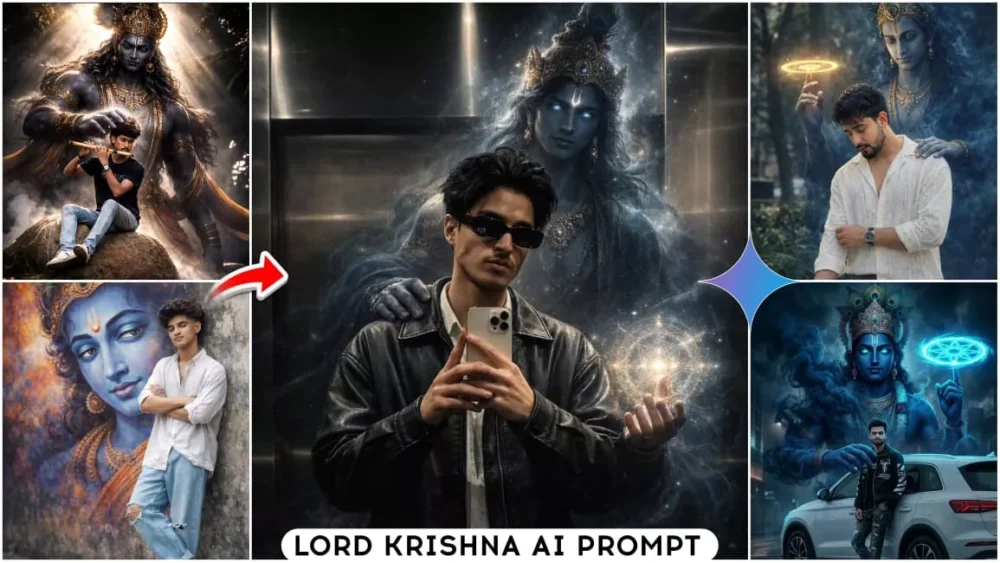
Google Gemini Lord Krishna Ai Photo Editing Prompts – In this article, you will learn how to create your own photo with Lord Krishna. Photos created in different styles, such as receiving blessings from him, hugging him, or standing with him, are becoming very viral. To create these, we can use AI tools like Chat GPT, Google Gemini, and Grok. In this article, I have given different unique AI prompts. Using these, you can generate different types of photos. We will understand the tutorials, tips, and full breakdown of these prompts in full detail in this article.
Full Breakdown Of This Editing
This prompt analyzes your uploaded photo and adjusts everything from the photo’s positioning, lighting, and angle accordingly. It adds everything to your photo in a completely natural way, ensuring perfect lighting. The effects match all these elements so well that they appear completely realistic. From the background to the environment of the photo itself, it creates a divine experience. This reveals that these photos are created for devotion and are being created with God. If your photo reflects all these qualities, then you’ve created a perfect photo. In this article, I’ve shared prompts for different photo styles. You can use them to create different types of photos.
Trending Photo Editing Prompts
Some Mistakes You Should Never Make
If you’re creating photos, always keep these things in mind. First, avoid using low-quality photos. If you’re using photos, as a reference image is used here. Instead, use your own photo. Your face should be clearly visible in the background. The background should not be overly crowded. It should be a simple, plain background. Then, whatever prompt you use, don’t use one that’s too long. As for memorization, people often put too much detail into it. This confuses them and they can’t accurately capture the results. You should also pay attention to these things and use photos with proper lighting. As I mentioned about the prompt, I provided a perfect prompt; there’s no problem with that. But when you use a photo, your photo should be absolutely perfect. Like the details shown here. If you add this type of photo, you will get very good results.
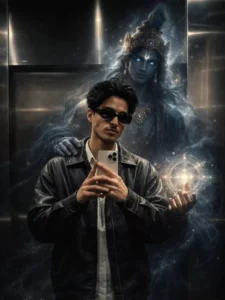
Transform this photo into a cinematic divine fantasy scene.
Lock the main person 100% unchanged - same face, same identity, same pose, same expression, same outfit, same body proportions, same hairstyle, same lighting on the face, same camera angle, same framing, same background environment.
Add a divine, ethereal presence of Lord Krishna emerging subtly from behind the person's back, slightly offset to one side. Lord Krishna should appear as a semi-transparent, celestial figure made of soft blue divine energy and sacred smoke, not solid, not overpowering the main subject. Krishna's form is tall and calm, with deep blue skin tone, glowing white-blue divine eyes, adorned with a golden crown featuring a peacock feather, faintly visible jewelry, and flowing spiritual aura. Krishna's one hand gently rests on the person's shoulder, symbolizing protection and guidance. The other hand projects a glowing circular divine chakra / energy mandala, floating near the person's hand, made of sacred geometric patterns and soft radiant light. Surround Krishna with slowly swirling blue-black spiritual smoke and cosmic particles, blending naturally into the scene without covering the person's face or body. The smoke and aura should wrap around the subject subtly, flowing downward and dissolving into the ground naturally. Maintain realistic depth, shadows, reflections, light interaction, and atmospheric perspective so Krishna's presence feels integrated into the real photo. Lighting remains cinematic and moody - cool blue highlights from the divine aura, soft rim-light on the subject's edges, realistic shadow falloff. No beautification. No facial changes. No outfit changes. No pose changes. No background replacement. Ultra-realistic composite, dark cinematic tone, mythological realism, volumetric lighting, ultra-detailed textures, 4K quality, high contrast, film-grade color grading, shallow depth of field.
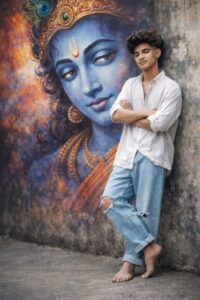
Using refrence image a full-body realistic wide-angle photograph of a stylish young man standing and leaning against a wall with his eyes closed and arms crossed and leg-crossed in a peaceful pose. behind him is a massive, vibrant mural of lord krishan face with looking at him. the man is wearing a loose oversized white bottom-down aesthetic shirt, sleeve rolled, light blue wide-leg jeans with ripped knees with barefoot.he has voluminous, messy dark wavy hair with a clean taper fade on the sides.
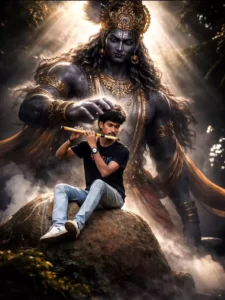
Transform the uploaded image into a hyper-realistic cinematic mythological scene. Keep women's eyes close. Add a gigantic divine Krishna god imstanding behind the women like a guardian spirit.
The god is towering, muscular, dark stone-like skin, glowing white eyes, majestic golden crown, intricate Hindu jewelry, sacred ornaments, powerful divine aura. One massive hand gently placed on the lifter's head symbolizing divine strength and protection. Dramatic volumetric lighting, god rays breaking through darkness, smoky chalk dust in the air, cinematic shadows, intense emotion, dark fantasy realism, mythological atmosphere, ultra-detailed muscles, high contrast, shallow depth of field, epic composition, 8K ultra-realistic, cinematic color grading.
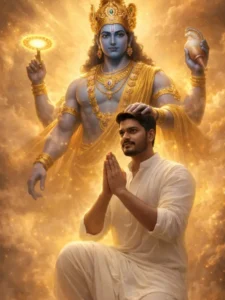
photorealistic 8K portrait, High-impact cinematic depiction of [lord Krishna ], Subject: me (use uploaded face - 100% facial accuracy, no changes). with no extra brightness on the face, keeping my natural dark facial tone intact. dreamlike, krishna hand on my head, I am sitting on a knee, namaste pose, wear white stylish dhoti and kurta, body facing forward, me realistic and real, a colossal and majestic multi-armed deity with smooth blue skin, featuring a serene expression, adorned with an intricate golden crown and heavy celestial jewelry. The entity holds a glowing, spinning chakra disc on one uplifted finger and a large conch shell in another hand, torso emerging from swirling, luminous golden clouds.

Positioned in an ethereal, mist-filled atmosphere, accompanied by me seen from behind, behind me lord Krishna spitted on a knee and his one hand on my a shoulder, me looking out off camera, lord krishna directly looking viewer front, The scene conveys awe and spiritual revelation through dramatic backlighting and intense volumetric god rays, with the deity radiating a blinding golden aura. Captured using a low-angle wide shot to emphasize massive scale, cinematic framing. Ultra-detailed textures, magical energy particles, realistic skin tones, professional cinematic color grading, sharp focus, HDR, ultra-high resolution, 4K, masterpiece quality.

STYLE TAGS:

mythological fantasy, epic scale, divine aura, golden lighting, volumetric fog, hyper-realistic, digital painting, concept art, spiritual, dramatic shadows, 8k, unreal engine 5

style

NEGATIVE PROMPT:
low quality, blurry, flat lighting, distorted face, bad anatomy, extra limbs, oversharpening, text, watermark, logo, cartoonish, dull colors, pixelated

USER REPLACEMENT GUIDE:
Replace [lord Krishna] with a specific deity name (e.g., Lord Krishna, Vishnu) or character

description.
Do not change the rest of the prompt.
Use uploaded image as reference when generating.
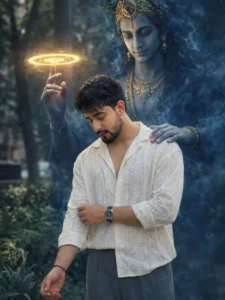
Create an ultra-realistic, high-resolution cinematic portrait using the provided reference image. Preserve the subject exactly as they are — do not alter the face, body, skin tone, expression, hairstyle, clothing, posture, or composition in any way.
Behind the subject, manifest a divine appearance of Lord Krishna emerging naturally from the environment. Krishna must be large yet perfectly scaled to match the subject’s height, camera angle, and perspective.
His form should be constructed from swirling deep-blue smoke, soft volumetric shadows, and subtle glowing particles — partially transparent but clearly recognizable. Avoid ghostly, horror, cartoon, or fantasy-art styles. Maintain authentic Hindu iconography.
Krishna should have calm, compassionate, faintly glowing eyes that convey protective power rather than aggression.
Place the Sudarshan Chakra elegantly rotating on one raised finger with soft golden light emission that realistically affects nearby smoke and atmosphere.
His other hand should rest gently on the subject’s shoulder from behind in a blessing and protective gesture — ensuring the subject’s face, hair, and body remain fully visible.
Environmental Integration (EXTREMELY IMPORTANT)
Match the original lighting direction, softness, temperature, and contrast
Replicate the same depth of field and background blur
Add physically accurate rim lighting where Krishna intersects light sources
Generate realistic contact shadows
Preserve natural color science and dynamic range
Ensure smoke interacts with ambient light correctly
Cinematic Color Grading
Apply professional cinematic color grading similar to high-end digital cinema:
Natural skin tones
Slightly cool shadows with gently warm highlights
Controlled contrast (avoid crushed blacks)
Wide dynamic range
No oversaturation
No artificial neon colors
Portrait Quality Requirements
8K detail
Hyper-real textures
Sharp facial clarity
Natural micro-contrast
Professional lens rendering
Subtle film-grade tonal separation
Strict Rules
Do NOT modify the subject
Do NOT crop, warp, or distort the image
Do NOT change the background composition
No watermark
No text
No artificial glow on the subject
The final image must feel dramatic, mystical, powerful, and cinematic — as if a divine guardian has been captured naturally through shadow, smoke, and light in a real photograph./pre>
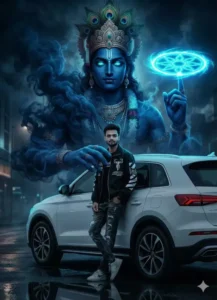
A high-quality cinematic photo of a young man in a modern streetwear jacket and jeans leaning against a white SUV. Behind him, a massive, towering ethereal spirit of Lord Krishna emerges from dark blue swirling smoke. Krishna has deep blue skin, glowing cyan eyes, and wears a traditional peacock feather crown. One of Krishna's smoky hands rests on the man's shoulder, while the other hand holds a glowing neon Sudarshana Chakra spinning above his finger. Moody lighting, hyper-realistic, 8k resolut
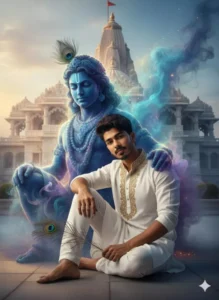
"Krishna" Ultra-realistic cinematic portrait of a man sitting gracefully beside a divine krishna figure made entirely of ethereal smoke in front of Prem Mandir. Outfit: white kurta with intricate golden embroidery and white pant, he holds delicate peacock feathers in one hand. he is slightly leaning her head on krishna. white smokey shoulder while looking gently toward the cemara. Beside her, krishna vadri colors Keep my face 100% same as in the reference image
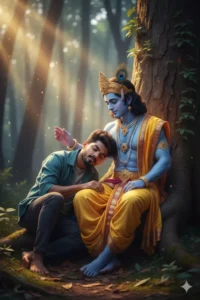
Prompt : Create a cinematic emotional frame featuring the two actors persons together Combined my (your face)photo with lord krishna . I am head on lord krishna. And he is looking me and touch my head. The setting is a tranquil, natural forest environment at dusk, with ancient trees and soft golden evening light filtering through the foliage. Both subjects are seated by a large, old tree trunk
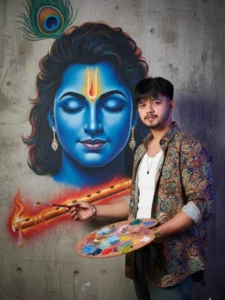
A young male artist with a neat beard and styled hair stands next to a glowing and vibrant mural of Lord Krishna's face. He is dressed in a colorful shirt featuring traditional Indian patterns, holding a painter's brush and palette. The wall painting shows Krishna's calm blue face with eyes closed, highlighted by a radiant orange tilak on the forehead, a peacock feather above and a shining flute in red and orange tones placed diagonally. The backdrop is a raw concrete, 100% my face,l need this prompt picture
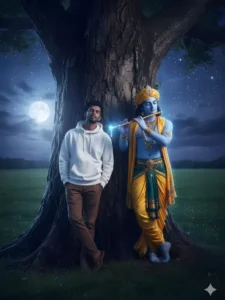
High-impact cinematic depiction of Young indian male, featuring a calm, youthful facial structure, short dark hair, and a peaceful, eyes-closed expression, dressed in a modern white oversized hoodie and brown trousers.
Positioned leaning against the massive, gnarled trunk of an ancient banyan tree in a lush green meadow, accompanied by Lord Krishna, a blue-skinned deity with traditional Vedic features, wearing a golden turban with a peacock feather, yellow silk dhoti, and ornate jewelry. The scene conveys a serene, spiritual, and ethereal mood through soft moonlight and a magical blue aura emanating from the flute player, with dramatic rim lighting and soft shadows. Captured using a wide-angle lens, shallow depth of field, and centered cinematic framing under a starry night sky. Ultra-detailed textures of tree bark and fabric, realistic skin tones, professional cinematic color grading with cool blues and warm earth tones, sharp focus, HDR, ultra-high resolution, 4K, mast

STYLE TAGS:
cinematic, fantasy, ethereal, ultra-detailed, 4K, magical realism, dramatic lighting, starry sky, spiritual, masterpiece

NEGATIVE PROMPT:
low quality, blurry, flat lighting, distorted face, bad anatomy, extra limbs, oversharpening, text, watermark, logo, messy hair, low resolution
How To Create With Google Gemini Lord Krishna Ai Photo Editing Prompts
In this tutorial, I’ll explain step-by-step how to create it. First, log in to your Google Gemini chat app, or grok. Whichever chat app you’re using currently gives the best results, and it’s completely free. What you can do is create an ID there. Then, copy a prompt from our website, whichever you like best: a photo, or if all the photos look good, you can use any, even large ones. Then, click “Create Image” below. This will add a link to Google Gemini. This will take you directly to the website. First, paste your prompt there. Paste whatever prompt you have, then click the “Plus” option and upload a photo. The detailed photo will be the one you’re using. I explained this in the last few paragraphs. After that, you just need to select “Generate” and wait a few seconds. Your photo will be ready in the same style as the prompt you copied.
Alternative Suggestions Of This Editing
I also have some alternative suggestions. You can use them. When you set out to create something new, you can create a photo of yourself embracing Krishna. If you need a prompt for that, please let me know. If you want a different type of image of Krishna receiving blessings, you can suggest that or generate it yourself. The idea of yourself walking with Krishna is the best. It’s the most popular. People can create custom photos like this in their own way. Some of these prompts are provided here, but I’ve just given you an idea. If you want something of your own, you can create something different or find them on our website.