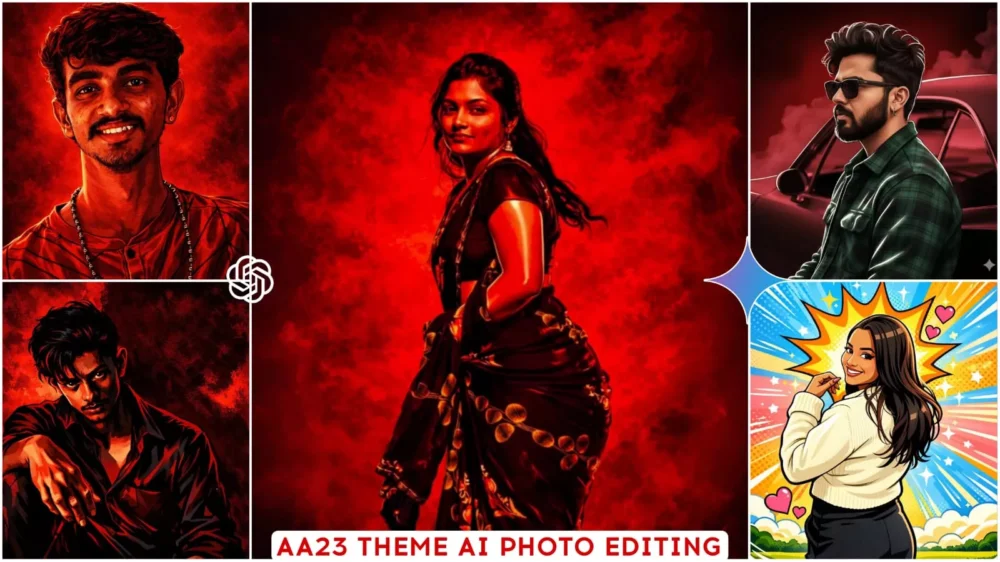
Google Gemini AA 23 Theme Photo Editing Prompts – In today’s digital age, if you’re still only doing basic photo editing on your mobile phone, stop! Now you can create high-quality photos using text prompts. For this, you can use tools like Gemini, which is currently one of the best and most powerful tools available. It can create professional-looking photos for you, limited only by your imagination. This process eliminates the need to learn complex applications like Photoshop, Lightroom, and PicsArt. Simply use prompts, and it will create and prepare your professional photo perfectly. You’ll get excellent results that will leave you very happy.
How Does Google Gemini Prompt Work?
Let’s look at how it works in Google Gemini when you upload a photo. I’ll explain it to you. First, it analyzes your photo. It examines what’s in the photo and how it looks. Then, it carefully understands the prompt you’ve given. It reads all the details you’ve provided. After that, it makes changes to your photo according to the prompt you gave, adding those elements. Finally, it prepares your photo in a completely natural way. This type of editing isn’t manual; it’s intelligent editing. This allows your editing to be done very quickly and easily.
Why Is This Becoming Incredibly Popular Right Now
You’ll see that prompt-based editing is becoming incredibly popular right now. It’s very famous, let me tell you. You’ll see that it’s a huge trend at the moment. It’s absolutely perfect for beginners. They can create professional-level photos, and custom styles are possible for every single photo. You can explore different things here. You get creative freedom. For example, when you give a prompt, it’s not like the photo is simply generated based on that prompt. You also get the option to add anything you want to that prompt. If you want to add something different, your photo will be ready with those additions. That’s the biggest advantage; that’s exactly what people want – to be able to add unique elements to their edits.
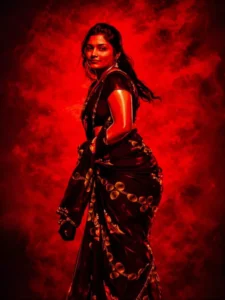
illustration of the person in the reference photo Maintain the exact face identity hairstyle, expression skin tone and pose with zero distortion Transform the entire scene into a deep red high contrast Tamil gangster movie poster style. Replace the background with red gradients smoky atmosphere and subtle textures. Add bold comic book shading thick outlines, strong black shadows and glossy highlights on the skin and clothes. Stylize the outfit with richer tones clean folds and dynamic lighting.
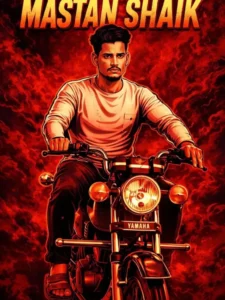
Create a cinematic red-themed gangster movie poster style illustration using the reference image. Keep the original face, hairstyle, skin tone, expression, and pose 100% unchanged. Deep red smoky background with high contrast, bold comic-style shading, thick outlines, strong black shadows, and glossy highlights. Dramatic lighting with sharp jawline and cheekbone highlights. Ultra-detailed 4K look, gritty action-movie mood. Write “MASTAN SHAIK” subtly in the background.

Transform the image into a high-end professional pop-art vector illustration.
Use clean vector shapes with accurate facial features, soft cartoon detailing, minimal halftone shading. Add comic bursts, dotted patterns, motion lines, energy effects, spark highlights using the photo's dominant colors.
Bold outlines, crisp edges, vibrant balanced colors, fully color-adaptive pop-art background and some cute pink hearts
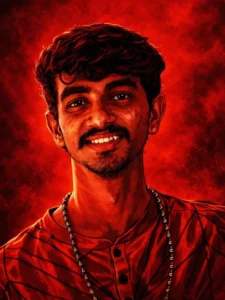
illustration of the person in the reference photo Maintain the exact face identity hairstyle, expression skin tone and pose with zero distortion Transform the entire scene into a deep red high contrast Tamil gangster movie poster style. Replace the background with red gradients smoky atmosphere and subtle textures. Add bold comic book shading thick outlines, strong black shadows and glossy highlights on the skin and clothes. Stylize the outfit with richer tones clean folds and dynamic lighting.
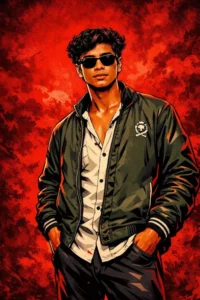
A young, stylish boy wearing black clothing,
sunglasses, anda wristwatch, standing
confidently and looking directly at the camera. A
cemetery or park, with old stone tombstones,
autumn leaves, and a burning street
lamp.CinematiC, moody, dark tones, soft light, and
shallow depth of field.
Technical details: Teal and orange color grading,
bokeh effect, high-detail, 85mm lens. keep my
face 100% same as in reference image
How To Create Image With Google Gemini AA 23 Theme Photo Editing Prompts
Now let me tell you how you can generate this kind of photo. What are the simple steps to create such photos, and how do you do it? First, copy this prompt. Whatever style you have, copy that. Then, you’ll find a button below; click on it. When you click, it will take you directly to CapCut. There, go to the plus option and upload your photo. You can upload your best photo there. Then, you need to paste the prompt. Paste the prompt you copied from your chosen style, and then click on generate. Just wait a few seconds. It will create an amazing photo for you, and you’ll be happy with the result.
Conclusion
Look at the editing quality and output. If you create your photos using Google Gemini, your photos will never look over-edited. They look completely natural, with perfectly balanced colors and skin tones. Your photos will have a professional and clean finish. They are also very social media friendly, because you’ll see many people creating photos with similar results on social media, which is quite unexpected. You can create your photos here in the same way. I’ve provided some different types of prompts here that are currently trending, so be sure to try them out.