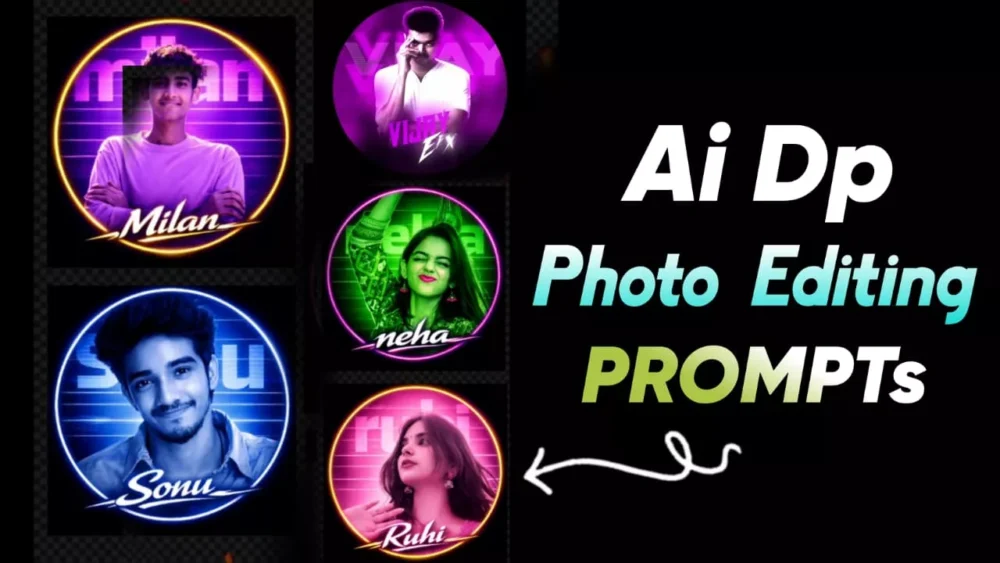
Trending Ai Aesthetic Dp Photo Editing Prompt – Instagram DPs are no longer just profile photos these days. You’ll find that it’s become a brand, and those who have such a professional DP are recognized in a unique way. You’ll see people using Instagram to create cinematic, study-themed, and luxury-themed portraits and DPs. In this article, I’ll show you how to create such photos using the best prompts. We’ll cover their breakdown, customization, export settings, and everything else. I’ll also explain how to create such professional DPs and share them on social media.
Details Of Trending Ai Aesthetic Dp Photo Editing Prompt
In this type of DP, I’ve carefully controlled four elements: lighting style and the type of lighting you want in your photo. You’ll notice that neon lighting is used effectively in most such DPs. You’ll also notice the use of pink color. The rim light is perfectly placed, making you look professional. For example, if light comes from behind you in the background, it creates a small halo in your corner. This type is also reflected here. The background here should be blurred, like a cityscape or a luxury room. The normal background is not visible, but this background is extremely important. If you use a normal background there and edit the photo completely, then your photo will be useless. Face enhancement: If you don’t adjust the face properly here, the result will not be good either. But here in this prompt, you also get face enhancement. As I mentioned, color grading requires a good match between the background and your photo. Only then can you create a professional DP, and all of these things are already set up in our prompt. Just use them.
Process – How Can We Create Such Photos
Now, let’s understand this tutorial on how we can make such photos our DPs, which we will use on social media. Keep in mind, if you ever want to create a photo, you first need to select your photo carefully. Your face should be clearly visible in the photo you’re going to use. There should be no mask on your face. You shouldn’t be wearing glasses, and your hair shouldn’t be on your face. If none of these things are present, then consider your face perfect and you can use it. Now, what you need to do is open Google Gemini. To do this, first copy the prompt from here. Click on the Create Image option below. Go to the Google Gemini website. What happens here is that first you have to select the Create Image option. There are other options available as well; you can do it without selecting them, but the result won’t be as good. Then, you need to select the Pro option below. Under Model, you need to select Pro Model. After that, you need to paste the prompt. You need to go to the Plus option and upload the selfie we just explained in the beginning. Then, you can generate it and your DP will be ready just as you copied the prompt.
Update –
In this article, I’ve uploaded some DPs separately. You can use them to easily create some unique and trendy edits. Now, let us know how you like these edits. If you like them, please let us know in the comments, as we’ll continue to bring you more such amazing edits, DPs, and more.
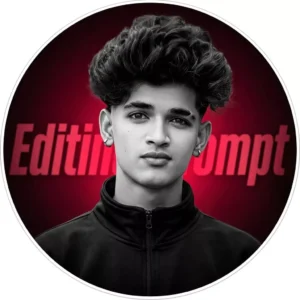
Ultra-realistic cinematic circular profile DP for personal Al brand.
Use uploaded photo as the only facial reference with absolute identity lock.
Identity rules: Do not alter skull structure, jaw width, cheek volume, chin shape, nose
bridge,
nostril width, lip thickness, eye spacing, eyebrow density, beard growth pattern, hairline, or natural asymmetry. Preserve exact expression, head angle (front-facing slight tilt), and
gaze
direction. Maintain real skin texture, visible pores, natural tonal variation. No smoothing, no reshaping, no glow manipulation, no artificial sharpening.
Hair must remain identical in density, lift, direction, and edges. Beard pattern unchanged.
Outfit: Matte black high-neck zip jacket. Clean, minimal, no texture exaggeration.
Lighting: Professional studio setup. Soft frontal key light for facial structure. Subtle but defined
rim light around hair and shoulders for separation. Controlled shadow depth. No
overexposed
highlights.
Color grading: Subject in high-contrast monochrome (true black & white, realistic skin tones
preserved). Background deep crimson radial glow from center fading into dark edges.
Large
bold typography "Hyper Tech" in background, stretched horizontally, blurred and partially hidden
behind subject. Very subtle digital grain and minimal halftone texture. Soft red ambient
glow
around subject edges. Thin clean white circular border around DP.
Composition: 1:1 ratio. Centered subject. Upper torso crop. Perfect circular frame.
High-resolution DSLR realism. Premium Al brand aesthetic. No graphic poster
exaggeration. No
sunglasses. No striped shirt. Clean professional identity look.
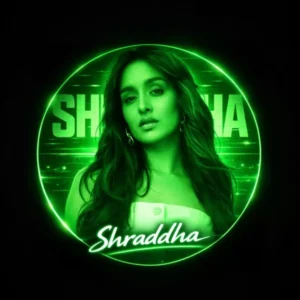
"A circular profile picture design featuring use given image. The image has a strong monochromatic green and aesthetic. The background features large, translucent block text reading 'Shraddha ' and a horizontal CRT scanline texture overlay. At the bottom, there is sharp, stylized white text that reads 'Shraddha'. High contrast, digital fan art style, glowing neon lighting."
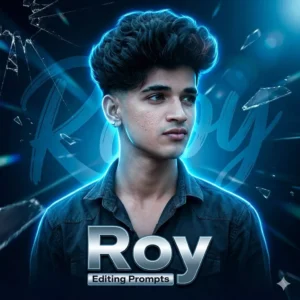
Ultra-realistic cinematic gaming-style portrait poster for personal Al brand.
Use uploaded photo as the only facial reference with absolute identity lock.
Do not change skull structure, jawline, cheeks, chin, nose shape, lips, eye
spacing, eyebrow
density, beard pattern, hairline, natural asymmetry, expression, head angle, or gaze. Preserve
real skin texture and pores. No smoothing, reshaping, or artificial sharpening.
Pose: slight side-facing angle, looking right with calm confident expression.
Outfit: dark textured shirt with open collar.
Lighting: strong blue neon rim light from behind, soft cool key light on face, subtle glow
separation around hair and shoulders. High cinematic contrast.
Color grade: deep electric blue dominant tones with subtle cyan highlights.
Moody, high-depth
atmosphere.
Background: abstract digital gaming theme - dark blue gradient, brush-style
large name text
faintly behind subject, light streaks crossing frame, subtle glass crack overlays, floating shard
effects, soft lens flares.
Typography (bottom center): bold futuristic metallic name text "Roy" with smaller subtitle "Editing Prompts" inside minimal rectangular highlight bar.
Composition: square 1:1 poster, centered subject, layered foreground effects for depth, sharp
DSLR detail, high-resolution cinematic finish.
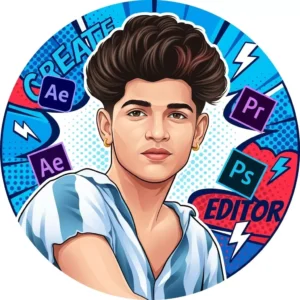
A clean vector-style illustrated portrait of a young Indian male, half-body centered composition, smooth digital painting with semi-realistic cartoon realism, sharp facial features, soft skin gradients, subtle beard shadow, confident neutral expression, modern creator look.
Bold circular frame avatar design, high contrast colors, pop-art inspired background with halftone texture.
Background includes large abstract typography shapes, diagonal lines, comic-style dots, lightning bolt icons for energy. Floating creative software icons around the portrait (Adobe After Effects, Premiere Pro, Photoshop icons), slight depth and soft shadow for 3D feel.
Lighting is soft studio lighting, smooth highlights, no harsh shadows.
Color palette: vibrant blue/red background, white accents, dark hair, natural brown skin tone.
Illustration style similar to modern YouTube creator avatar, professional digital artist look, clean edges, crisp details, high resolution vector illustration, flat + gradient mix.
Ultra sharp, polished, minimal noise, Instagram profile picture ready, 1:1 aspect ratio.
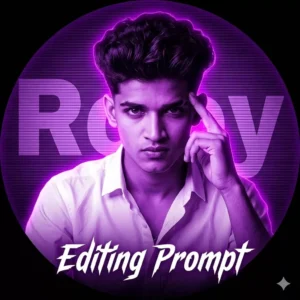
"A circular profile picture design featuring Indian young boy. He is wearing a crisp white button-down shirt and looking intensely at the camera with a serious expression, his right hand raised with fingers touching his temple. The image has a strong monochromatic purple and neon magenta aesthetic. The background features large, translucent block text reading' Roy ' and a horizontal CRT scanline texture overlay. At the bottom, there is sharp, stylized white text that reads 'Editing Prompt '. High contrast, digital fan art style, glowing neon lighting."
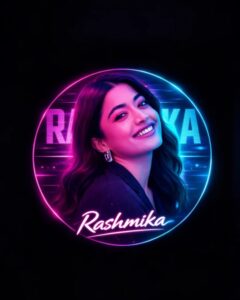
A circular profile picture design featuring use given image. The image has a strong monochromatic pink and neon cyan aesthetic. The background features large, translucent block text reading 'Rashmika ' and a horizontal CRT scanline texture overlay. At the bottom, there is sharp, stylized white text that reads 'Rashmika'. High contrast, digital fan art style, glowing neon lighting."
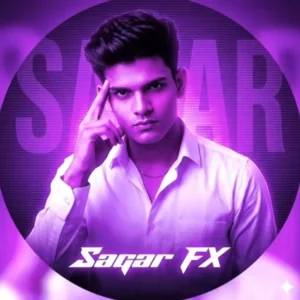
"A circular profile picture design featuring Indian young boy. He is wearing a crisp white button-down shirt and looking intensely at the camera with a serious expression, his right hand raised with fingers touching his temple. The image has a strong monochromatic purple and neon magenta aesthetic. The background features large, translucent block text reading 'Sagar' and a horizontal CRT scanline texture overlay. At the bottom, there is sharp, stylized white text that reads 'Sagar FX'. High contrast, digital fan art style, glowing neon lighting."
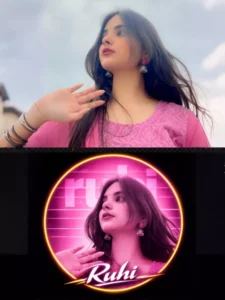
"A circular profile picture design featuring use given image. The image has a strong monochromatic green and neon magenta aesthetic. The background features large, translucent block text reading 'neha' and a horizontal CRT scanline texture overlay. At the bottom, there is sharp, stylized white text that reads 'neha'. High contrast, digital fan art style, glowing neon lighting."
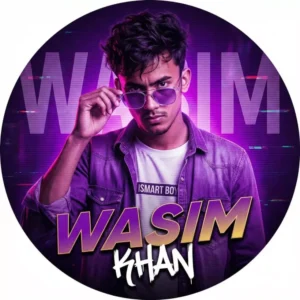
"A hyper-realistic, stylized circular profile picture of a young handsome Indian man with messy dark hair and a serious expression, closely resembling the provided reference face. He is looking directly at the camera and touching the rim of his transparent sunglasses. He is wearing a purple denim shirt over a white t-shirt with the text 'ISMART BOY' clearly visible.
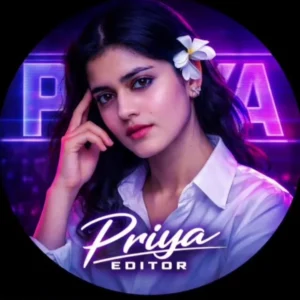
A circular profile picture design of a young Indian girl dressed in a clean white button-down shirt. She stares directly into the camera with a bold, serious expression, her right hand lifted with fingers resting against her temple. The image carries a dramatic monochromatic purple and neon magenta color scheme, creating a striking modern vibe. In the background, large translucent block lettering spells “YORE NAME,” enhanced with a subtle horizontal CRT scanline texture overlay. At the bottom, sharp and stylish white typography displays the name “YOUR NAME,” completing the high-contrast, eye-catching composition.
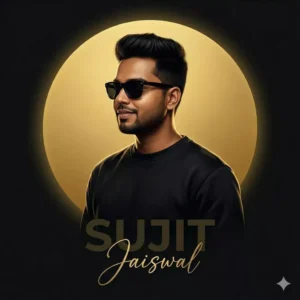
Ultra-realistic cinematic illustrated portrait of the same person from the uploaded face image (100% face & hair match, no change).
Hair style exactly same as upload. Side profile (3/4 view), slight  smile, wearing black sweatshirt and black sunglass.
Dark black matte background with a SOLID FULLY FILLED golden circular disc behind the head (no hollow center, no ring, no outline), smooth gradient gold fill with soft glow.
Dramatic cinematic rim lighting from the golden disc, deep shadows, luxury poster art, digital oil-paint + hyper-realistic illustration, smooth premium texture.
Typography on a separate background depth layer, behind the subject, placed below torso only (never touching clothes):
“SUJIT” bold uppercase sans-serif, low opacity dark gold/black; “Jaiswal” elegant golden cursive signature.
Centered composition, strong depth separation, Instagram-ready, 8K studio-quality output.
Now, what can you customize?
These are some pro-level customization tips you can use. You can change your entire photo. The first point here is to change it from male to female. This isn’t a prompt specifically for male or female. You can change the prompt by slightly altering the gender there. Then, you can change the background from a dark background to a cinematic sunset one, or whatever you want. You can make it from dramatic to soft, natural. If you want, you can make it from cinematic to minimal, clean. You have a lot of options. You can create any kind of photo you want. For example, here, we can change a dark blue background and write, “Golden Hour Sunset Background,” and just change the birds there. The photo will be ready as per your command.
Some Important Tips
Pro tips that will always come in handy whenever you create a photo. Choose a 4K quality photo or the highest quality your phone supports. Always keep it close-up, like any photo you use. If it’s a close-up, that is, a part that shows only your face and half your shoulders, then avoid smoothing it. Just like when you generate a photo, it will smooth it out fine. You don’t need to do anything else. If you’re smoothing it further, then avoid that. After that, you need to place the eyes on the head. All of this I’m talking about is already set. You don’t need to do anything extra. You should always keep the contrast high, even if you’re creating a custom photo.