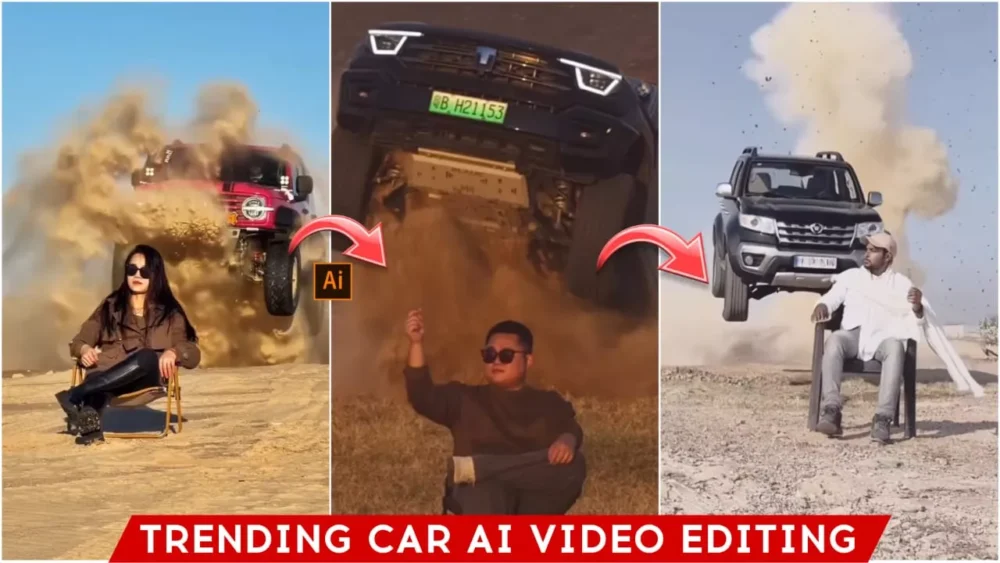
Viral Car Entry Ai Video Editing – Video editing is currently trending a lot, and while I’ve taught you a lot about photo editing, I haven’t told you much about video editing. That’s why I’m thinking, why not tell you about it now? I’ve noticed that this particular type of trending video is quite popular on Instagram. People are creating different versions of it. Many are creating realistic versions. I’ll show you how you can also create similar videos for free, as the steps are quite simple. I’ll explain how to create these videos and everything involved in the process.
What Is AI Car Editing?
Currently, this type of video editing involves first creating an image using Google Gemini, and then converting that image into a video. We use Google Flu for this conversion. When converting it into a video, we use a special prompt, which I will provide here. What will happen is that you’ll see a car flying behind you, as if it’s drifting. The entire scene will have a desert view. The video looks quite cinematic and amazing. Such videos are already going viral on Instagram. Some people have had real videos go viral, while others are creating AI-generated videos, and all of them are becoming popular. I’m going to explain to you in a very simple way how you can create these viral videos.
How To Generate Image First
First, we will convert your normal photo into this special car photo. This is very important because if you create the photo and video according to this location, it will look much better. So, first, we will need a photo. If you have a photo of that location, you can use it, or if you have a photo where you are sitting on a chair, that will also work, but there might be some problems in the video. It’s better if you do this: copy the image prompt I’ve provided here. Then, go to Google, paste the prompt first, and then go to the plus option and upload your simple photo. Upload any simple photo, then generate it, and it will create a truly amazing photo for you.
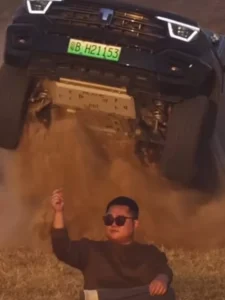
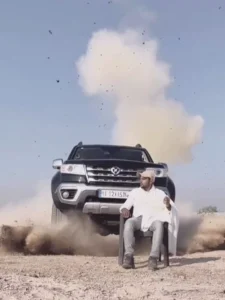
Photo Prompt:-
Please generate a image using my picture A striking editorial portrait of a handsome young man in a long, camel-brown overcoat and black leather pants/boots, seated on a black folding chair in the middle of a vast, bright desert with large sand dunes. Harsh, natural light. Fashion photography, high quality, cinematic."
Video Prompt :-
Use the uploaded image as the reference frame.
Create a highly realistic cinematic desert scene.
At the start of the video, the man is sitting on a folding chair with his right hand raised.
As soon as the car begins to appear from behind the sand ridge, the man slowly and naturally lowers his raised hand and rests it calmly on his lap.
The hand movement is smooth, subtle, and realistic, no sudden or robotic motion.
The man remains confident and relaxed.
Behind him is a wide sandy desert ridge.
From behind the ridge, a full-size, realistically scaled black Mahindra Thar jumps into the air.
The Thar looks heavy, powerful, and properly proportioned, not small or toy-like.
As the Thar flies, massive desert sand and dust explode upward with realistic particle physics and depth.
The Thar lands solidly on the sand and stops dramatically a short distance behind the man.
Dust clouds continue to rise and slowly settle, creating a cinematic slow-motion effect.
Natural desert lighting, co
Image To Video Conversion:
How to convert your normal image into a video. Let’s talk about this now because this is the most special part, and this is where most people make mistakes. First, you will find a video prompt here. Copy it, and then go to the Google Flow website. I have provided the link here; you can go there directly. First, you need to sign up there, and then go to “New Project.” Instead of “Text to Video,” you need to select “Frame to Video.” After that, go to the plus option and upload your photo. Then, paste the prompt and click “Generate.” In just a few seconds, it will create a video like this AI car entry video for you.
Conclusion
The car entry video is currently one of the most trending editing styles, with over 2 million likes on a single video. Several other videos using this style also went viral. So, I’ve explained the process here: first, create similar photos, and then convert them into a video. This will create a professional-looking video for you. I’ve shared all the details here. You can use this information to do your own editing.