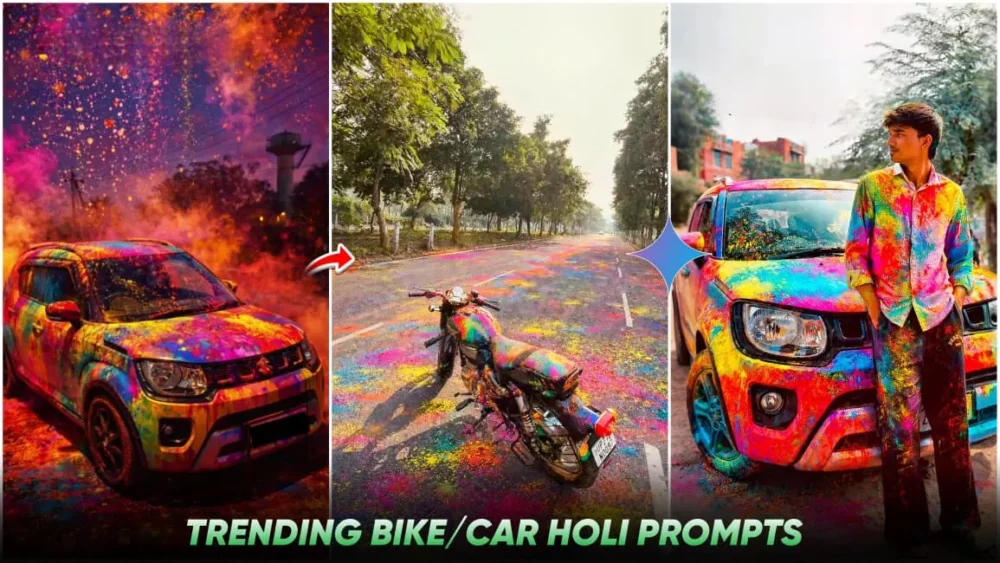
Trending Bike Holi Ai Photo Editing Prompts – Nowadays, you’ll see that the trend of AI photo editing is growing rapidly. Especially for festivals like Holi, people are transforming their normal photos into Holi-themed images with great skill. I’ll show you how you can transform a normal car or bike photo into a colorful, cinematic Holi photo. The photo will remain the same; colors will simply be added, and that too in a completely realistic manner. This was previously done in Photoshop, by precisely matching each element. However, with the advent of AI tools, you no longer need to do this manually. You can create them at the prompt, simply copying and pasting them. In this article, we’ll learn how to transform a normal bike or car photo into a Holi-themed photo with realistic colors.
Details About Google Gemini
We have a best AI advanced tool from Google. In which you can convert your text to image. As you write some words, it will understand those words and convert them into a photo. In this, you can upload your photo and write things in detail which we call prompt. You can generate a photo accordingly. The special thing about the photo that you get after generating is that you get to see realistic adjustments in it. You get to see natural bedding. If you see shadow here, it is added completely naturally in the photo. The background changes so well that it is difficult to understand. A separate background has been placed here. Absolutely high detail rendering is done here.
How To Create Image With Trending Bike Holi Ai Photo Editing Prompts
Now we will learn how to make a normal photo into a color photo. First of all you have to select a high resolution photo of yours. Your day light photo will give a much better result. Your work and the bike should be clearly visible in it. Take a full frame photo. Then after that you open Google Gemini and here first of all you have to paste the prompt. I have given the prompt in the article. You can copy any of it and paste it there. Then after that go to the plus option and upload the same photo whose details I have just told you. You have to select this type of photo and add it. Generate it. In a few seconds your perfect Holi photo will be generated and ready.
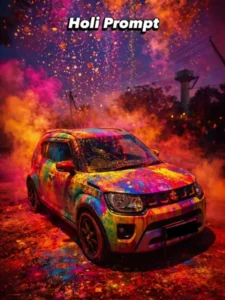
Ultra realistic 4K cinematic photo of my car fully covered in vibrant Holi colors. Bright pink, blue, yellow, green and orange gulal only on the car body (roof, bonnet, doors, mirrors, tyres). Background clean and natural, no colors in background. Wet color texture, glossy reflections, detailed powder particles, sharp focus, festive Holi vibe, professional photography.
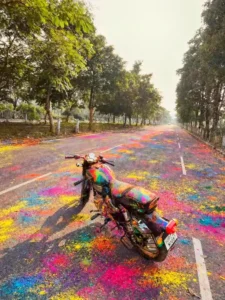
Add multicolour Holi Gulaal on the bike and on the road.& the keep the rest image same
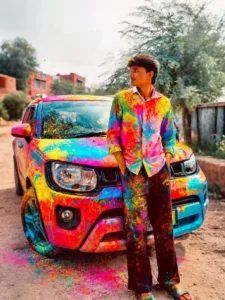
Ultra realistic 4K cinematic photo of my car fully covered in vibrant Holi colors. Bright pink, blue, yellow, green and orange gulal only on the car body (roof, bonnet, doors, mirrors, tyres). Background clean and natural, no colors in background. Wet color texture, glossy reflections, detailed powder particles, sharp focus, festive Holi vibe, professional photography.
Process Of Realistic Editing
Sometimes if you create your own video using prompts, you might not understand this thing properly that you must use these words in it like ultra realistic, it will generate your photo in a completely realistic manner. Natural lighting, HDR quality, cinematic, depth of field, DSLR photo real shadow, when you add all these things then your photo gets ready in a completely natural manner. Just like you click a photo from the camera. It gets ready exactly like that, but things in it will be enhanced. Your face will be smooth and many other things will be improved.
Compare Between Before And After Editing
Now, let me tell you what will be the difference between before and after in the photo that you create here. First of all, it will be your normal photo. It will be with a very simple background. When your photo will be generated, it will be with colorful powder in which you have completely changed it. If you throw colors on a bike, then the colors get splashed at different places on it, similarly you get to see very realistic colors. Instead of normal lighting, the lighting of your photo will also be kept cinematic. The colors that are there, will be changed from normal to vibrant HDR color.