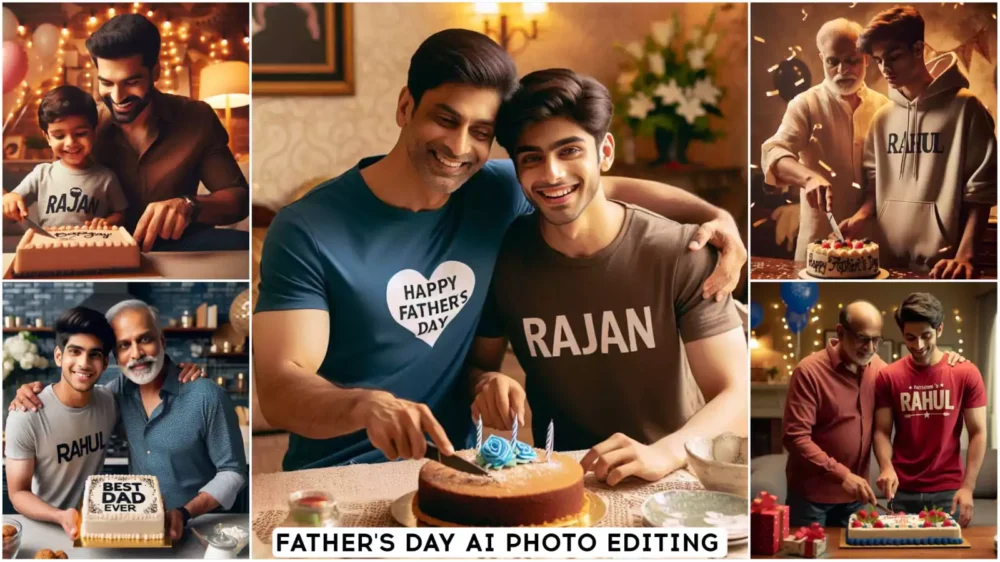
Pop Art Ai Photo Editing Prompts – Look, people are currently creating photos like this from normal images and converting them into videos. I’ll show you how to create them in a video format. I’ll explain what kind of videos are trending. I’ll teach you video editing and also how to create these photos. This is going viral, and you should definitely create it. There are two ways to create it. First, we’ll create the image, and then we’ll use it in our video. It’s important for you to understand this process, especially if you’re into video editing and making videos. You need to understand the process described in this article correctly because if you’re not making videos, you can just generate the photos however you want, and that’s fine. But for making videos, you need to pay attention to each and every step. Only then will your video turn out perfectly.
Details Of Pop Art Ai Photo Editing Prompts
Now, let me explain how the videos are created here. Understanding this is very important. You’ll see it in the video. People are uploading different types of videos. Then, when a photo appears, look what happens. They use different clips, and then they take a screenshot of the ending frame of that clip and convert it into this kind of image. I’m going to explain this in this article because if you don’t properly understand the editing process, you’ll never be able to generate such a perfect photo. Anyone who wants to create a perfect photo should definitely understand this process. This will ensure you get a 100% excellent result, and your video will also go viral.
Editing Process
Let’s start the editing process. First, you need to record your video in separate clips and then add these individual clips to your preferred editing application. After that, go to the end of each clip you’re using and take a screenshot. Then, we’ll start the photo editing process, and after that, we’ll move on to the video editing process.
Create Your Image First
Here you’ll see different prompts. These are for creating your photos in various styles. Choose the one you like best and copy it. After copying, you’ll find an option below called “Create Image with Google Gemini.” Click on it. This will take you directly to the Gemini website. There, you’ll first need to paste the prompt. You can paste your chosen prompt there. There are different styles available; choose the one you like and paste it. Then, go to the plus icon. Upload your photo, and then click on the “Generate” button. Just wait a few seconds, and your photo will be converted into an art style and ready. Different prompts are provided to create images in different styles.
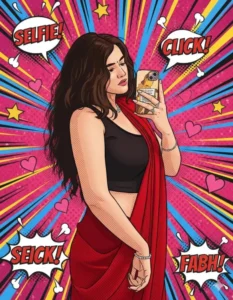
Transform the image into a high-end professional pop-art vector illustration. Use Clean vector shapes with accurate facial features, soft cartoon detailing, minimal halftone shading. Add comic bursts, dotted patterns, motion lines, energy effects, spark highlights using the photo's dominant colors. Bold outlines, crisp edges, vibrant balanced colors, fully color-adaptive pop-art background and some cute pink hearts!"
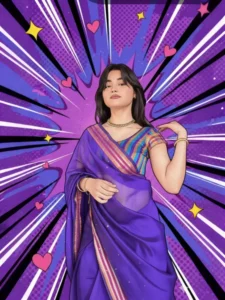
Transform the uploaded image into a vibrant pop-art comic illustration style.
Keep the person’s face, facial features, expression, hairstyle, body proportions, and pose exactly the same as the original image.
Convert the outfit into a detailed illustrated look with bold, clean outlines and smooth shading.
Apply a comic book halftone texture on skin and clothing, with subtle dot patterns.
Use a dynamic pop-art background with radial burst lines, bold strokes, abstract shapes, hearts, and spark elements.
Color palette should be vivid and saturated (purples, pinks, blues, yellows).
Add thick black outlines, sharp highlights, and soft shadows for a graphic novel effect.
Style inspired by modern digital pop-art, comic poster illustration, and Instagram reel art.
High-resolution, crisp details, flat yet dimensional shading, clean edges, poster-quality finish.
Do not change identity. No realism. Fully illustrated, artistic comic style.
Optional Negative Prompt (recommended): No photorealism, no blur, no distortion, no facial changes, no extra people, no background realism, no low resolution, no dull colors.
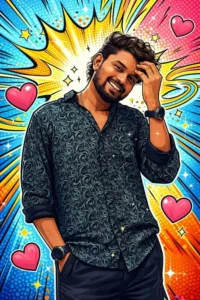
Transform the image into a high-end professional pop-art vector illustration. Use Clean vector shapes with accurate facial features, soft cartoon detailing, minimal halftone shading. Add comic bursts, dotted patterns, motion lines, energy effects, spark highlights using the photo's dominant colors. Bold outlines, crisp edges, vibrant balanced colors, fully color-adaptive pop-art background and some cute pink hearts!"
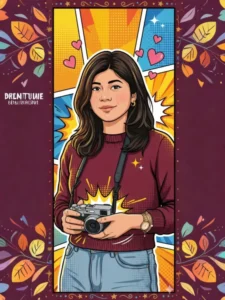
Transform the image into a high-end professional pop-art vector illustration using clean vector shapes, accurate facial features, and soft cartoon detailing with minimal halftone shading. Add bold outlines, crisp edges, vibrant yet balanced colors, and a fully color-adapted pop-art background based on the photo’s dominant tones. Enhance with comic bursts, dotted patterns, motion lines, energy effects, spark highlights, cute pink hearts, and a playful doodled border, ensuring all colors.
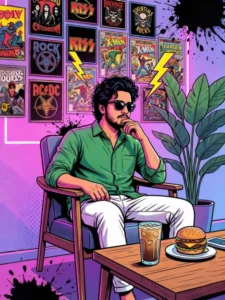
A high-contrast, vibrant pop art illustration of a young man with dark messy hair and a goatee, sitting relaxed in a chair. He is wearing a green long-sleeve button-down shirt and white trousers and black sunglasses slightly down, leaning his head thoughtfully expression. The background features a gallery wall covered in stylized vintage posters, including rock band logos and superhero graphics. The scene is bathed in neon pink and purple light, accented by electric yellow lightning bolts and splattered ink effects. A large green indoor plant stands to the right, and a wooden table in the foreground holds a glass of iced coffee mugs and burger. The art style uses bold outlines, halftone dot textures, and a stylized comic-book aesthetic.

A high-contrast, vibrant pop art illustration of a young man with dark messy hair(take 100% reference of the attached face)and a goatee, sitting relaxed in a chair. He is wearing a green long-sleeve button-down shirt and white trousers and black sunglasses slightly down, leaning his head thoughtfully expression. The background features a gallery wall covered in stylized vintage posters, including rock band logos and superhero graphics. The scene is bathed in neon pink and purple light, accented by electric yellow lightning bolts and splattered ink effects. A large green indoor plant stands to the right, and a wooden table in the foreground holds a glass of iced coffee mugs and burger. The art style uses bold outlines, halftone dot textures, and a stylized comic-book aesthetic.
How to Generate the Final Video?
Now that you’ve created your photos from the screenshots you took of your video in the editing application, you should have created a photo for each screenshot you took of the ending part of your video. Now, what you need to do is place all those photos onto the ending part of your video. Just keep adding them to the end of each clip. That’s it, your video will be ready. You took the screenshot, generated the image, and now you just need to add it back in. And your video will be ready. You can create this type of video this way. I’ve also explained the process of creating the photos.