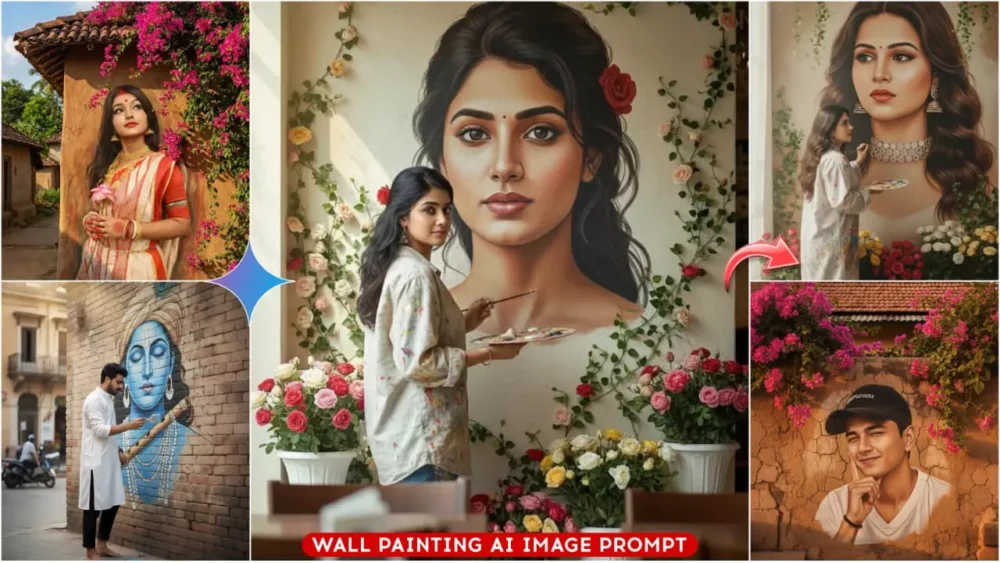
Google Gemini Viral Wall Painting Ai Photo Editing Prompts – These days, AI is reaching new heights. You’ll see that Google, for example, is using AI to create large-scale murals, similar to traditional paintings on walls. Your own photos can be transformed into these murals, and the AI even depicts you as the artist creating the artwork. This is an amazing feature. Many people dream of having their image displayed on a large wall. In this article, you can learn how to create such photos and even frame them. I’ll explain the entire process of how to create these photos and how you can make them go viral.
Details Of Google Gemini Viral Wall Painting Ai Photo Editing Prompts
Google Gemini tries to create your photos in a completely realistic and natural way. It always gives you good results. Now, look, to create this kind of photo, you don’t need to stand against a blank wall. It will automatically place you against the wall and convert it into a selfie. You’ll see, you just need to use a selfie. I’ll tell you what kind of photos to use. What it will do is, it will first create a painting there, and then it will place you in it. Based on the dressing you specify in the prompt, it will give you that kind of outfit. The most remarkable thing is that it’s not limited to just photos. It’s also converting your photos into paintings, which is quite concerning for an artist. But if you’re a creator and you want to create things like this quickly, this Google Gemini is the best tool for now.
Advantages Of These Images
Look at the advantages of creating photos like this. Google transforms your imagination into something completely realistic. It gives your photos a truly realistic look, making it seem like the painting on the wall was created by you. That’s the biggest advantage. This kind of content goes viral on social media. People love it on social media. Any photo you create using Google Gemini, whether it’s for Instagram, Facebook, or any other platform, will get a great response when you post it. It’s something you wouldn’t even expect; something you wouldn’t think is possible. Here, you can change your style according to your preferences and create amazing photos.
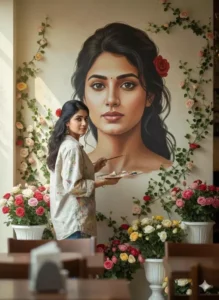
An indoor scene of a woman painting a giant hyper-detailed portrait of herself (the picture that is uploaded) on a tall concrete wall.
She stands on a small wooden platform surrounded by lush roses in white, cream, pink, and soft yellow. She wears a pink top, high-waisted blue jeans, and white sneakers. She holds a paint palette in one hand and uses a brush with the other, touching up the facial details of the portrait.
Green leafy vines and white flowers frame the wall above, and soft butterflies float around the artwork.
Warm natural light enters from a large window on the left, creating a calm, artistic atmosphere. keeping her face exactly same
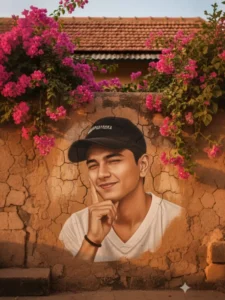
A realistic cinematic portrait of a young Indian man blended into an old rustic village wall mural. The wall is made of mud and clay with cracked texture, traditional Indian village house with tiled roof in the background. Bright pink bougainvillea flowers and green vines are growing over the roof and cascading down the wall, partially framing the portrait. The man is wearing a black baseball cap with white text, casual white jersey-style top, soft natural makeup, winking expression, slight smile, hand posed near her cheek. Golden hour sunlight, warm tones, ultra-realistic skin texture, perfect face blending into wall art, photorealistic mural illusion, depth of field, DSLR guality, 4K, HDR cinematic lighting, high detail, sharp focus.
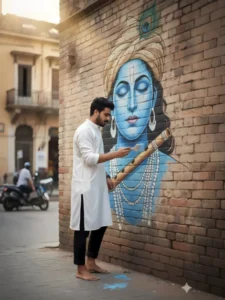
Create an realistic image of A stylish young South Asian man with hairstyle, wearing a loose white silk kurta and he is standing barefoot in front of a large indoor wall mural. He is wearing a white shirt, black trousers. The man is holding a brush, painting a giant mural of Lord Krishna's serene blue face with closed eyes, a peacock feather on the head, peart jewelry, and a flute crossing diagonally on outdoor on a street wall
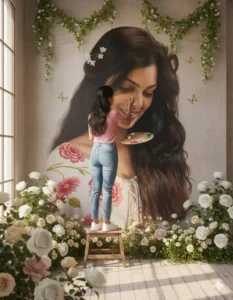
An indoor scene of a woman painting a giant hyper-detailed portrait of herself (the picture that is uploaded) on a tall concrete wall.
She stands on a small wooden platform surrounded by lush roses in white, cream, pink, and soft yellow. She wears a pink top, high-waisted blue jeans, and white sneakers. She holds a paint palette in one hand and uses a brush with the other, touching up the facial details of the portrait.
Green leafy vines and white flowers frame the wall above, and soft butterflies float around the artwork.
Warm natural light enters from a large window on the left, creating a calm, artistic atmosphere. keeping her face exactly same
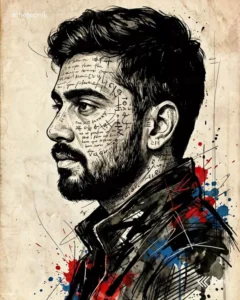
A dramatic, high-impact portrait rendered in an expressive ink sketch and mixed-media illustration style, using the uploaded image for exact facial likeness and proportions.
The man is shown in side profile, his presence intense and chaotic. His face and upper body are layered with cryptic handwritten text, symbols, and abstract glyphs, partially wrapping around facial contours, suggesting inner turmoil and hidden meaning.
He wears a dark, abstract jacket, heavily textured with rough ink strokes, sharp angular linework, and vibrant ink splatters, creating a raw, rebellious visual energy. The illustration style is bold and experimental, blending fine pen detailing with aggressive brush marks, splashes, and controlled distortion.
The background is a pale, aged parchment tone, featuring subtle grain, faded paper texture, delicate linework, ink drips, and light stains-evoking an old manuscript or forgotten sketchbook.
High contrast, expressive composition, artistic chaos balanced with precision, editorial art meets conceptual illustration, moody, intense, and emotionally charged.
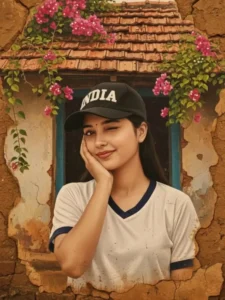
A realistic cinematic portrait of a young Indian woman blended into an old rustic village wall mural.
The wall is made of mud and clay with cracked texture, traditional Indian village house with tiled roof in the background. Bright pink bougainvillea flowers and green vines are growing over the roof and cascading down the wall, partially framing the portrait. The woman is wearing a black baseball cap with white text, casual white jersey-style top, soft natural makeup, winking expression, slight smile, hand posed near her cheek. Golden hour sunlight, warm tones, ultra-realistic skin texture, perfect face blending into wall art, photorealistic mural illusion, depth of field, DSLR guality, 4K, HDR cinematic lighting, high detail, sharp focus.
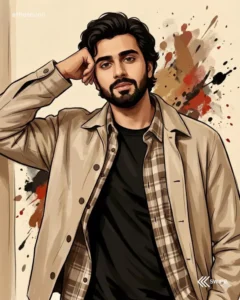
A stylized animated portrait of a man staring straight into the camera with a calm, slightly dreamy expression. He has short, naturally wavy black hair and poses gracefully indoors with a confident yet relaxed vibe. He is dressed in a fitted solid black t-shirt layered with an open oversized casual shirt (subtle checks or neutral tones), paired with a lightweight jacket or unbuttoned overshirt for a modern masculine look. One hand rests on his head in a composed, effortless pose, conveying self-assurance. The background is a plain cream color with expressive splashes of brown, red, and black paint, adding an artistic, painterly feel. The original face from the reference image must be preserved exactly, with no alteration to facial structure, skin texture, or expression.
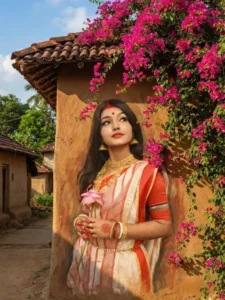
Wall painting effect Bougainville Flowers Prompt
Turn the uploaded photo into a large, hand-painted mural on a rustic village wall with Brush paining effect. Preserve the exact face and expression. Add vibrant pink bougainvillea flowers cascading from the roof, wrapping naturally around the mural. Use warm sunlight, soft shadows, and earthy tones of mud houses in the background. Maintain high realism with a slight artistic mural texture on the wall. Blend the portrait seamlessly into the surface as if painted on it. Create a natural village street environment with clay tiles, sky, and greenery. Bright, colorful, authentic rural aesthetic.
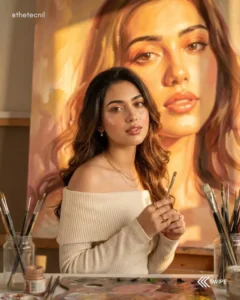
Ultra-realistic 8K mid-shot portrait. Use the exact face from the uploaded photo.
Warm, romantic "golden-hour muse" aesthetic - Vogue Fine Arts x Italian painting studio.

Hair: soft loose waves, natural volume, middle/side part, warm golden glow on strands.
Makeup: dewy luminous skin, golden highlighter, peach eyeshadow, long fluffy lashes, rosy watercolor blush, glossy peach-rose lips.

Outfit: cream/soft beige off-shoulder knit or white draped top (not black, not oversized). Exposed collarbone. Thin gold necklace, tiny pearl earrings, subtle gold rings.

Background: one HUGE colorful oil painting of her face, filling the entire background.
Soft warm brushstrokes, golden/peach/blush tones, creamy texture, flowing hair strokes, Renaissance-meets-modern glow. Rich, emotional, romantic.

Pose: mid-shot, slightly off-center. Exposed shoulder toward camera. Hands gently touching arm/table. Head slightly down, eyes softly lifted. Dreamy, warm, romantic expression.

Studio: warm artist's workspace - wooden desk, jars with brushes, oil paints, smeared warm pigments, golden sunlight from the side, dust in the light, reflections on wet oil paint.
Lighting: golden-hour soft warmth, gentle shadows, glowing skin + glowing painting.
Camera: Canon EOS R5, 50mm f/1.2, f/1.2, ISO 160. Luminous skin, creamy tones, painterly softness.
Exclude: no charcoal, no dark mood, no black clothing, entirely new warm aesthetic.
How To Create Google Gemini Viral Wall Painting Ai Photo Editing Prompts
I’ll explain how to create this photo. There are two main ways to create the photo. I’ll explain both of them to you. There are slight differences at the beginning of both methods, but the rest of the process is the same. One method uses a website, and the other uses our application. The process is exactly the same in both. First, copy the prompt from here. You need to copy the prompt for the style of photo you want to create. Then, you’ll find a “Create Image” button below. Click on it to go to the Google Gemini website. You also have another option: instead of the website, you can open the application directly. As I mentioned, the process is the same in both. When you go to either, you’ll see the exact same interface. There, you first need to paste the prompt. Paste the prompt you copied there, and then click on the “Generate” option. You can also upload a photo or a selfie by clicking on the plus (+) icon. Then click “Generate,” and your photo will be created and ready.
Conclusion
Google Gemini is a great way to edit photos, allowing you to take your images to a whole new level. All you need is a creative idea. It’s perfect for creators who post high-quality photos on Instagram or other social media platforms. They can showcase their creativity and post unique and visually appealing images.