Google Gemini Boys Outdoor Ai Photo Editing Prompts – Do you want to give your photos such a look in which your photos appear to be roaming in different countries, amidst mountains or from behind forests to cities? If you are ready with such different locations, then I will tell you how to use Google Gemini. How can you create such outdoor boys photos? For this editing, you do not need to go to any new location. You can create such beautiful photos using a selfie. I will tell you how to create these viral photos. You will be told all the details in this article. You will be told step by step what kind of photo to add. How to create, then you will understand.
Details Of Google Gemini Boys Outdoor Ai Photo Editing Prompts
Let’s talk about how the editing concept is going to be. Look, your face will remain the same in this, but here your entire background is changed and shifted to a new place. Your body can also be changed there. If you use your selfie, then it will use your exact face. The rest of the body will be generated automatically. If you are fat or thin, you may want to do this thing. You can do it, I will tell you about that later. In this, sometimes you will see mountain photos and sometimes beach photos. Give a professional look. Which people are already liking on Instagram. We will create similar photos for you here. Google Gemini creates a different environment for you every time. The photos look quite realistic.
How to select a photo?
Let’s talk about this because if you use a photo for generating images, then your photo selection should be the best here. So that you get a good result. I have explained it for you here. Once you understand that process, you will get a good result. The photo will also be good. First of all, you need a light photo here. In which your face is clearly visible. The background should not be too crowded. It should be a normal plain background. After that, it should be a standing photo with half the body. The facial expression in the photo has to be kept absolutely natural. So that Google Gemini can read your face properly. After that, the new photo it will generate should match it well. So, these are some details for selecting your photo.
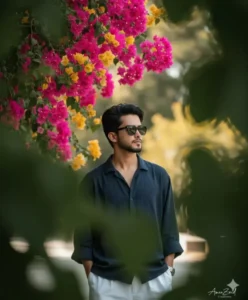
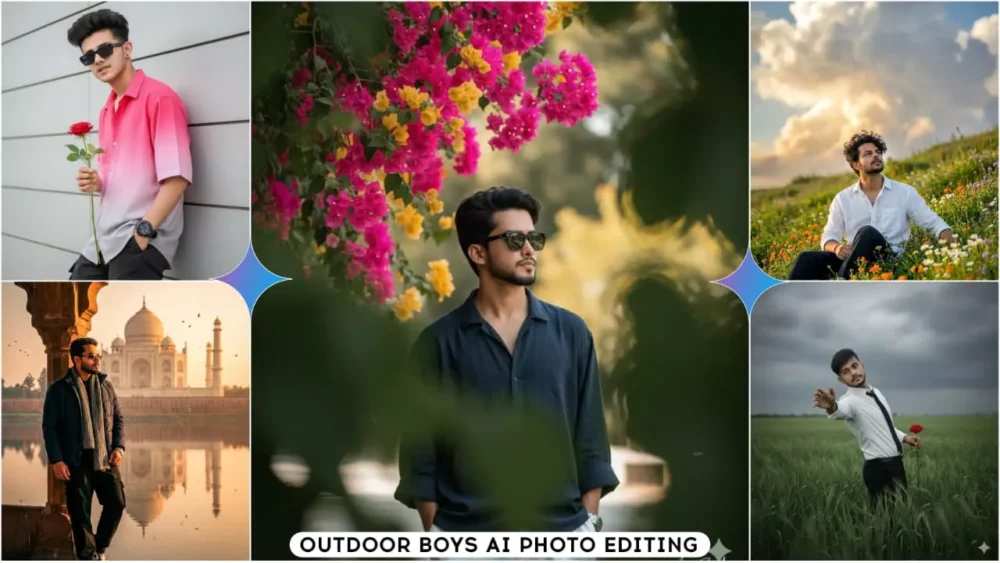
A stylish 5.10 feet young Asian man with a slightly messy hairstyle and sunglasses, wearing a loose blue-blackish lining shirt and white loose pants. The man is standing casually with one hand in his pocket and the other gently adjusting his sunglasses, giving a confident yet relaxed vibe.
He is positioned beside a rustic wooden fence covered with green ivy and soft sunlight filtering through the leaves, creating a warm, cinematic glow. Behind him, faint magenta and pink bougainvillea flowers appear in the blurred background, adding a pop of color contrast.
Photography Style: 16K hyper-realistic dark
green portrait, extreme shallow depth of field, soft golden-hour bokeh, high-key cinematic tones.
Lighting: Natural soft light with gentle highlights on the face and shoulders.
Keep my face exactly the same as the uploaded photo - do not change or edit it in any way.
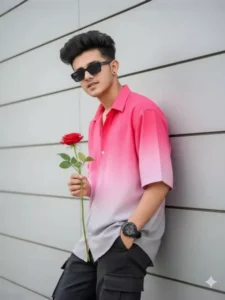
A very handsome young boy(use my real face with 100% accuracy), with dark, wavy fringe hair and rectangular sunglasses, leaning casually against a light gray, paneled wall. He is wearing an oversized, short-sleeved button-up shirt that transitions from bright pink to light gray in an ombre effect, and dark cargo pants. Right hand holding a rose, left hand in pocket, looking directly at the camera. He has a dark watch on his left wrist. Lighting is bright and even, highlighting textures. 4k
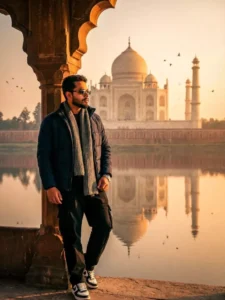
""Ultra-realistic 8K portrait of a man wearing a dark navy winter jacket, grey wool scarf, loose black cargo pants, white/black Patti nike shoes and wristwatch, Slim rectangular sunglasses (black lens, silver frame, standing near a sandstone arch facing the Taj Mahal during intense golden hour sunrise. Natural warm sunlight gently hitting his face and jacket, soft shadows, detailed skin texture, zero Al smoothing. DSLR 85mm lens look, shallow depth, crisp reflections in river, birds flying through warm haze."
face must remain 100% identical to the reference photo,
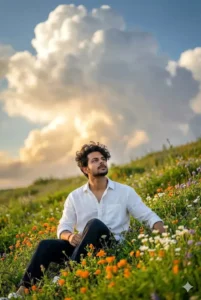
Portrait of a young man sitting on a green hillside, looking up at the sky. Wearing a loose T-shirt and dark pants. In the background are giant cumulus clouds, impressive with a golden afternoon bottom. Foreground is filled with colorful wildflowers (orange, white, purple). Taken during the golden hour, the image is extremely detailed, with the man in sharp focus, shallow depth of field, and high resolution. Don't change the face Make messy hair like Korean wear White linen shir
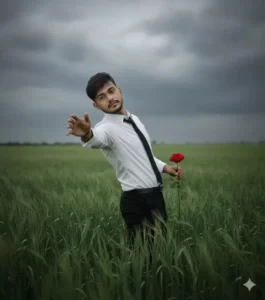
.A boy, cinematic moody slightly telescopic shot of the person exactly as in the reference image, standing in a lush green field of tall grass beneath a cloudy, overcast sky. Face, body, and outfit unchanged from the reference.
Expressive dramatic posture: leaning slightly backward with one arm outstretched and palm I using 100% my real face.
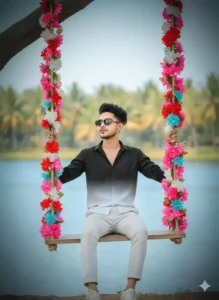
A wooden rope swing hanging from a tree branch. He is wearing a full-sleeved, shirt that fades from dark black at the top to white at the bottom. He is wearing white flat shoes/swing ropes densely wrapped with vibrant pink, white, red and blue artificial flower The background is a lovely, slightly blurry tropical landscape with a large blue lake and green palm trees Natural daylight, travel photography style, high resolution,soft bokeh background. I want the exact same face
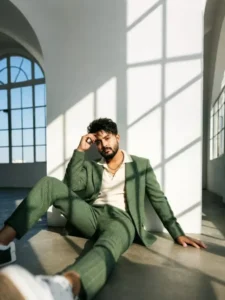
A powerful, hyper-realistic 8k cinematic fashion portrait of a man [ 100% real face from uploaded image ] sitting on the floor, leaning back with one leg extended towards the camera. He is wearing a textured green houndstooth suit over a cream open-collar polo. He has dark messy hair and a broomed beard, looking at the camera with an intense expression, one hand touching his forehead. Harsh natural sunlight creates dramatic
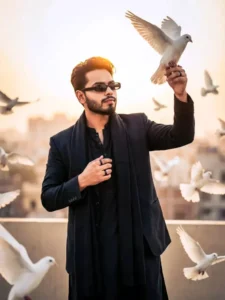
Ultra-realistic portrait of a stylish young man standing on a rooftop during golden hour sunset, holding a white dove gently in both hands. The face should match the reference image 100% with Identical hairstyle, jawline, skin texture, expression and features. Soft sunlight highlights his hair from behind, creating a glowing halo.
(Keep the face same 100% as reference image uploaded)
Replace the face with my real face with 100% accuracy, matching lighting, angle, shadows, skin texture, and expression.

outfit: details
He is wearing a black tailored blazer over a traditional black kurta, with a long black stole draped around his neck. His hair black, swept back with a slightly windswept texture. Silm rectangular sunglasses with black lenses. Minimal accessories with a black rings visible.

Pose: details
"Sky King Release Pose"
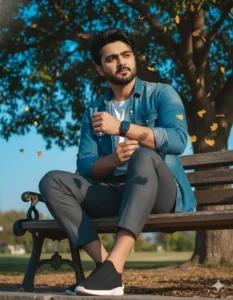
Ultra-realistic, hyper-detailed, 8K cinematic portrait of a young stylish man, using the uploaded image for exact face and hairstyle.
Outfit: White tee layered under a fitted denim shirt, paired with tailored pants and sleek black sports shoes, accessorized with a modern smartwatch. Look is casual yet stylish, contemporary, with dramatic interplay of light and shadow on the fabric.
Pose: Sitting on a bench beneath a tree, framed closer for a magazine-cover style shot, slightly leaning forward, left hand adjusting folded sleeve, right hand resting naturally, legs positioned dynamically for visual interest.
Expression contemplative, calm, and dreamlike.
Background: Vivid blue sky with scattered golden leaves, some suspended mid-air, framed by tree branches casting intricate, sharp dappled shadows. Lighting blends warm golden hour sunlight with deep blue ambient fill, creating high-contrast cinematic, poetic, and magical realism atmosphere. Composition Tight, editorial framing with strong depth, emphasizing the subject for a high-fashion magazine cover look.
How To Use Google Gemini Boys Outdoor Ai Photo Editing Prompts
Creating a photo is quite simple. Let me tell you. You don’t need to follow any elaborate process to create a photo. Just copy the prompt. It’s shared in different from the article, all of which are based on boys who look good. You can copy it by clicking the copy button. After that, you’ll need to open Google Gemini, for which I’ve added a direct button below. This isn’t a promotional post. I’m sharing this only so that our users can learn editing from here. Clicking the “use” button will take you directly to the website. There, you’ll need to sign up first. Then, select the “create image” option, which will be displayed above. Then, go to the “plus” option and upload a photo, which will be found below. Then, paste the prompt. You just need to copy the prompt I just asked you to copy. Then click generate and your photo will be ready as you copied the prompt.
Conclusion
I want to share some pro tips with you. Like whenever you create outdoor photos, you can use the prompts shared here as per your convenience, but when you generate the photos, you can make changes in them. You can keep the clothes white or black. This will make your photos look more professional. If you are using these, you can use them as your DP on Instagram. You can use them in YouTube thumbnails, you can use them in travel blogs. There are many things. You can use them wherever you want. The best thing is to post them on Instagram. Post 4-5 photos at once there. After that you will get good results.