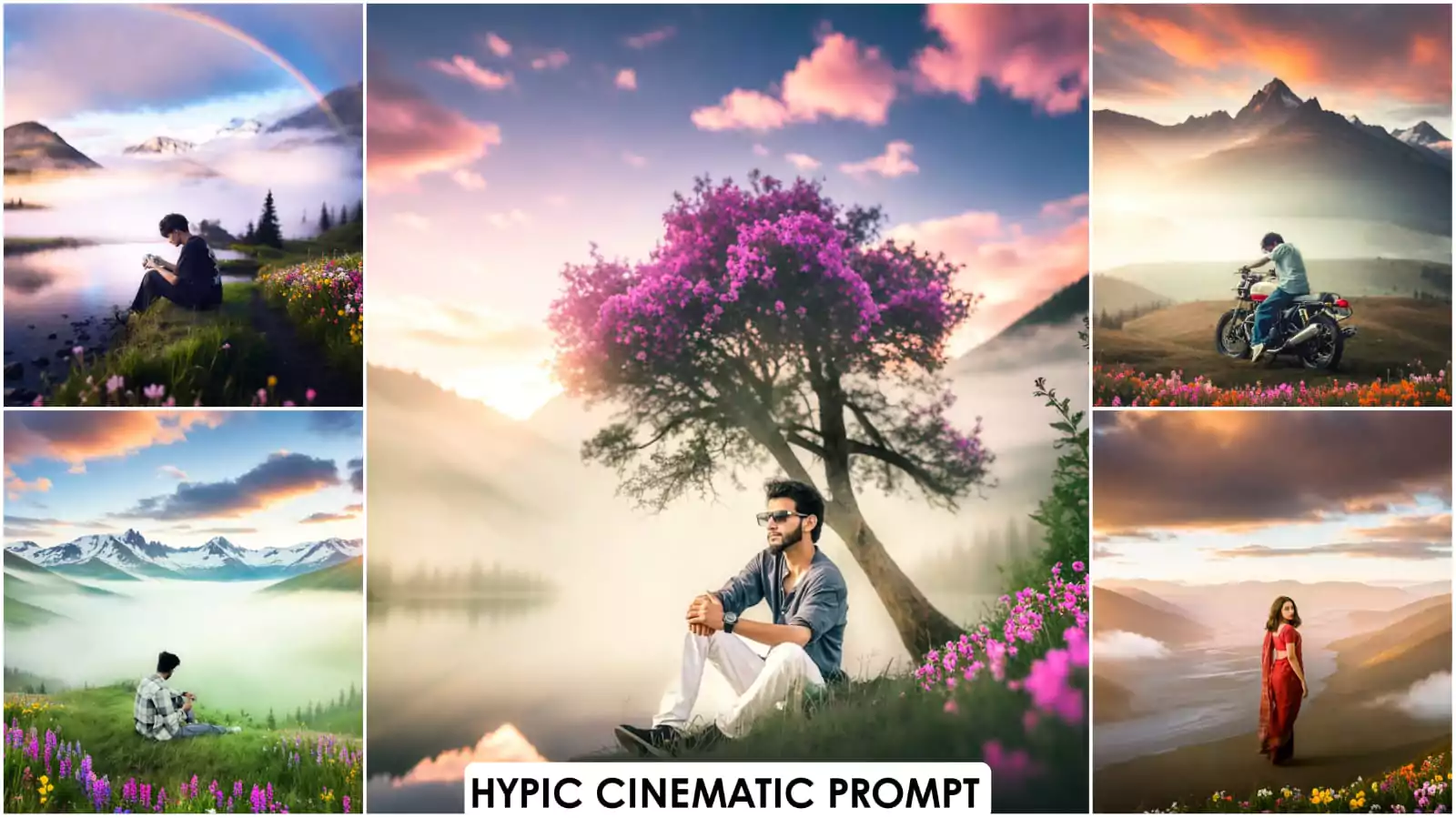
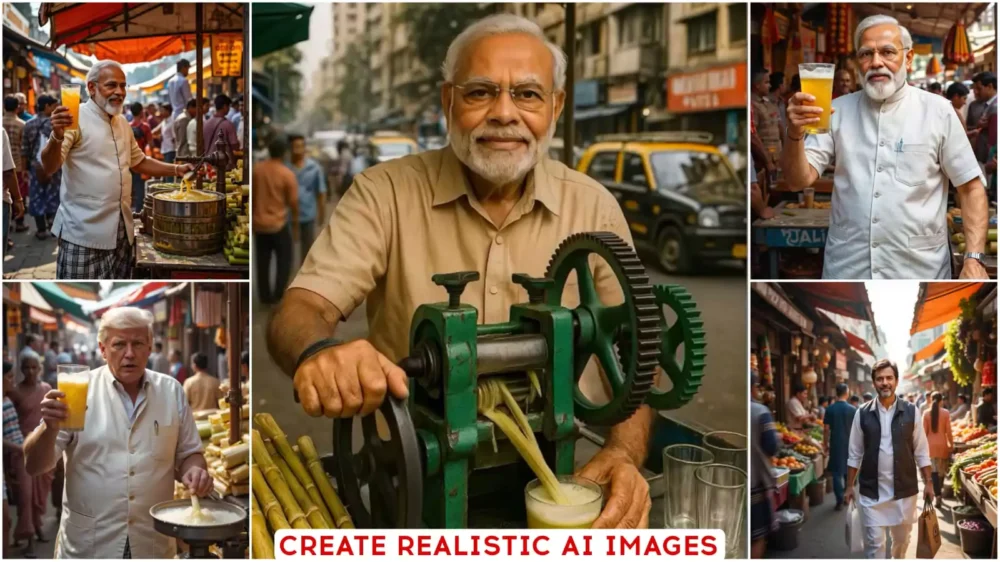
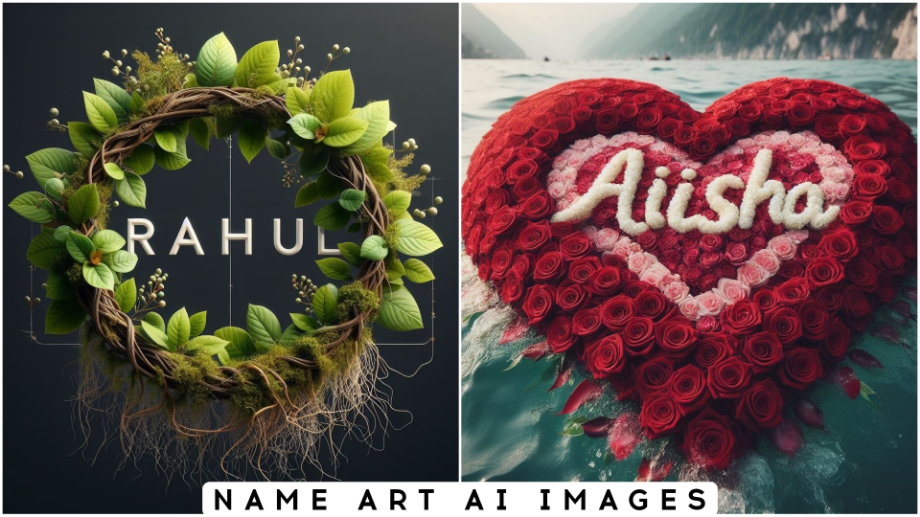
Google Gemini Boys Natural Ai Photo Editing Prompts – These days, this natural photo is becoming increasingly viral in the editing world. People love this glowing photo with a beautiful background. It’s your photo taken at a good location. Your normal photo is transformed into a handsome one. If you want to understand the whole thing, I’ll tell you how you can do this using Google Gemini, which is currently a huge hit on Instagram. Everyone creates photos like this: a simple photo, like a selfie, is set against a good location. Your skin tone is kept natural. It looks really good. I’ll tell you. If you want to create this, I’ll explain all the steps. Your editing will be the best.
How To Select Photos For Editing
To create a natural photo, first you need to understand what you should follow. Look, if you use any photo here, like here, it will create a good photo of you using your photo. You can use any type of photo, but the conditions are that it should have a clear view of your face and the lighting should be perfect. Your facial expressions should not be too intense. A simple expression, like a simple smile, is fine. Don’t use a background that’s too busy. As you see, many people take photos in crowds. If you use that, it will show too many faces. It won’t be possible to distinguish which one is the one you want to create, or how to create it. So, keep a simple background, a plain one. Then, use it in Gemini. You’ll get amazing results.
How do we create our own photos using Gemini?
First, you’ll need to upload the photos you’ve clicked to Google Gemini. To understand the process, you can search Google (sorry, Google), and you’ll find them in your browser. I’ve also added a direct link here. You’ll directly click on it to go to the website. There’s no problem with a Google account, but it doesn’t work. If you’re not using your browser, you’ll need to sign up. After that, you’ll find a “Create Image” option. Select it at the top. After selecting it, you’ll need to go to the “Plus” option. You’ll need to upload a photo there. After uploading, paste the image into the prompt. The prompt is provided here. There are many programs available. Select the one you like best, and then click on “Generate.” Your stunning photo will be ready.
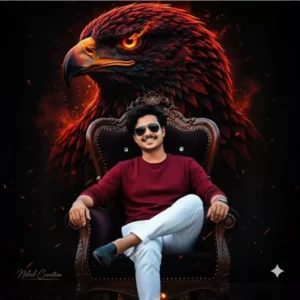
CREATE 8K RESOLUTION PHOTO, UPLOADED MAN IN A MAROON SHIRT, WHITE PANTS, AND BLACK LOAFER, SITTING CASUALLY IN A KING CHAIR. A SMALL NILESH CREATION SIGNATURE IN LEFT CORNER. HE IS SMILLING & SUNGLASSES BEHIND HIM, THERE'S A LARGE, ARTISTIC RENDERING OF A RED AND BLACK EAGLE HEAD WITH GLOWING EYES, AGAINST A DARK BACKGROUND WITH SOME SOFT, WARM LIGHT EFFECTS.
CAMERA ANGLE LEFT SIDE."
KEEP MY FACE 100% SAME AS IN THE REFERENCE IMAGE
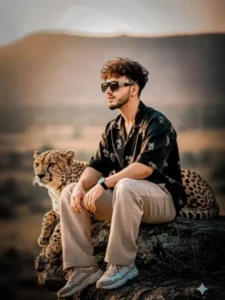
ULTRA-DETAILED CINEMATIC 8K PORTRAIT OF THE SAME MAN SITTING ON A WEATHERED ROCK LEDGE, ONE KNEE RAISED, CHEETAH RESTING BESIDE HIM LOOKING IN THE SAME DIRECTION. THE MAN APPEARS RELAXED YET POWERFUL, SUNGLASSES REFLECTING SOFT SUNLIGHT. OUTFIT: BLACK HALF-SLEEVE OVERSIZED BEIGE LINEN PRINTED SHIRT, MATCHING TROUSERS, STYLISH SHOES, AND WATCH.THE MAN HAS THE SAME FACE, HAIRSTYLE, AND BEARD STYLE AS IN THE REFERENCE "HE HAS HAIRCUT IS SAME STYLE AND BEARDCUT IS SAME STYLE AND FACE IS SAME
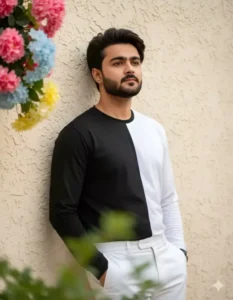
Ultra-realistic, hyper-detailed, 8K cinematic portrait of a young stylish man, using the uploaded image for exact face and hairstyle.

Outfit: Long-sleeved shirt split-color-solid black on left side, solid white on right-paired with crisp white trousers.

Pose: Medium shot, leaning against a textured cream-colored wall, left hand in pocket, looking up and to the right with a thoughtful gaze.

Background: Top-left framed with pink, blue, and yellow flowers; blurred green foliage in the foreground; soft, natural light illuminating the scene; high-resolution cinematic feel.
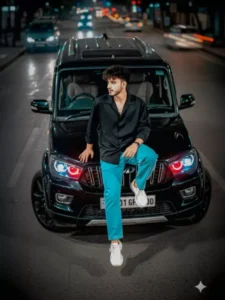
Create a image use my face accurate 100%. A young man 16year old was sit on fully modified scorpio s11 bonut window in black colour the licence number plate 'BR01 GF 1000. He wear black full sleeve shirt and sky blue baggy jeans and chunky sneakers. Hello looking left side. Photo shot by uper angle. Demon head light.
Five spoke alloy wheel.
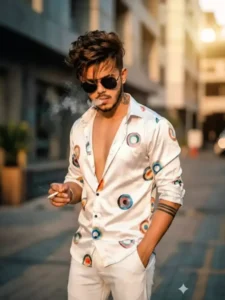
A ULTRA-REALISTIC, CINEMATIC HALF BODY PORTRAIT OF A YOUNG MUSCULAR HANDSOME MAN EXACT SAME FACE FROM REFERENCE, HEIGHT 5'6", STANDING CASUALLY WITH ONE HAND IN POCKET.НЕ WEARS SATIN WHITE SHIRT WITH COLORFUL CIRCAL PROLINT HALF UNBUTTONED SHIRT, WHITE PANT, BLACK SUNGLASSES, HIS HAIR IS SAME UPLOADED LOOKING DOWN, TOUSLED NATURALLY WITH A FEW STRANDS FALLING OVER SLEEK BLACK SUNGLASSES, SMOKING.THE BACKGROUND IS SUBTLY BLURRED TO EMPHASIZE A CONTEMPORARY FASHION-FORWARD

A YOUNG MAN WITH DRAMATICALLY STYLED, VOLUMINOUS DARK HAIR AND A CLEAN FADE ON THE SIDES, IS LEANING AGAINST A LIGHT-COLORED RAILING, LOOKING DIRECTLY AT THE CAMERA WITH A CONFIDENT EXPRESSION. HE IS WEARING A DARK RED T-SHIRT, A SILVER CHAIN NECKLACE, A RING ON HIS RIGHT HAND, AND A BLACK WATCH ON HIS LEFT WRIST. HE HAS AN EARRING IN HIS LEFT EAR. THE BACKGROUND IS A VIBRANT, BLURRED MIX OF GREEN AND ORANGE, CREATING A COLORFUL OUTDOOR SETTING..

16K ULTRA-REALISTIC CREATE IMAGE. A STYLISH YOUNG MAN WITH MESSY VOLUME HAIR, ATTITUDE POSING OUTDOORS IN A VIBRANT NATURAL SETTING. OVERSIZED WHITE SHIRT BUTTON UP BOTH HANDS WITHAND A LOGO, RED BAGGY CARGO PANTS, A VERTICAL BAR PENDANT, AND A BLACK AND WHITE APPLE WATCH.. THE BACKGROUND IS LUSH, URBAN VIBES SOFTLY BLURRED BLACK WITH CINEMATIC LIGHTING, CREATING AN ULTRA-REALISTIC DSLR-QUALITY IMAGE. CRIGHT SIDE FACE FOCUS USE FACE.
100% ABOVE UPLOADED PHOTO HAIRSTYLE LOOK.
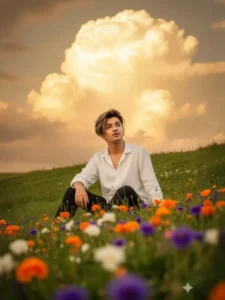
Portrait of a young man sitting on a green hillside, looking up at the sky. Wearing a loose T-shirt and dark pants. In the background are giant cumulus clouds, impressive with a golden afternoon bottom. Foreground is filled with colorful wildflowers (orange, white, purple). Taken during the golden hour, the image is extremely detailed, with the man in sharp focus, shallow depth of field and high resolution. Don't change the face Make messy hair like Korean wear White linen shir
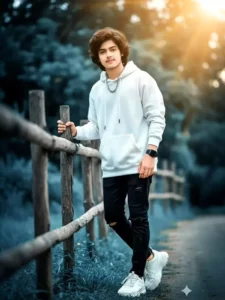
A YOUNG STYLISH BOY STANDING BESIDE A RUSTIC WOODEN FENCE, WEARING A WHITE OVERSIZED HOODIE WITH RIPPED BLACK JEANS, SILVER CHAIN, TRENDY SNEAKERS, AND A DIGITAL SMARTWATCH. HIS HAIRSTYLE IS MESSY YET FASHIONABLE WITH BROWN HIGHLIGHTS. THE DREAMY OUTDOOR BACKGROUND HAS SOFT BLUISH BOKEH, GOLDEN SUNLIGHT RAYS, AND CINEMATIC TONES. ULTRA-REALISTIC, 4K, NATURAL SKIN TONE, VIBRANT DETAILS, SHOT ON 85MM LENS. 100% FACE MATCH MY FACE.

HYPERREALISTIC PHOTOGRAPH OF AN ELEGANT YOUNG ASIAN MAN (VIETNAMESE). HE IS SITTING GRACEFULLY, BAREFOOT, ON A LUSH, VIBRANT GREEN LAWN. HE IS WEARING A BLACK SHIRT, AND WHITE JEANS AND WHITE CHUNKY SHOES. HER HAIR IS BLACK. HE IS HOLDING A LARGE, UNOPENED PINK LOTUS FLOWER CLOSE TO HER FACE, EYES GENTLY CLOSED OR LOOKING DOWN, EXPRESSING SERENITY AND PEACE THE GREEN GRASS IS HEAVILY AND BEAUTIFULLY SCATTERED WITH NUMEROUS PINK AND WHITE LOTUS PETALS.ULTRA-DETAILED, 8K HYPERREALISM SHALLOW DEPTΗ
How Achieve Look In Google Gemini
To create a natural, accurate photo for boys, you need to adjust these things. Like balancing your skin tone. It balances the color of your face perfectly. It fixes pimples on your face and your bad blood. It places both of these in the right placement. It cleans them up a bit, and then your hair and texture, if your hair is messy, is perfectly fixed. You can keep your hair looking the way it is. I’m just prompting you to do this: keep it from face to hair, and then just generate. After that, many people’s eyes, like the eyes, become pale or don’t look good normally. It corrects these things and gives a natural photo that looks like the ones professional photographers click. It gives us results like that.
Final Words
Our final word is that Google Gemini keeps our editing completely realistic like without any filter, with natural voice. If you want editing which looks like you have just clicked it from your room then this is the perfect way to use Google Gemini in which your photo looks very beautiful and absolutely original. If you generate it using the right prompt then it is the best. If your prompt is wrong then your result will not be good.