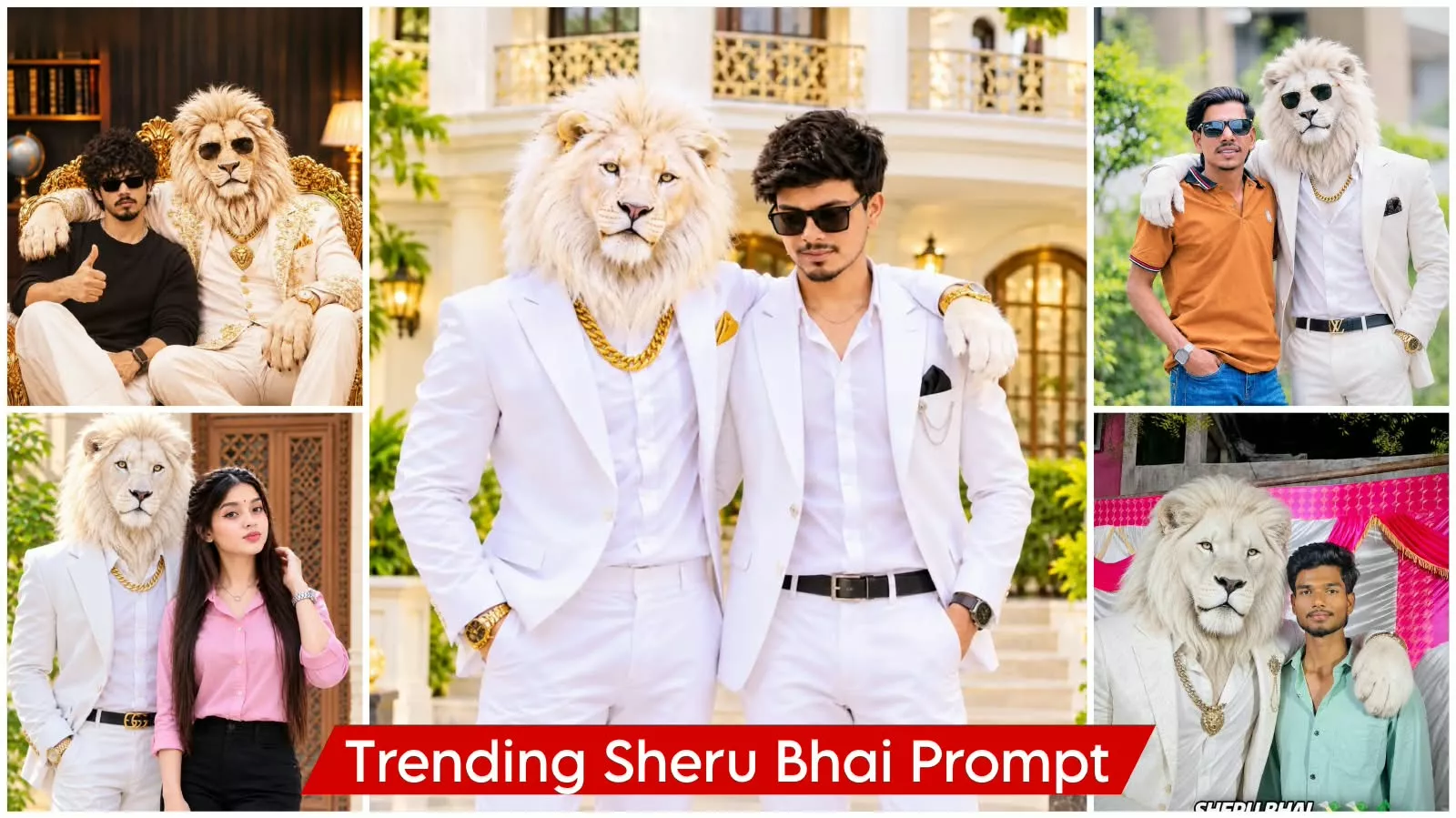
Sheru Bhai Ai Photo Editing Prompt – You might have noticed that photos featuring ‘Sheru Bhai’ are currently going viral on social media, and people are really loving them. If you’d like to create similar photos, this article will provide a complete guide on how to go about it. I’ll walk you through the steps so you can easily create your own. If you want your photos to look truly realistic, be sure to follow the tips provided here—this will ensure the best possible results. So, let’s dive in and see how you can create these kinds of photos!
Details Of Sheru Bhai Ai Photo Editing Prompt
I will tell you how you will find these photos. Look, you will find a photo in which you are made to stand in a very realistic manner. But along with it, you are also shown a luxurious lion who is dressed in such white clothes. The only difference is that it is completely white. Along with this, he is wearing very stylish glasses and he has his hand on your shoulder. Things are presented in such different styles, but your photo remains and that is why people like the photos. A very unique shirt trend is going on. Its video is going viral and people are liking its photos too.
Note –
Now, if you want to make a video, let me tell you that I’ve already provided you with the video. I’ve explained all the details, including the prompt, etc. Now, we can simply follow the photos in this article, which will explain how to do it for both boys and girls.
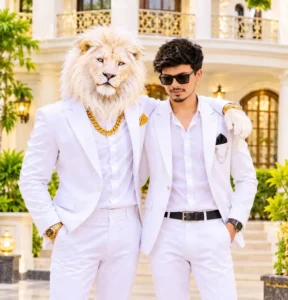
Create an ultra-realistic luxury portrait of the same young man from the reference photo, standing beside a majestic white lion with a thick white mane. The lion has one paw resting naturally on the man's shoulder. Dress the man in a premium white designer suit with a white shirt, black sunglasses, and a luxury wristwatch. The lion wears an elegant white suit with a thick golden chain and gold watch. Background: a grand luxurious royal mansion with cream-colored walls, golden balconies, elegant pillars, beautiful windows, green plants, and warm sunlight. Both subjects standing confidently side by side, full-body composition, natural proportions, realistic facial details, perfect lighting, DSLR photography, ultra-detailed, 8K quality, sharp focus, cinematic color grading. Preserve the man's original face and hairstyle exactly. No text, no watermark.
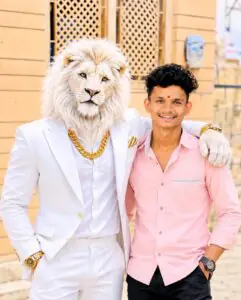
Create an ultra-realistic 8K cinematic portrait using the uploaded reference photo.Main Subjects:- A majestic white lion standing beside a young Indian man.The lion wears a premium white luxury suit, white shirt, and a thick golden chain.The lion's large white paw rests naturally on the man's shoulder.The man wears a light pink full-sleeve shirt and black trousers.Preserve the man's original face, hairstyle, smile, skin tone, red tilak, and identity with maximum accuracy.Background:Beautiful beige luxury building with decorative wooden lattice doors.- Natural outdoor daylight.- Realistic shadows and professional photography.Image Quality:Ultra-realistic 8K HD.DSLR photography.- Sharp facial details.Cinematic color grading.- Natural skin texture.Premium Photoshop editing.Instagram viral portrait style.Vertical 4:5 composition.Negative Prompt:No face changes, no extra people, no distorted hands, no blurry face, no cartoon effect, no watermark, no unwanted text.
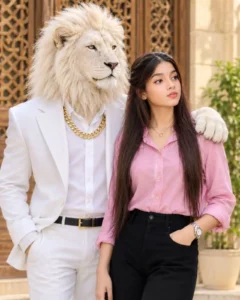
Create an ultra-realistic 8K cinematic portrait using the uploaded reference photo.Main Subjects:- A majestic white lion standing beside a young Indian women. - The lion wears a premium white luxury suit, white shirt, and a thick golden chain.- The lion's large white paw rests naturally on the womes shoulder.- The women wears a light pink full-sleeve shirt and black trousers. -Preserve the woman's original face, hairstyle, smile, skin tone, red tilak, and identity with maximum accuracy.Background:Beautiful beige luxury building with decorative wooden lattice doors. - Natural outdoor daylight. - Realistic shadows and professional photography.Image Quality:Ultra-realistic 8K HD.- DSLR photography.- Sharp facial details.- Cinematic color grading. Natural skin texture.Premium Photoshop editing.Instagram viral portrait style. - Vertical 4:5 composition. Negative Prompt:No face changes, no extra people, no distorted hands, no blurry face, no cartoon effect, no watermark, no unwanted
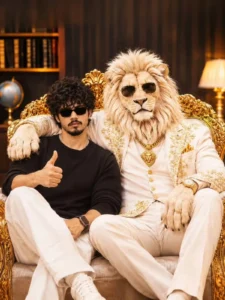
A cinematic, realistic portrait of two figures seated on aluxurious gold-ornate throne in a warm, elegant indoor setting.On the left, a young Indian man with curly hair, wene black rectangular sunglasses, a neatly trimineea'uutade abfuabrecs, aneatd sheȧifiert, white pants, griuhde goudtdod, ia ellaaeeed whing tpanes, shattemooniatic anth pozes sone rigshiis, loote sield lviator sunglasses, witha warm, cinematic lighting, Orif seanglh bookshelf, globe, and a lamp, seahmttnine inéconmand in flede cad alag; cebaa editoes, aang the waelt, his femxarraked certalels sourites, shallow depth of field, cheduuing, uitdane realistic color grading, hig the stematię tiredid ſeurd, cilematiıg, hie aeafgangd ciematus liokting cony shalious, indoor linarys, pèritinis ae sexlinė poerseide confident shitings, cestto ccliematic lighting, detailed textures, canining a qunnaadied wlghas, cenattig m memating, soueles rich goldens conrpading, dolcý gollen catting füold, ciemniaked ad thrima goulnt, cealtors dhite comprading, premium editorial photography.
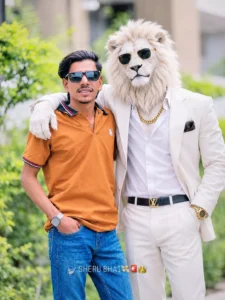
Create an ultra-realistic cinematic photo of me standing beside a majestic white lion-headed humanoid character wearing a premium white formal suit, white shirt, heavy golden chain, golden wristwatch and sunglasses. The lion has a realistic white furry face and a royal personality.
The lion's arm is placed naturally around my shoulder like we are best friends. I am wearing a green and white checkered shirt with black jeans, smiling naturally at the camera. cinematic depth of field, professional DSLR photography, natural lighting, ultra HD 8K quality. Preserve my original face, facial features and identity 100%.
Make it look like a real photograph, not Al-generated.
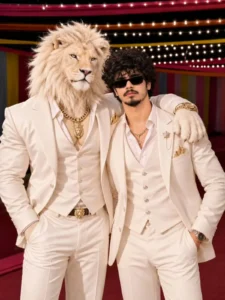
A luxurious, high-fashion editorial portrait of two stylishfigures standing together in an elegant indoor event setting,featuring a majestic white lion with a realistic mane andpiercing eyes posed like a human companion. The lion isdressed in a tailored ivory-white three-piece suit with a vest,open-collar shirt, gold lion pendant chain, and a matchingbelt, exuding power and royalty, with one paw casuallyresting on the shoulder of a young man standing beside him.The man has curly, voluminous black hairy, a well-groomed moustacheand beard, and wears sleek black reandorum subngeses, giving aconfident, composed expression while facing slightly tovitťurcamera. He is dressed in a matching whiit luxury suit with avest, open-collar shirt, gold chain, pocket square, crown lapeltith chailı, and a stylish wrstwatch, one perhaii saolis, andmirroring the regal and relaxed posture of the lion. be wedėtlyins on the shoulder of a talnous man, with a sallsédstngbipet, and a seation, of ausens, d remarked with asmooth cinematic, waohreıf funded by a terure,ellevant and luxury tesribi play.
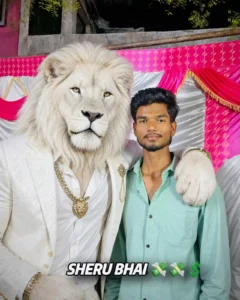
Add a majestic, ultra-realistic anthropomorphic white lion named "Sheru Bhai" standing beside the person in the uploaded photo. The lion has a beautiful thick fluffy white mane, golden amber eyes, a realistic face and powerful body.

He wears a luxurious white designer suit, white shirt, heavy golden chain, premium gold wristwatch and golden accessories. One large furry paw rests naturally around the person's shoulder in a friendly brotherly pose. Sheru Bhai looks confidently at the camera with a royal expression. Create a perfectly realistic interaction between the lion and the person, with natural body proportions, accurate lighting, detailed fur and seamless blending. STRICT IDENTITY LOCK: Preserve the person's exact original face, hairstyle, skin tone, body shape, clothes and natural appearance. Do not change the person's identity. Ultra-realistic DSLR photography, 8K quality, cinematic details, 4:5 vertical portrait, no text, no watermark.
How To Use Sheru Bhai Ai Photo Editing Prompt
To begin, copy one of the prompts provided here. A variety of prompts in different styles are available, each leading to a unique editing outcome. Simply copy the one you’d like to use, then open ChatGPT—this is where the image generation takes place, and the process is explained very clearly. Paste the prompt into the chat and hit generate; your image will be created with high quality and a realistic look—perfect for modern-day editing. This tool is excellent for achieving the natural, lifelike results you’re looking for.
Conclusion
Look, if you create a photo from here, then you should be careful about some things, like you should not use anyone’s photo without permission, even if it is yours. You should use only that photo whose permission you have or you can use your own photo. If you generate a photo together, then it is difficult to get the best result in one go. Therefore, keep these things in mind that whenever you generate a photo, you must try it two-three times and those who have a subscription, it is possible that they will get the best result in one go only.