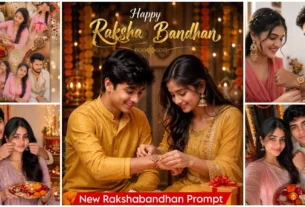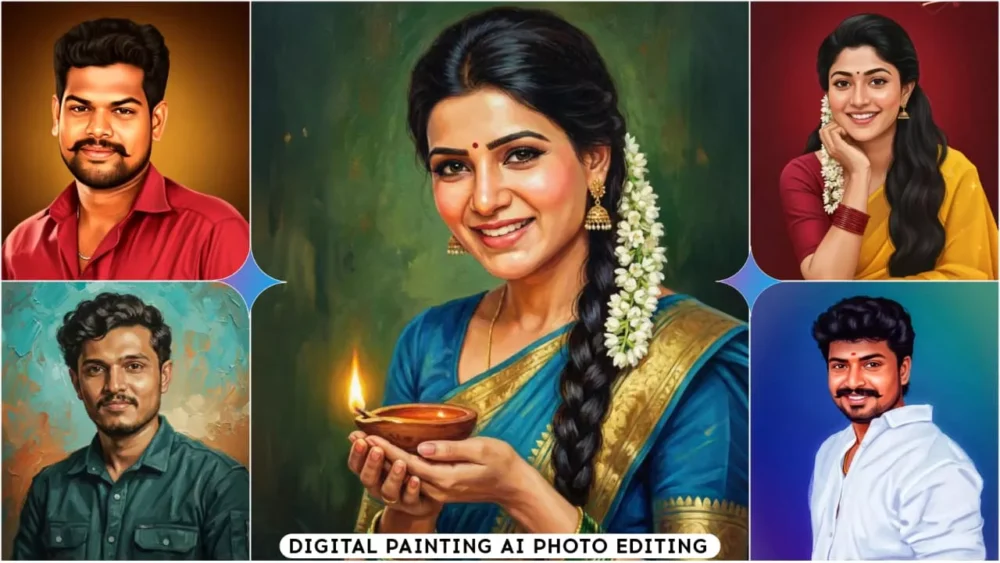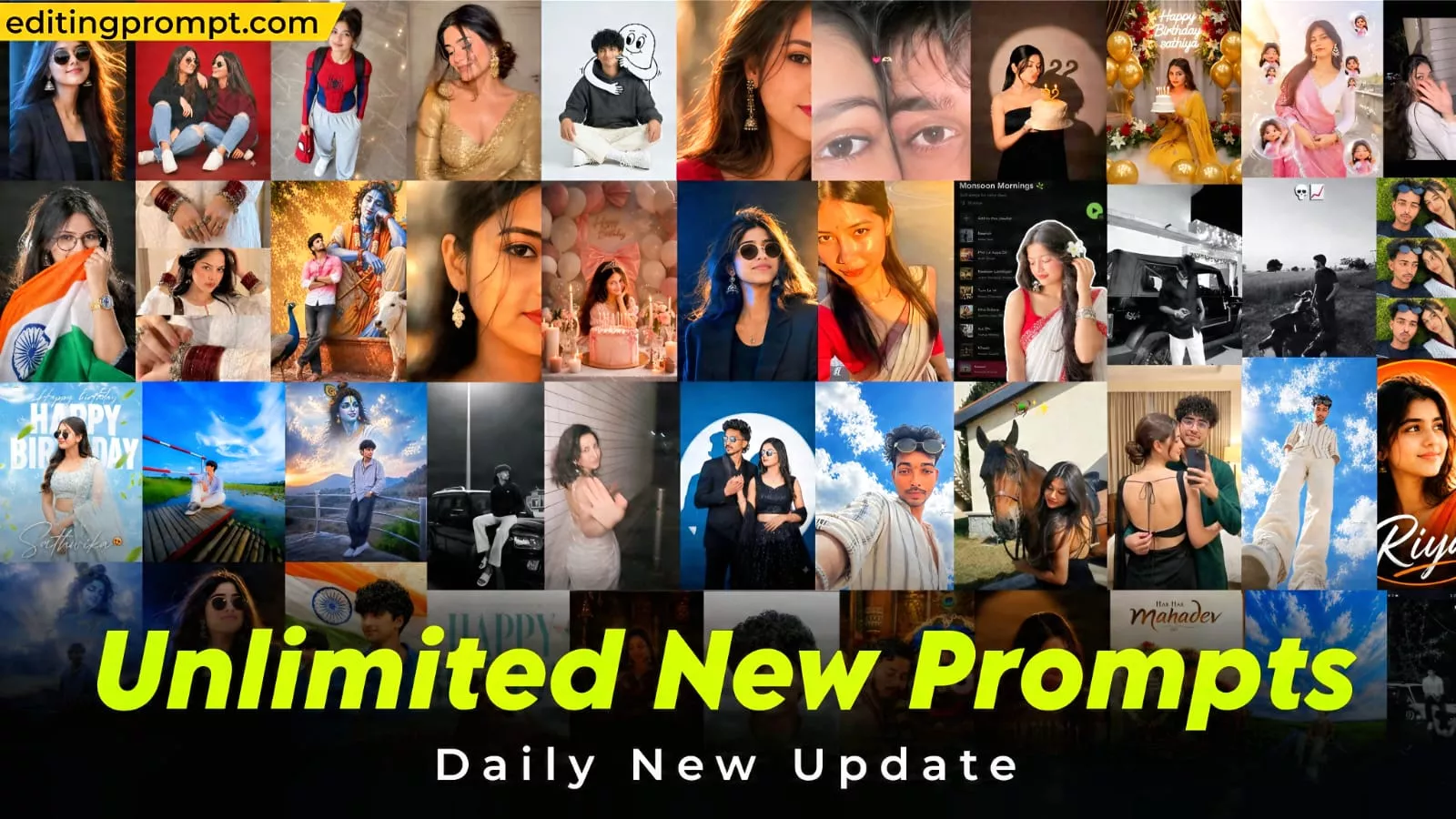
Unlimited New Trending Ai Photo Editing Prompts – Sometimes, looking at a simple photo, it seems like there’s nothing wrong with it. Sometimes, looking at it, you wonder why it’s not going viral. Unless you edit or upload photos according to current trends, people don’t like them. Let me tell you, nowadays, if you create or post a photo on Instagram, it must be unique. In this article, we’ll provide you with prompts for all the trending photos of today. In this article, I’m going to give you plenty of prompts. And let me tell you one more thing: this article will be updated daily. You’ll receive new prompts daily, using which you can create your own photos. Two methods will be shared, which will be explained later.
Unlimited New Trending Ai Photo Editing Prompts
The outcome of this type of AI photo editing depends entirely on the prompt you use. If you simply ask for a “good photo” or a “cinematic photo” without providing specifics, the AI will generate a standard image. However, if you provide detailed instructions—specifying the background, lighting, and clothing—the result is significantly better. Such images are created using tools like Google Gemini and ChatGPT.
How do you select the right photo?
Let me explain. Even if you use a great prompt, the final image won’t turn out perfect unless you choose a good reference photo. You should select a current, high-quality photo where your face is clearly visible—avoid blurry images or ones with poor lighting. Photos that are too dark or have harsh shadows on the face won’t work well, and you should avoid using group photos; instead, use a photo where you are the only person. If you use this kind of reference photo, you will get excellent results.
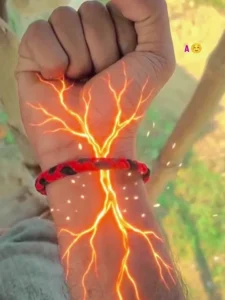
Create a 10-second ultra-realistic cinematic VFX video, vertical 9:16, using the uploaded hand image as reference.
0–2s: Preserve the original closed fist, skin, arm hair, sleeve, wristwatch and background. A faint red-orange glow appears beneath the watch.
2–4s: Glowing red-orange energy veins spread across the forearm with tiny sparks. Keep skin intact and realistic.
4–5s: Smoothly zoom into a glowing branch, transitioning into a CGI tunnel.
5–7s: Travel through a deep red-orange 3D biological tunnel with glowing strands, circular waves and floating particles.
7–10s: Multiple glowing 3D copies of the letter [LETTER] float, rotate and pass the camera at different depths. Keep every letter identical and readable.
Use cinematic lighting, smooth motion and futuristic electronic ambience. No cuts, blood, wounds, extra symbols, captions or watermarks. Preserve the original hand
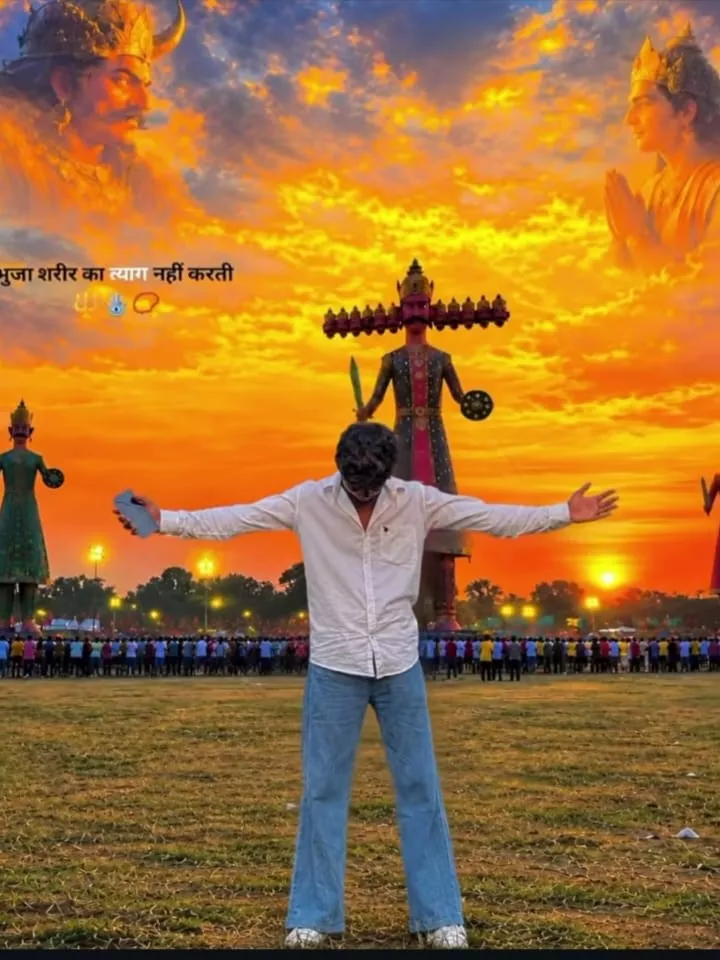
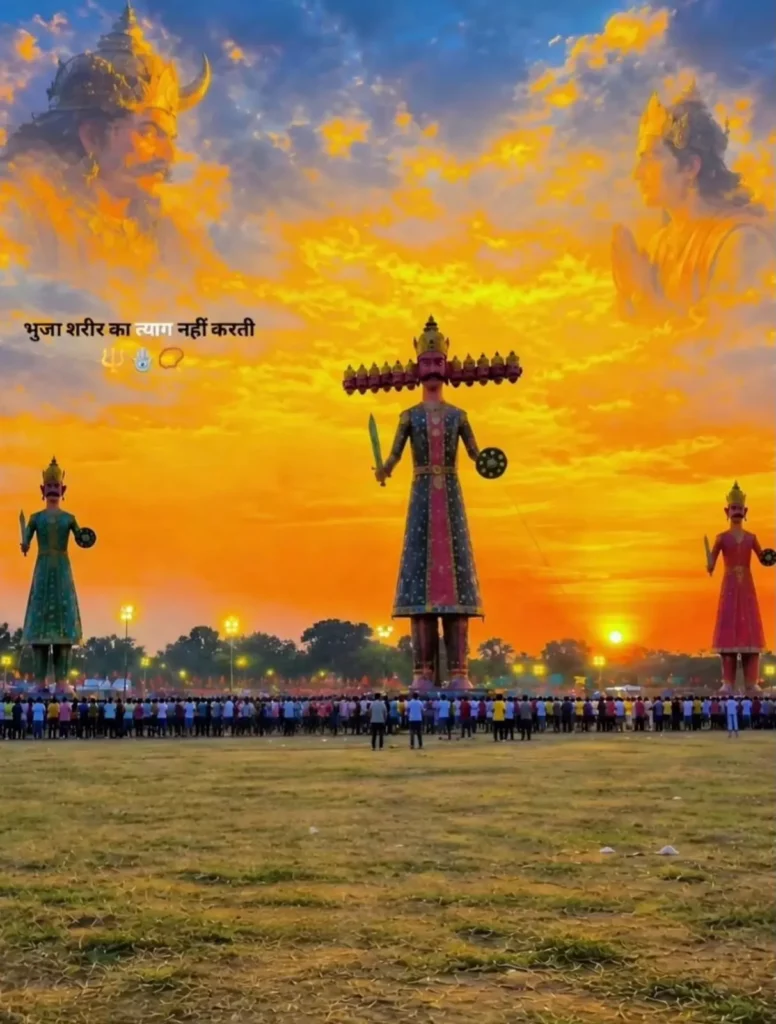
Create image Place this person in the second photo in a realistic manner and adjust them to match the second photo; do. not change anythingelse. Keep the background exactly as it is do not alter it at all-and do not change the face or body size. Enhance the image to 8K quality and set the aspect ratio to 3:4.
100% same face same body
Create an ultra-realistic cinematic fantasy photograph at night on a rooftop. A young South Asian man is standing in the foreground, seen from behind in a natural 3/4 back view, wearing a loose light-colored long-sleeve shirt and dark pants. He gently raises one hand toward a beautiful glowing blue fairy floating in the night sky, as if their fingertips are almost touching.

The fairy is an ethereal young woman surrounded by intense magical blue light, wearing a flowing translucent blue fantasy dress with enormous luminous butterfly-like wings. Her long dark hair flows naturally in the air, and she has a soft gentle smile. Hundreds of tiny glowing blue particles, sparkles and small luminous butterflies surround her, creating a dreamy magical atmosphere.

Below them is a dark city skyline with small warm window lights, while the rooftop parapet is visible in the foreground. Deep midnight-blue
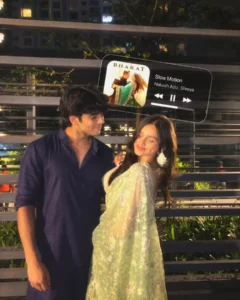
Use the uploaded photo as the ONLY source of the primary subject’s identity. Preserve the primary subject’s recognizable identity exactly, including facial structure, face shape, forehead, eyebrows, natural eye shape, nose, lips, jawline, cheeks, chin, skin tone, natural skin texture, hairline, hairstyle, and all distinctive facial characteristics. Do not beautify, reshape, slim, age, de-age, masculinize, feminize, or otherwise reinterpret the face. The uploaded photo defines WHO the primary subject is; the scene and pose described below define HOW the subject appears in the final image. SCENE & SUBJECTS Recreate the uploaded image as a highly realistic, intimate nighttime couple portrait photographed outdoors on a modern residential or apartment-building balcony/walkway. Two young adults are standing close together in the foreground. The primary subject is the woman positioned slightly right of center, while the second adult person stands immediately beside her on the left. Preserve the natural closeness, proportions, spatial relationship, body language, perspective, and candid romantic atmosphere visible in the uploaded image. PRIMARY SUBJECT — POSE & EXPRESSION The primary subject is standing slightly angled toward the left side of the frame, with her upper body gently leaning/turning toward the second person. Her head is tilted subtly toward the left and slightly downward. Her eyes are softly closed or lowered, with a peaceful, affectionate expression and a gentle closed-mouth smile. Reproduce the natural relaxed facial expression, eyelid position, head angle, cheek position, mouth shape, and emotional warmth visible in the reference. Her long dark hair falls naturally around the shoulders and down the back, with a few loose strands framing the face. One arm is positioned naturally near the second person’s shoulder/upper arm, while the other arm follows the relaxed posture visible in the reference. Maintain realistic shoulder positioning, elbow angles, wrists, hands, and natural body proportions. Do not transfer the second person’s facial identity onto the primary subject. The primary subject’s identity must remain exclusively based on the uploaded identity/reference image. PRIMARY SUBJECT — CLOTHING & ACCESSORIES Recreate the woman’s outfit as an elegant, traditional Indian ethnic outfit in a soft pale sage-green / mint-green translucent saree with intricate white/silver floral embroidery and delicate woven patterns. The saree should have: A lightweight, semi-sheer fabric, Detailed white floral and botanical embroidery, Fine lace-like woven texture, Natural folds and realistic fabric layering, A softly draped pallu flowing across the front and shoulder, Subtle variation in the green fabric rather than a flat digital color, Realistic translucency and fabric physics. She wears large, ornate white/silver-toned traditional chandelier/jhumka-style earrings with intricate detailing. Keep the jewelry elegant and proportionate to the face. Preserve realistic reflections and fine metallic texture. SECOND SUBJECT Keep a second adult person standing immediately to the left of the primary subject in the same close position and natural body relationship as the uploaded image. The second subject has thick, naturally wavy/curly dark hair and wears a dark navy-blue casual button-up shirt, with the sleeves naturally rolled or gathered around the forearms. The shirt should have realistic cotton/linen texture, natural wrinkles, soft folds, and subtle highlights from the surrounding lighting. He is turned toward the primary subject, looking at her affectionately with a soft, subtle smile. His posture is relaxed and natural, with his body facing slightly toward her. One arm hangs naturally downward while the other arm is positioned comfortably around/behind the primary subject, following the body language visible in the reference. Do not make either person look artificially posed. Preserve the candid feeling of two people naturally standing together. BACKGROUND & ENVIRONMENT Recreate the exact environmental character of the uploaded photograph. The couple is outdoors at night on a modern balcony, terrace, elevated walkway, or apartment complex common area. Behind them is a series of horizontal metal railings, creating strong layered lines across the image. In the deeper background: Modern multi-story apartment buildings are visible, Several windows are illuminated with warm yellow/orange indoor light, Some windows remain dark, Trees with green leaves occupy portions of the background, A tree trunk and branches are visible behind the subjects, Additional balcony/architectural structures appear in soft darkness, Small distant lights create subtle points of warm illumination. The background should feel like a real urban residential complex at night. Keep the architectural geometry and horizontal railing pattern realistic and consistent. Do not replace the background with a generic studio backdrop. COMPOSITION Use a 4:5 vertical portrait composition. Frame the couple from approximately the upper-thigh/waist area upward, similar to the uploaded photograph. The second subject occupies the left side of the frame, while the primary subject occupies the center-right. Maintain: The same close physical distance between the two subjects, Similar head heights, Similar relative body proportions, Natural overlap between their bodies, Horizontal railing lines crossing behind them, The same amount of environmental background, A slightly candid, unposed composition, No excessive cropping of either person. The camera should be positioned approximately at chest/eye level with a natural portrait perspective. Avoid extreme wide-angle distortion. NIGHTTIME LIGHTING Reproduce the warm nighttime ambient lighting of the reference. Use realistic warm artificial/environmental lighting, primarily coming from nearby building lights and surrounding outdoor fixtures. The faces should be softly illuminated with warm golden highlights while remaining naturally dimensional. Lighting characteristics: Warm tungsten/ambient white balance, Soft golden illumination on faces and clothing, Gentle shadows around facial contours, Subtle highlights on hair, Natural falloff into the darker background, Mild warm reflections on the metal railings, Realistic mixed exposure between illuminated areas and deep nighttime shadows. No obvious studio flash, No harsh beauty lighting, No excessive HDR. The primary subject’s face should remain clearly visible despite the nighttime environment. CAMERA & PHOTOGRAPHIC CHARACTER Create the image as if captured with a modern full-frame mirrorless camera such as a Sony A7 IV, using approximately a 55mm f/1.8 portrait lens. Suggested photographic characteristics: Full-frame look, 55mm focal length, Approximately f/1.8 aperture, Around ISO 800–1250, Approximately 1/80 sec shutter speed, Warm ambient white balance, Natural handheld nighttime exposure, Shallow-to-moderate depth of field, Realistic optical bokeh, Sharp facial detail with gently softened background, Natural lens rendering, Subtle low-light grain/noise consistent with a real camera, No artificial computational photography appearance. The couple should remain the visual focus while the distant apartment buildings, trees, lights, and railings gradually fall slightly out of focus. COLOR GRADING Use a warm, cinematic nighttime color grade while maintaining realistic skin tones. Color characteristics: Warm golden highlights, Deep but detailed shadows, Slightly muted nighttime greens, Natural navy-blue clothing, Soft sage/mint-green saree, Warm yellow window lights, Moderate contrast, Gentle highlight rolloff, Slightly filmic tonal response, Natural skin tones without orange oversaturation, No excessive teal-and-orange grading, No artificial Instagram-style filter. Preserve the authentic low-light atmosphere rather than making the scene unnaturally bright. REALISM & MATERIAL DETAIL Prioritize photorealism throughout the image. Show: Natural skin pores and texture, Individual hair strands, Realistic eyelashes and eyebrows, Authentic facial anatomy, Realistic hands and fingers, Natural fabric transparency, Individual embroidery details, Realistic saree folds, Cotton/linen texture on the navy shirt, Fine jewelry details, Realistic metal reflections, Natural nighttime atmospheric depth, Physically believable shadows and reflections. The image should look like a genuine photograph taken spontaneously during an evening/night outing, not an AI-generated composition. IDENTITY & PRESERVATION RULE The uploaded image controls the identity and recognizable facial appearance of the primary subject. Preserve her exact facial characteristics and natural appearance. Do not substitute another face or create a generic beauty face. Preserve the second subject’s appearance as shown in the uploaded photograph as well, without changing his recognizable facial characteristics unnecessarily. Do not alter the relationship between the two people, their approximate height difference, body proportions, or natural physical positioning. NEGATIVE PROMPT No face replacement errors, no identity drift, no different facial structure, no beautification, no plastic skin, no excessive skin smoothing, no unrealistic eyes, no distorted facial features, no extra fingers, no missing fingers, no fused hands, no duplicated limbs, no malformed hands, no warped jewelry, no artificial saree patterns, no floating fabric, no incorrect anatomy, no exaggerated body proportions, no cartoon appearance, no illustration, no CGI look, no excessive HDR, no oversaturated colors, no harsh flash, no studio background, no daytime lighting, no artificial blur, no excessive bokeh, no modern beauty filter, no unrealistic skin tone, no facial artifacts. Final result: a highly photorealistic 4:5 nighttime Indian couple portrait, preserving the uploaded subjects’ identities, natural expressions, intimate body language, traditional saree styling, warm ambient lighting, apartment-balcony environment, realistic camera characteristics, and authentic candid photographic quality.
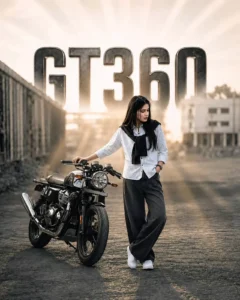
Create an ultra-photorealistic 8K DSLR image matching the reference image as closely as possible. Keep the same woman, same face identity, natural facial features, long smooth straight black hair, same white striped shirt, black sweater draped over her shoulders, loose black wide-leg jeans, white sneakers and accessories. Recreate the exact pose: she stands beside the motorcycle, one hand naturally resting on the motorcycle handlebar while the other hand is inside her jeans pocket, body slightly angled toward the motorcycle, legs crossed casually and looking toward the side. Keep the motorcycle fully visible, large and realistically proportioned. Preserve the same road, giant metallic "GT360" background text, buildings, dusty atmosphere, warm golden-hour sunlight, haze and cinematic depth. Full-body composition with plenty of background visible. Realistic human anatomy, natural skin pores, realistic hair strands, authentic clothing texture, accurate shadows and reflections, professiona

"Same reference style, cinematic mass-action poster, muscular Indian male hero in white traditional outfit, dramatic tiger face artwork with glowing orange eyes in the background, smoky dark atmosphere, black-orange-white color tone, high contrast, realistic details, premium cinematic look, bold stylish typography, photorealistic, HD, 4:5 Instagram poster."
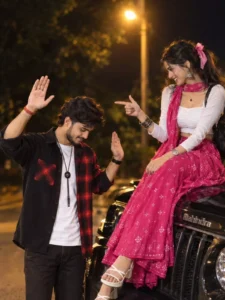
SUPER-ULTRA-PHOTOREALISTIC, HYPER-DETAILED CINEMATIC 8K HDR DSLR

PHOTOGRAPH, vertical 2:3 portrait composition, depicting a young Indian couple sharing a playful romantic moment beside a glossy black Mahindra Thar at night. The man stands beside the front of the Thar with both hands raised playfully, looking downward with a shy smile, wearing a black-and-red checked overshirt over a white T-shirt, black jeans, a black wristwatch, red wristband and pendant necklace. The woman sits gracefully on the front bonnet, smiling warmly at him while pointing playfully toward him, wearing a white fitted blouse with a flowing pink printed salwar-style outfit and matching dupatta, silver jhumka earrings, bangles, wristwatch and pink hair ribbon. Set the scene on a quiet tree-lined roadside at night with a warm glowing streetlight above, dark foliage, subtle background bokeh and natural nighttime atmosphere.

Capture realistic vehicle reflections, detailed fabric textures, natural skin pores, individual hair strands and authentic anatomy. Use professional DSLR photography, 50mm lens look, shallow depth of field, warm ambient lighting, realistic shadows, cinematic color grading and natural photographic imperfections. Preserve the reference composition, poses, facial identity and proportions accurately. No face distortion, extra fingers, duplicate people, artificial skin, cartoon appearance, excessive blur or CGI look.
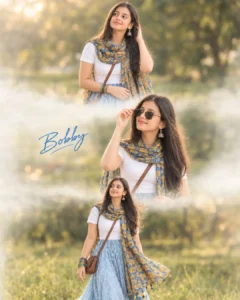
Ultra-realistic cinematic 3-frame vertical collage using the uploaded reference image for 100% facial accuracy. The collage is divided into three horizontal sections with soft dreamy white mist transitions blending naturally between each frame. Top frame: standing in a relaxed elegant pose, looking slightly upward to the side with one hand gently touching the hair while the other hand rests naturally near the waist. Expression should feel graceful, confident, and effortlessly stylish. Middle frame: facing slightly away from the camera in a relaxed cinematic profile pose, gently adjusting the stylish sunglasses/coolers with her right hand while her left hand rests naturally near the waist. Expression should feel calm, luxurious, feminine, and editorial-fashion inspired. The pose should create soft natural body angles and subtle movement in the flowing outfit and dupatta for a premium cinematic aesthetic. Place the handwritten stylish text "Bobby" across the center frame in elegant blue cursive typography. Bottom frame: walking casually while looking sideways with a soft aesthetic expression and natural feminine elegance, with the dupatta and skirt flowing naturally in motion. Outfit: wearing a modest vibrant Indo-Western outfit consisting of a fully covered fitted white short-sleeve top with no navel or belly visible, paired with a flowing light blue high-waisted maxi skirt featuring a white geometric pattern. Draped elegantly around her neck and upper body is a striking blue and mustard-yellow intricately floral-printed dupatta/scarf with small tassels at the hem, styled to maintain a graceful fully covered aesthetic. She is accessorized with traditional oxidized silver jhumkas (bell-shaped earrings), a brown leather cross-body bag strap, and a stack of colorful bangles on her left wrist. Accessories: sunglasses/coolers should naturally match and fit the face shape and camera angle differently in each frame instead of staying identical, Background: blurred green grass field, distant trees, dreamy golden-hour lighting, cinematic natural bokeh, shallow depth of field, soft pastel tones, emotional aesthetic mood, ultra realistic DSLR photography look, smooth skin tones, high detail hair texture, airy atmosphere, premium portrait editing style, realistic lighting, subtle wind effect on clothing and hair, luxury fashion magazine color grading, highly detailed cinematic composition, shallow focus, soft atmospheric depth, natural skin texture, photorealistic quality. 4:5 ratio
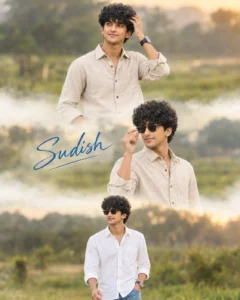
Ultra-realistic cinematic 3-frame vertical collage using the uploaded reference image for 100% facial accuracy. The collage is divided into three horizontal sections with soft dreamy white mist transitions blending naturally between each frame. Top frame: standing in a relaxed elegant pose, looking slightly upward to the side with one hand gently touching the hair while the other hand rests naturally near the waist. Expression should feel graceful, confident, and effortlessly stylish. Middle frame: facing slightly away from the camera in a relaxed cinematic profile pose, gently adjusting the stylish sunglasses/coolers with her right hand while her left hand rests naturally near the waist. Expression should feel calm, luxurious, feminine, and editorial-fashion inspired. The pose should create soft natural body angles and subtle movement in the flowing outfit and dupatta for a premium cinematic aesthetic. Place the handwritten stylish text "Sudish" across the center frame in elegant blue cursive typography. Bottom frame: walking casually while looking sideways with a soft aesthetic expression and natural feminine elegance in motion. Outfit: wearing a modest white shirt and blue jeans. Accessories: sunglasses/coolers should naturally match and fit the face shape and camera angle differently in each frame instead of staying identical, Background: blurred green grass field, distant trees, dreamy golden-hour lighting, cinematic natural bokeh, shallow depth of field, soft pastel tones, emotional aesthetic mood, ultra realistic DSLR photography look, smooth skin tones, high detail hair texture, airy atmosphere, premium portrait editing style, realistic lighting, subtle wind effect on clothing and hair, luxury fashion magazine color grading, highly detailed cinematic composition, shallow focus, soft atmospheric depth, natural skin texture, photorealistic quality. 4:5 ratio
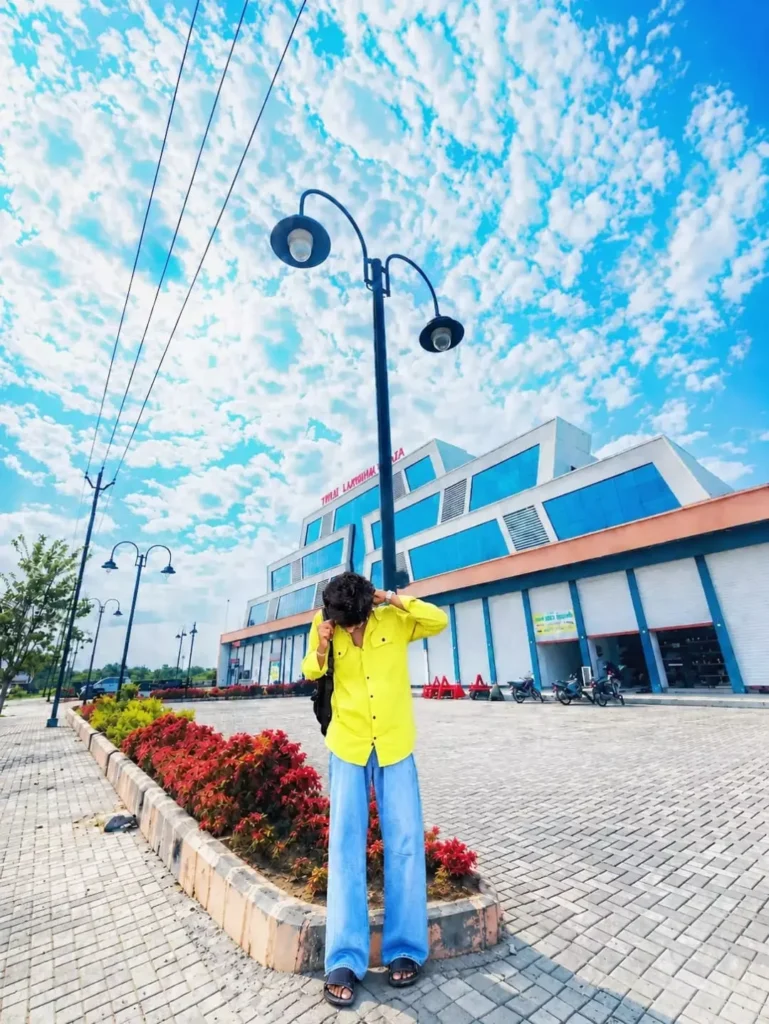
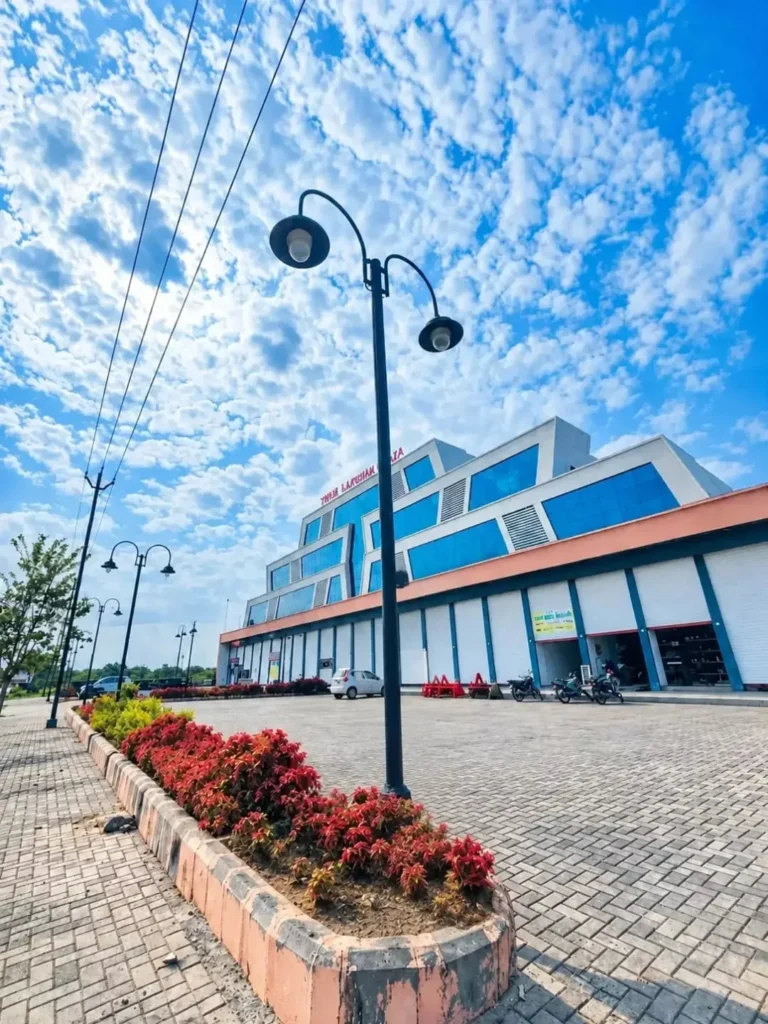
Place this person in the second photo in a realistic manner and adjust them to match the second photo; do not change anything else. Keep the background exactly as it is-do not alter it at all-and do not change the face or body size. Enhance the image to 8K quality and set the aspect ratio to 3:4.
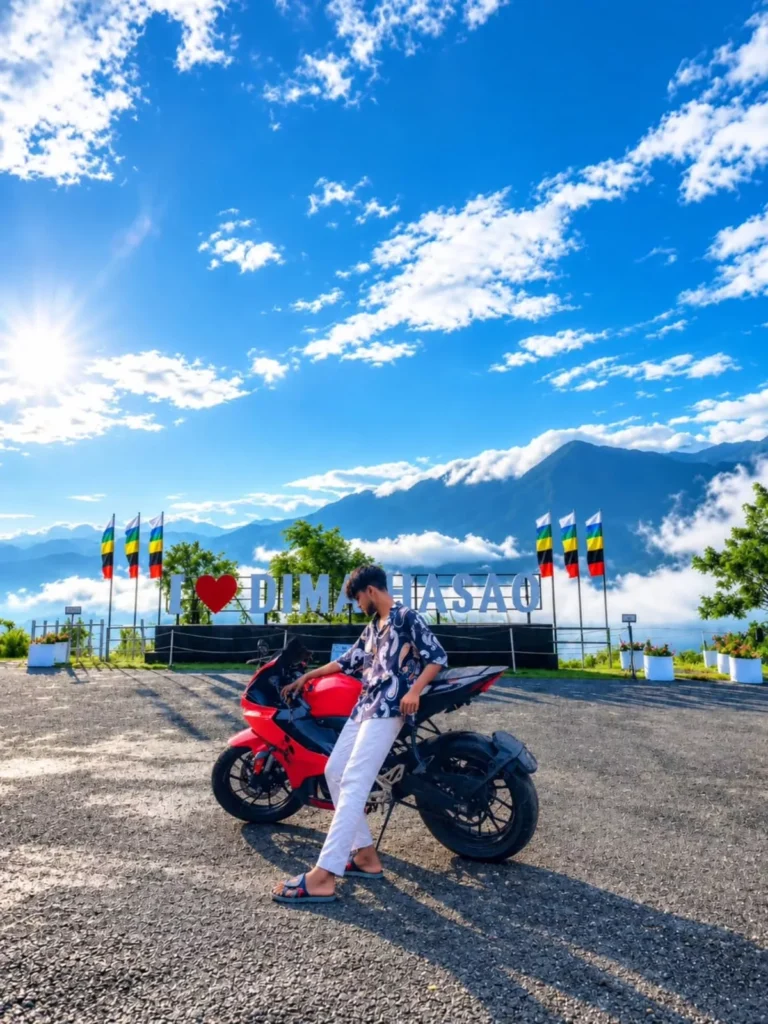
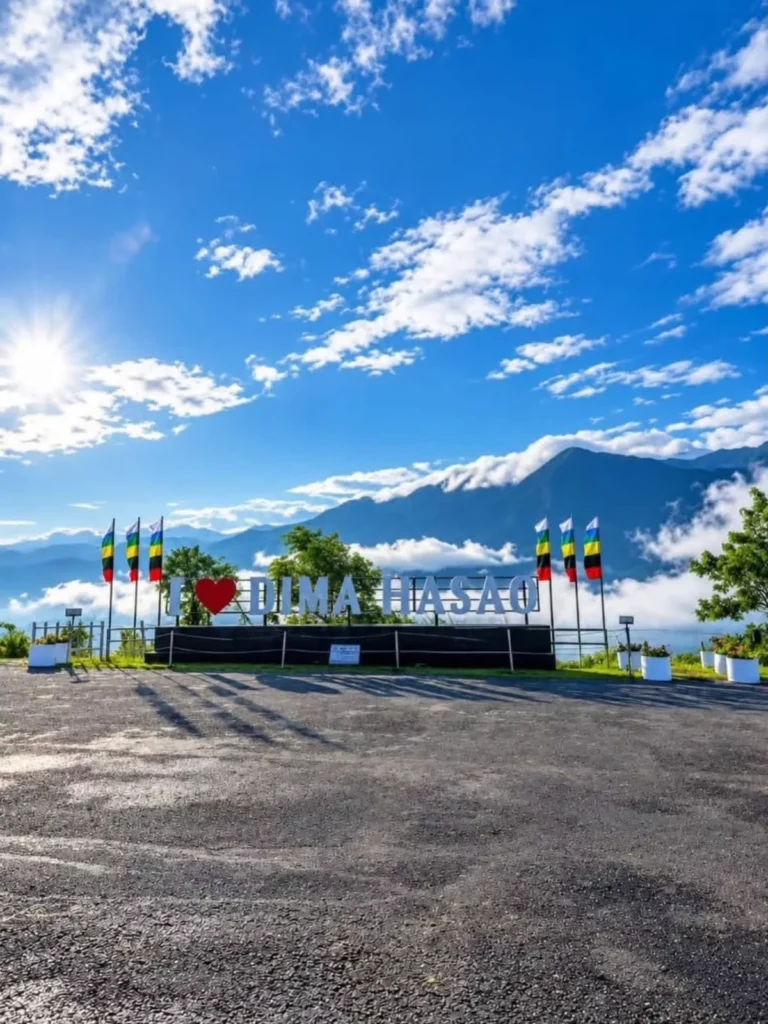
Photorealistic image of a young man posing casually next to a bright red sports motorcycle on a hilltop viewing area. Clear blue sky with white clouds, bright sunshine, mountains and sea of clouds in the background. A large sign with colorful flags is visible. Cinematic lighting, high-definition, 4k.
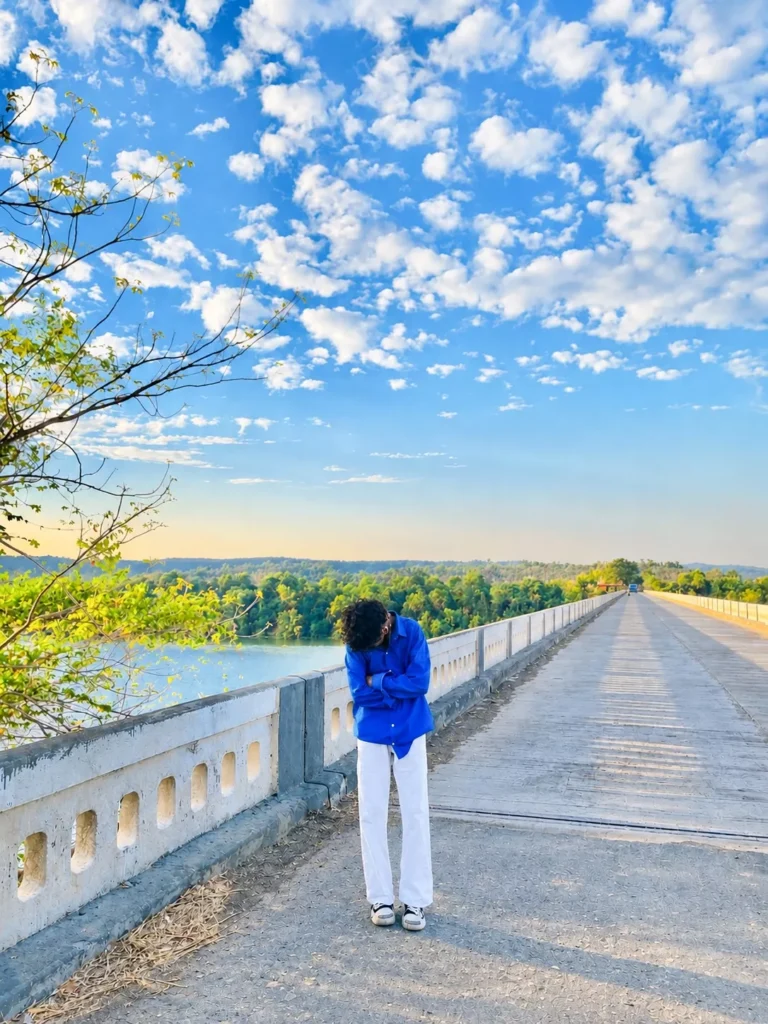
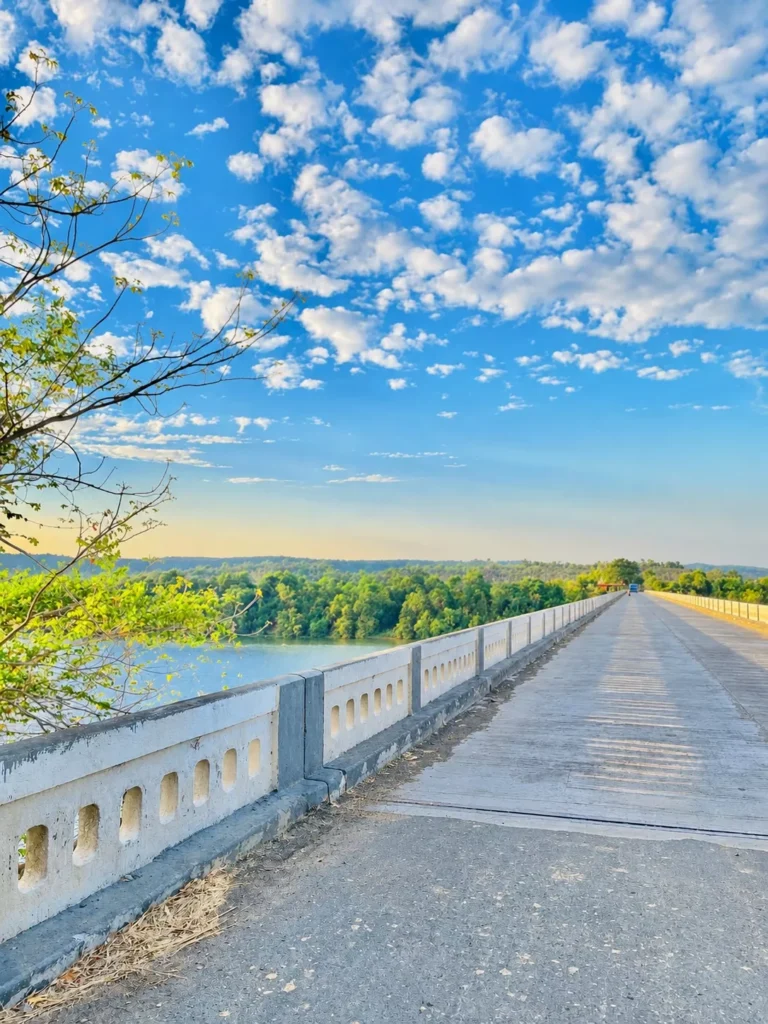
"Use my original photo and keep my face, hairstyle, body proportions, outfit, pose and identity completely unchanged. Place me naturally on this bridge background, matching the original perspective, lighting, shadows, skin tones and colors. Make it look like a real DSLR photo, sharp and natural, with realistic depth and seamless edges. No face change, no beautification, no body reshaping, no artificial effects, no Al look."
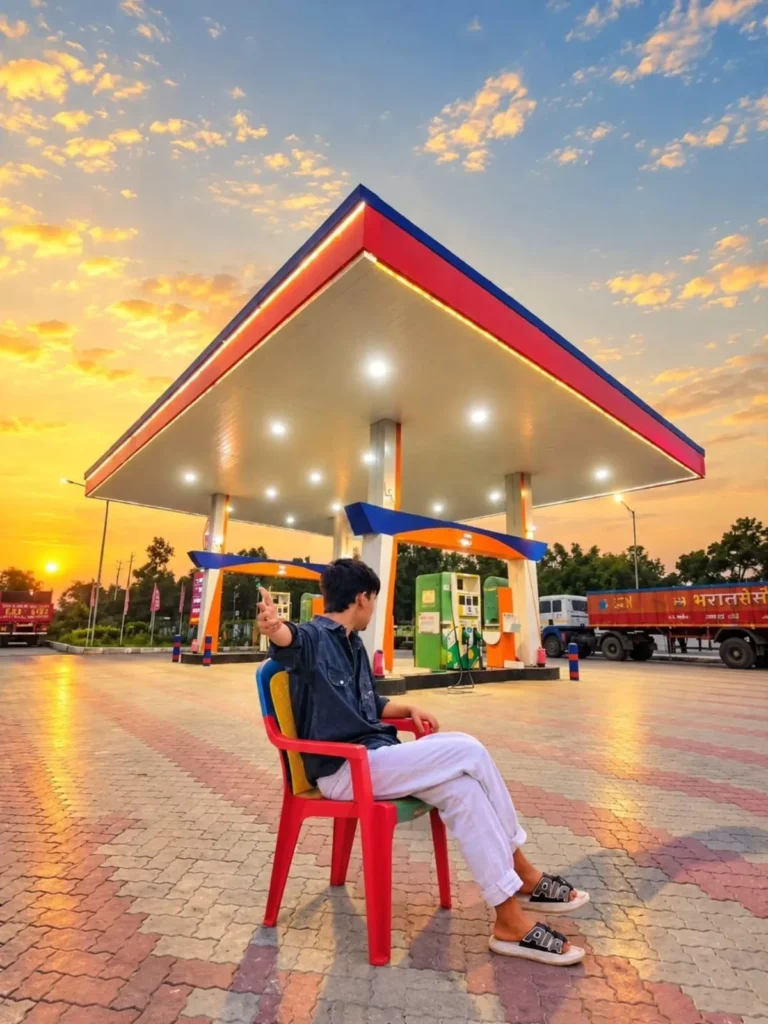
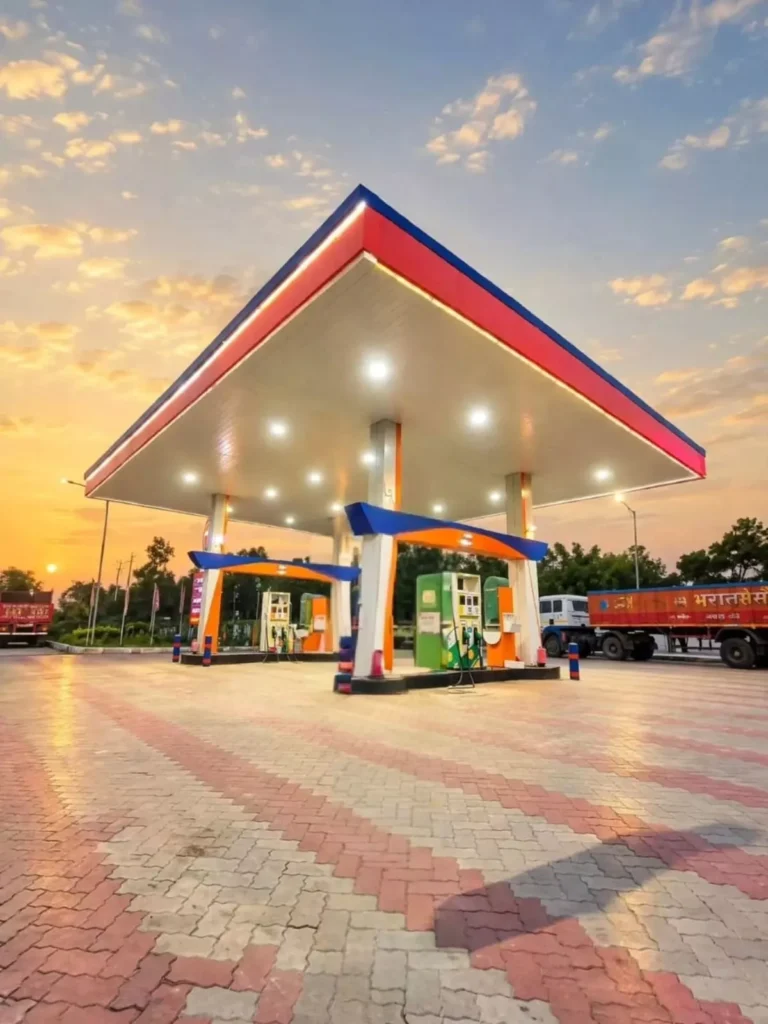
"Use my original photo and keep my face, hairstyle, body proportions, outfit, pose and identity completely unchanged. Place me naturally on this bridge background, matching the original perspective, lighting, shadows, skin tones and colors. Make it look like a real DSLR photo, sharp and natural, with realistic depth and seamless edges. No face change, no beautification, no body reshaping, no artificial effects, no Al look."
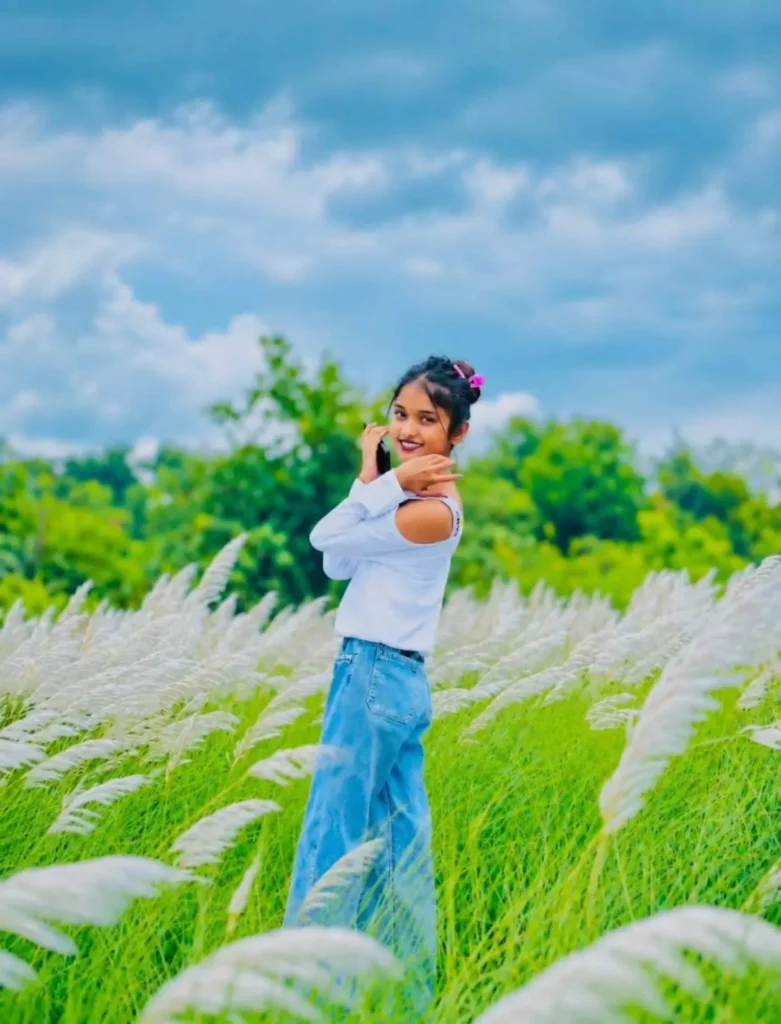
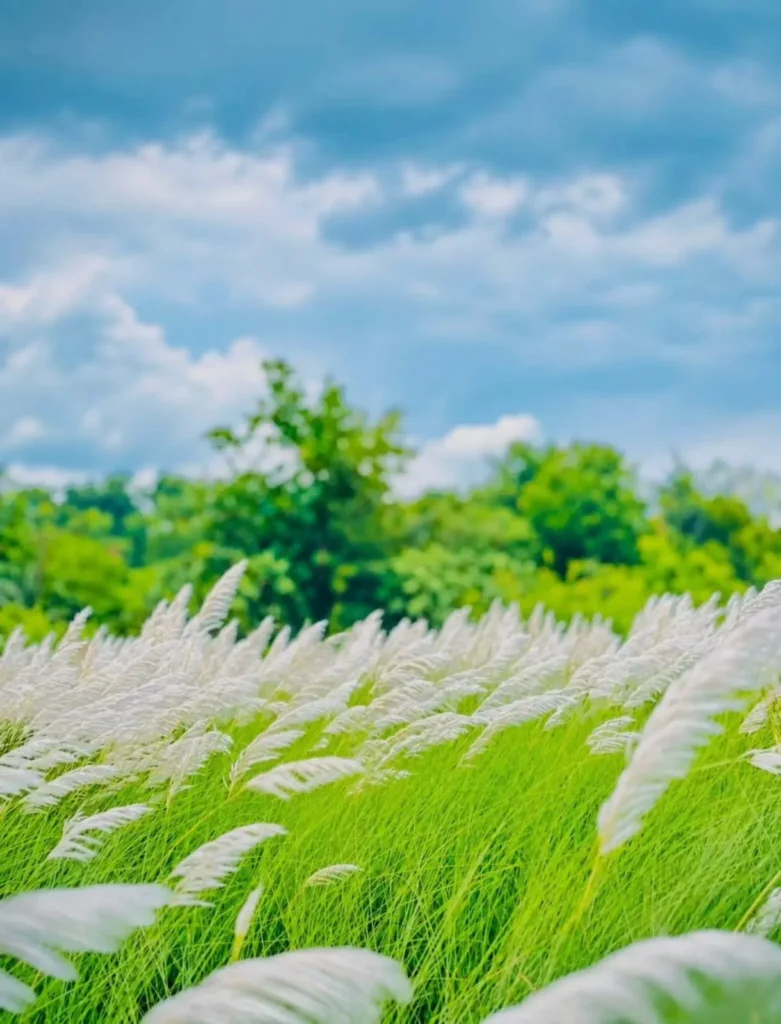
cartoon, CGI, Al-looking face, changed identity, face alteration, beauty filter, plastic skin, distorted body, extra fingers, extra limbs, duplicate person, floating feet, incorrect shadows, cutout edges, halo, unnatural proportions, oversharpening, unrealistic lighting, blurry face, low resolution, background changes, added people, artificial-looking grass.
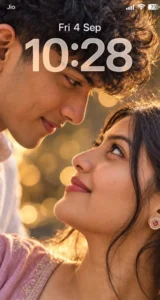
>Create an ultra-realistic, highly detailed vertical 9:16 romantic close-up portrait of a young adult couple, inspired by the reference image.
Show only an extreme close-up of their faces in opposite orientations, with their eyes meeting intimately in the center of the frame. The man is positioned above and the woman below, both faces tilted naturally toward each other. Capture their eyes, eyelashes, eyebrows, skin texture, and subtle facial details with exceptional realism.
Use warm cinematic skin tones, soft natural lighting, shallow depth of field, and beautiful golden bokeh lights in the background. The composition should feel intimate, emotional, elegant, dreamy, and romantic.
Keep the framing tight and artistic, with the eyes as the main focal point. Natural skin texture, realistic pores, detailed eyelashes, authentic facial proportions, soft highlights, cinematic color grading, professional photography, 85mm macro-lens look, ultra sharp eye details, soft background blur, IMAX-level realism, high dynamic range, 8K quality.
No text, no watermark, no distortion, no extra facial features, no artificial-looking skin.
Vertical smartphone wallpaper composition, 9:16 aspect ratio.
Use the uploaded reference photos to preserve both individuals' exact facial identity, facial features, skin tone, hairstyle, and natural appearance. Do not change or beautify their faces.Make them strictly face-to-face, with their eyes directly meeting each other in the center
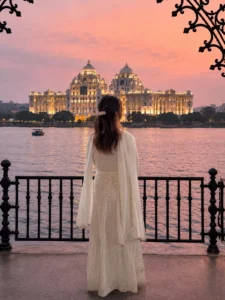
Use my uploaded photo as the ONLY reference for the person. Preserve the exact same identity, face, hairstyle, skin tone, body proportions and clothing. Do not alter or beautify. Create a photorealistic vertical 3:4 travel photo. Keep the CAMERA FAR AWAY, with the person FULL-BODY and relatively SMALL in the frame, standing completely BACK-FACING and naturally leaning on an elegant black wrought-iron waterfront railing. Use a wide scenic composition: large ornate black wrought-iron pillars and arch framing the sides/top, a wide calm lake, and a HUGE magnificent palace/temple-like illuminated building centered across the water as the MAIN FOCAL POINT. The palace must be sharp and prominent; the person must remain secondary. Beautiful pink, peach, orange and lavender sunset sky, warm golden lights reflecting across the water, realistic evening atmosphere, DSLR photorealism and natural cinematic color grading. IMPORTANT: NO close-up, NO medium shot, NO side profile, NO visible face. Camera must be distant and the palace must dominate the scene. No text, logo or watermark.
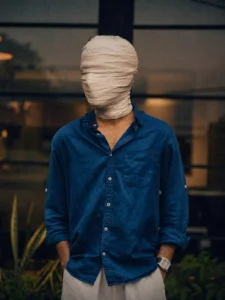
Create an ultra-realistic cinematic portrait using the uploaded photo as the exact reference. Preserve body proportions, pose, posture, hands, arms, clothing, accessories, camera angle, composition and framing unchanged. Completely wrap the entire head and face in thick, opaque off-white cotton bandages with overlapping layers. Fully cover hair, forehead, eyes, eyebrows, nose, cheeks, mouth, jawline, chin and ears. No facial features, skin, gaps, openings or recognizable face shape should be visible. Keep the original background unchanged. Apply a dark moody cinematic color grade in the photo, deep shadows, subtle warm highlights, atmospheric haze, natural HDR, contrast and film grain
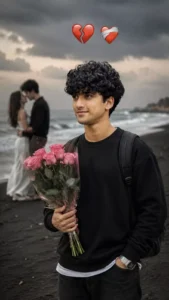
Ultra-realistic DSLR portrait of a young South Asian boy standing on a dark sandy beach, holding a bouquet of pink roses, wearing a black sweatshirt and backpack, curly black hair, confident soft smile, dramatic cloudy sky and ocean waves, blurred couple kissing in the background, broken-heart and love emojis above, cinematic moody lighting, shallow depth of field, photorealistic, 8K, natural skin texture, sharp focus, vertical composition.
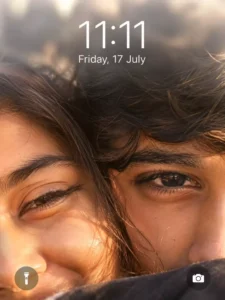
Ultra-realistic iPhone lockscreen wallpaper, extreme close-up of couple faces, only one eye each visible - boy eye fully open, girl eye slightly closed (romantic). Faces almost touching, natural skin texture, pores, detailed eyelashes, hazel-brown glossy eyes. Warm golden hour cinematic lighting, soft reflections, few hair strands between faces, shallow depth blurred background. Top: soft white translucent blur (iOS depth effect), time "11:11" with date "Friday, 17 July". Bottom: iPhone-style flashlight (left) and camera (right) icons. 8K, HDR, ultra-detailed, realistic, 9:16.
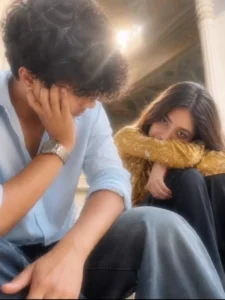
Create an ultra-realistic candid smartphone photograph matching the uploaded reference image as closely as possible. A young couple is sitting together outdoors/inside an ornate historic architectural setting. Use a vertical 9:16 composition with a low camera angle, positioned close to the subjects. The boy is the foreground on the left, wearing a light sky-blue button-up shirt with the sleeves naturally rolled up and blue jeans. He leans forward slightly, resting one hand against the side of his face while looking downward toward the girl. His messy, naturally voluminous dark hair partially covers his forehead. The girl sits slightly behind him on the right, wearing a mustard-yellow patterned long-sleeve top and dark pants. She sits with her knees drawn upward, rests her foldedarms across her knees, and looks toward the camera with a calm, natural expression. Her long dark hair falls naturally around her face and shoulders. Background: ornate historic architecture with tall carved columns, arches, decorative ceiling details, and warm stone/brown surfaces. Strong golden sunlight enters from above, producing a visible natural sun flare and soft glowing haze. Photography style: authentic smartphone camera photograph, slightly soft focus, natural lens flare, realistic exposure, warm sunlight, subtle motion softness, realistic shadows, natural skin pores and texture, individual hair strands, authentic clothing folds and fabric texture, believable smartphone HDR and sensor noise. Preserve the subjects' exact facial identity, skin tone, facial proportions, hairstyle, and natural asymmetry from the supplied identity photos. Do not beautify, reshape, or smooth their faces.Natural anatomy and hands, realistic fingers, realistic body proportions, no extra limbs or duplicated features. No CGI, no cartoon effect, no plastic skin, no excessive sharpening, no beauty filter, no artificial glow, no text, no watermark. The final result should look like a real candid smartphone photograph captured spontaneously in warm afternoon sunlight, not an Al-generated image.
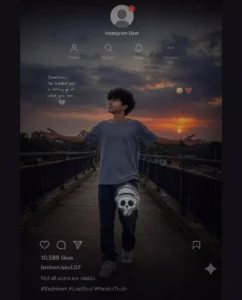
Create a photorealistic vertical 9:16 image (716×1536 composition) that recreates the same overall visual style, framing, mood, Instagram-style overlay, lighting, pose, background arrangement, darkness, grain, and emotional atmosphere as the described reference.

IMPORTANT IDENTITY INSTRUCTION

Use the uploaded girl/person reference image ONLY for the person's identity and facial appearance.

Preserve the reference person's:

exact recognizable face

facial structure and proportions

eyes, eyebrows, nose, lips and jawline

skin tone

hairstyle and hairline

natural body proportions


Do not beautify, reshape, replace, age, de-age, or alter the person's identity. The person must remain clearly recognizable as the same reference person.

CANVAS & COMPOSITION

Vertical portrait composition

9:16 aspect ratio

A tall smartphone-screen-like composition

The main image occupies the center of the frame

Black empty bars at the very top and bottom

Extremely dark, muted, cinematic appearance

Slightly low-resolution social-media screenshot feeling

Subtle compression artifacts and fine digital grain

No clean modern AI-generated appearance


MAIN SUBJECT

Place the reference person standing on an outdoor pedestrian bridge / elevated walkway during sunset.

The person is positioned around the center-lower portion of the image.

Pose:

standing naturally

body facing generally toward the camera

head tilted slightly upward

looking toward the sky/sunset

both arms extended outward

left arm extending toward the left side of the frame

right arm extending toward the right side

palms/hands naturally open

emotional, lonely, surrendered pose

relaxed but slightly dramatic posture


The person's full body should be visible from head to shoes.

CLOTHING

Keep the person's clothing realistic and simple:

loose muted gray/blue short-sleeve T-shirt

dark loose-fitting pants

light-colored sneakers

natural fabric folds

realistic clothing texture

no logos or unnecessary graphics on the clothing


LOCATION & BACKGROUND

The person is standing on a metal pedestrian bridge.

Include:

dark metal railings on both sides

vertical railing bars

horizontal handrails

walkway floor with realistic metal/concrete texture

urban/suburban surroundings in the distance

rooftops and structures visible below

distant trees and buildings

atmospheric depth

slightly blurred distant background


The bridge should create strong leading lines toward the horizon.

SUNSET

Behind the person, create a dramatic sunset.

The sky should contain:

dark gray-blue clouds

muted purple/blue tones

warm orange and reddish sunset near the horizon

soft golden glow around the setting sun

sun positioned toward the right side of the background

subtle sunset reflection/light around the horizon


Do not make the sunset overly bright. It should remain dark, melancholic and cinematic.

LIGHTING

Use realistic natural sunset backlighting.

strong but soft backlight from the setting sun

person's front/body mostly underexposed

subtle rim light around shoulders, arms and hair

deep shadows

low exposure

muted highlights

realistic sunset color spill

no studio lighting

no artificial beauty lighting


The overall image should feel like a sad cinematic Instagram post captured on a phone at dusk.

INSTAGRAM-STYLE OVERLAY

Overlay a realistic, semi-transparent Instagram profile/post interface over the entire photograph.

The Instagram interface should look like a darkened screenshot rather than a clean UI mockup.

At the upper-middle portion:

circular default gray profile avatar

generic silhouette inside the avatar

small red/pink flower-like detail near the top-right edge of the avatar

username text below/near the avatar:
Instagram User


Below the profile area, include a row of subtle Instagram-style controls:

Profile icon with label Profile

Search/magnifying-glass icon with label Search

Bell icon with label Mute

three-dot icon with label Options


Use thin white/gray line icons with low opacity.

TEXT ON IMAGE

On the left side around the upper-middle area, place small handwritten-style emotional text:

“Sometimes,
the hardest part
is letting go of
what you love.”

Below it, place a small broken-heart emoji/symbol.

The text should be:

small

white/light gray

slightly transparent

handwritten/simple social-media style

naturally integrated into the photograph

not oversized


SMALL EMOJI/REACTION DETAILS

Near the upper-right/middle area of the image, subtly include:

one crying/sad face emoji

one red heart emoji

faint small emotional reaction marks


Keep these elements slightly blurred and transparent so they look like part of an old social-media post.

SKULL STICKER

On the person's upper thigh/pants area, add a large cute cartoon-style skull/ghost sticker.

Sticker appearance:

white/light-gray cartoon skull

rounded skull head

black/dark eye sockets

small nose cavity

tiny hands/fingers near the mouth in a “shh” gesture

rounded hat-like shape above the skull

soft white outline

subtle glow

slightly oversized compared with the leg

centered around the upper-thigh/knee area


It should look like a sticker placed over the original Instagram photo, not physically printed onto the clothing.

INSTAGRAM BOTTOM UI

At the lower portion of the image, overlay subtle Instagram post controls:

heart outline icon

comment bubble icon

paper-plane/share icon

bookmark icon toward the right


Below them, add:

10,589 likes

Then username:

broken.soul.07

Then caption:

Not all scars are visible.

Below that, add hashtags:

#SadHeart #LostSoul #PainfulTruth

Keep all Instagram UI elements:

small

thin

white/light gray

semi-transparent

slightly blurred

integrated naturally into the dark screenshot aesthetic


SCREENSHOT EFFECT

Make the entire image look like an old, dark Instagram screenshot photographed or captured from a phone.

Add:

subtle screen texture

fine diagonal/moiré pattern

slight pixel grid

compression noise

low-resolution softness

mild blur

very subtle vignette

faint transparency between UI and photograph

realistic smartphone screenshot imperfections


Do NOT make the interface perfectly crisp. It should look slightly degraded and atmospheric.

COLOR GRADING

Use:

very dark blacks

charcoal gray

muted blue-gray

desaturated colors

deep purple clouds

warm orange sunset

subtle red highlights

low saturation

cinematic contrast


Overall feeling:
loneliness, heartbreak, letting go, sadness, isolation, emotional exhaustion, quiet acceptance.

CAMERA LOOK

Photorealistic smartphone photography:

natural perspective

realistic human proportions

realistic hands and fingers

realistic skin texture

realistic clothing

natural depth

slight low-light phone-camera noise

no excessive HDR

no plastic skin

no artificial AI sharpness


FINAL VISUAL HIERARCHY

The final result should visually read as:

dark Instagram screenshot → sad sunset photograph → person standing on bridge with arms open → emotional quote → Instagram User profile overlay → skull sticker → bottom Instagram engagement/caption area.

Keep the composition vertically balanced and closely match the visual placement and proportions described above.

NEGATIVE PROMPT

Do not change the person's identity. Do not alter facial structure. Do not beautify the face. No extra people. No duplicate person. No distorted hands. No extra fingers. No missing fingers. No deformed limbs. No cartoon person. No anime style. No 3D render. No glossy skin. No excessive HDR. No bright cheerful colors. No daylight. No modern clean UI. No oversized text. No random watermark. No additional logos. No extra stickers. No incorrect Instagram controls. No cropped feet. No cropped arms. No unrealistic sunset. No fantasy background. No studio background. No excessive sharpness.

Final output: photorealistic, dark, emotional, cinematic, realistic smartphone Instagram screenshot aesthetic, vertical 4:5.
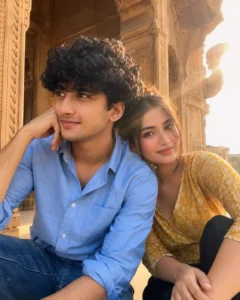
Create an ultra-realistic candid couple photograph using our uploaded photos as exact identity references. Recreate the reference image’s composition, low-angle 4:5 framing, seated pose, close body positioning, ornate historic architecture, warm sunlight, lens flare, and natural smartphone photography. Preserve our exact faces, skin tones, hairstyles, and proportions. Dress me in a sky-blue rolled-sleeve shirt and jeans, completely remove my tattoo. Dress my partner in a pretty mustard patterned top with dark pants. Natural anatomy, realistic skin, authentic fabric, soft warm colors, subtle romantic mood, no AI appearance.
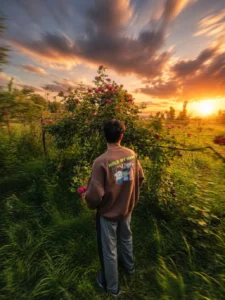
Ultra-Realistic Long Exposure Photography, Cinematic Composition, Captured With A Professional Full-Frame Camera And Wide-Angle Lens. Create Smooth Motion Blur On All Moving Elements While Keeping The Main Subject Perfectly Sharp And In Focus. Flowing Light Trails, Silky Water Effect, Soft Cloud Streaks, And Natural Motion Blur From People Ör Vehicles. Golden Hour Or Blue Hour Lighting With Rich Dynamic Range, Volumetric Light, Realistic Reflections, Subtle Lens Bloom, Premium Color Grading, High Detail, Crisp Textures, Hdr Quality, Natural Depth of Field Atmospheric Mood, Ultra-Sharp Subject, 8K Resolution, Fujifilm Analog Film Look, Realistic Shadows, Balanced Contrast, Masterpiece Photography.
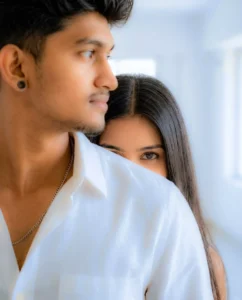
Create an ultra-realistic vertical portrait of two people in a bright, minimal indoor room with soft natural window light. A close-up over-the-shoulder composition shows the foreground person on the left wearing a light White textured linen shirt, with only part of the face visible in a cinematic crop. Behind them, the second person playfully peeks over the shoulder, revealing only one expressive eye and part

of the forehead, with long straight center-parted hair. Soft diffused

lighting, creamy skin tones, shallow depth of field, realistic sem outfit, 85mm lens, f/1.8, DSLR-quality, photorealistic, cinematic framing, elegant lifestyle aesthetic, HDR, 8K. Negative: blurry, low quality, extra limbs, duplicate people, deformed face, watermark, logo, text, CGI, cartoon, oversaturated colors.
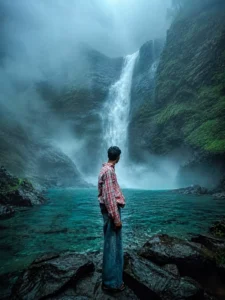
Add a thought...

Refer to the uploaded user photo for the person's face and appearance. Place this exact person inside a breathtaking cinematic masterwork scenery of a majestic waterfall cascading down a steep, moss covered rocky cliff into a crystal clear, vibrant turquoise pool. The entire environment must be filled with heavy, dense, and thick mystical fog.

The lighting must be highly dramatic and

20.1K

atmospheric; the cool blue, cyan, and green

colors of the foggy environment must

realistically reflect onto the person's skin and

face, blending their skin tone perfectly with

97

the background. Cinematic look, photorealistic, 8k resolution, ultra detailed texture, epic scale, enchanting mood.
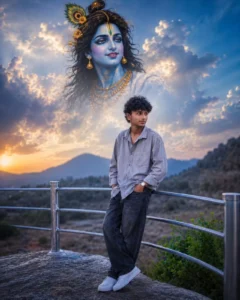
Create an ultra-realistic devotional Instagram post (4:5 ratio, 1080x1350). Use my uploaded photo as the only human subject with 100% facial accuracy. Preserve my face exactly as it is no Al face modification, no beautification, no hairstyle changes, no skin smoothing.

Place me standing naturally while leaning against a modern silver metal railing on a rocky viewpoint, wearing an oversized light grey shirt, loose black jeans, white sneakers, and a wristwatch, with both hands in my pockets and a calm, peaceful expression.

Above me in the soft blue cloudy sky, create a large divine portrait of Lord Krishna with glowing blue skin, a peacock feather crown, golden jewelry, a gentle smile, and heavenly light. Position Lord Krishna slightly above and beside me, making it appear that He is lovingly watching over me. Blend the clouds naturally around Lord Krishna for a realistic heavenly effect. Add distant mountains, soft greenery, cinematic blue-hour lighting, dreamy atmosphere, volumetric light rays, shallow depth of field, realistic colors, DSLR photography, 85mm lens, HDR, ultra-realistic, 8K, premium Instagram aesthetic, no text, no watermark, photorealistic masterpiece.
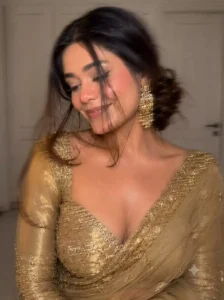
Intentional artistic motion-blur portrait, shot on a smartphone or long-exposure camera. Not so Extreme close-up of a woman with a loose braided low bun and a long face-framing strand covering half her face.she’s wearing a golden zari work saree with matching full sleeve blouse with sweetheart neck.
Looking down and to the side, one eye mostly hidden, lips slightly parted. Large statement gold earrings, bare shoulders, smooth glowing skin, soft peach blush, subtle highlighter, delicate makeup, defined lashes, matte dusty-rose lips with darker liner.Aspect ratio 9:16.
Use my uploaded photo as the exact face and body reference. Preserve my facial identity 100% accurately. Do not change my face, hairstyle, skin tone, beard, smile, sunglasses, body proportions, pose, hand position, shirt, jeans, footwear, accessories, or the Yamaha bike. Keep every detail exactly the same. Do not recreate or replace my face.

Replace only the existing wall background with a beautiful ultra-realistic Radha Krishna mural painted directly on the wall. The mural should look like authentic hand-painted wall art, not a poster, banner, frame, or floating image. The mural must naturally blend with the wall texture, cracks, and perspective, making it appear as if it has always been painted there.

Keep the foreground, bike, lighting, shadows, road, camera angle, depth of field, and composition completely unchanged. Only replace the wall surface with the Radha Krishna mural. Use soft daylight, realistic reflections, premium cinematic color grading, HDR lighting, DSLR photography quality, ultra-sharp details, natural colors, photorealistic, 8K Ultra HD, Photoshop-quality background replacement.
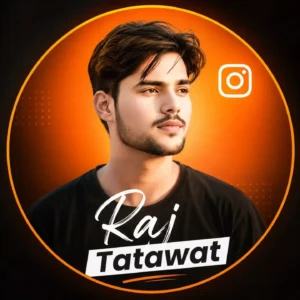
Edit the uploaded portrait into a stylish Instagram profile picture.
Keep the person and camera gimbal unchanged. Add a clean orange instagram -themed circular background, place a small Instagram ghost logo in the top-right corner, and add the text 'YOUR NAME' in modern white and black typography at the bottom. Use a premium, sharp, social-media DP style with soft glow and high contrast.
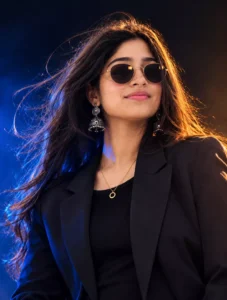
A professional studio portrait photograph featuring the young Indian woman seen in image_0.png, maintaining her exact pose, smile, and accessories. She is wearing the same round gold-frame sunglasses, intricate silver jhumka earrings, and a delicate gold ring necklace, paired with a black blazer over a black top. The defining lighting scheme is preserved: a strong, warm, golden-orange rim light dramatically illuminates the right side of her face and her long, wavy hair, while a cool blue backlight and deep shadow define the left side of her face and background. She is looking slightly to her right with a gentle smile, against a dark, moody, smoke-infused studio background. The image is a medium close-up shot with a very shallow depth of field.
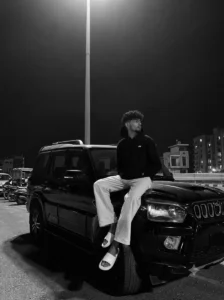
High-contrast black and white night photograph. A young man with curly dark hair and a neat beard sits casually on the hood of a black Mahindra Scorpio SUV, looking to the side. He wears a black hoodie, loose light-colored pants, and white slide sandals. A single tall street lamp directly overhead casts a dramatic downward spotlight, sharply illuminating him and the car hood while leaving the dark background in deep shadow with faint architectural silhouettes. Cinematic, moody, low-key lighting with high contrast.
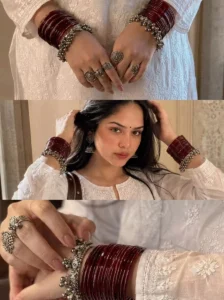
Create an ultra-realistic three-panel vertical editorial collage with seamless horizontal divisions, warm indoor lighting, and a luxury Pinterest aesthetic. The entire collage should feature the same young South Asian woman wearing a white chikankari embroidered cotton kurta with full sleeves and a round neckline with a small front slit. The background is a soft beige luxury interior with textured walls and warm natural window light.

Top Panel (Close-up Hands)

A close-up of both hands gently folded in front of the body at waist level. The woman wears deep maroon traditional glass bangles stacked from the wrists to halfway up the forearms on both hands. Over the bangles are oxidized silver ghungroo bangles (payal-style bracelets) with tiny dangling bells. She wears multiple antique oxidized silver rings with intricate floral and circular designs on several fingers. Her nails are neatly manicured in a soft nude-pink shade. The white chikankari embroidery should be highly visible with realistic fabric texture and delicate floral threadwork.

Middle Panel (Upper Body Portrait)

A mid-shot showing the woman from chest to head ‘ her full upper body & face. She has long dark hair, loosely wavy with a few sleek strands falling across the front. She is gently lifting her long straight black hair back with both hands. Makeup is soft and glowy with prominent rosy blush and matching nude lips. She wears medium sized antique oxidized silver jhumka earrings with detailed carvings. The maroon glass bangles and silver ghungroo bracelets remain clearly visible. A dark brown leather shoulder bag hangs naturally from her right shoulder. Her lips have muted brown nude lipstick. The white chikankari kurta displays intricate embroidery across the chest. Add a very small black bindi on her forehead.Warm soft window light creates subtle shadows and a cozy indoor atmosphere.

Bottom Panel (Wrist Detail)

A close-up focusing on the left wrist while the right hand gently adjusts the silver ghungroo bracelet. The maroon glass bangles dominate the frame with rich glossy reflections. The oxidized silver bracelet features numerous tiny ghungroo bells and engraved detailing. Fingers display matching antique silver rings. The sleeve embroidery remains sharply detailed. Background softly blurred with warm beige tones.

Photography Style

* Ultra photorealistic fashion editorial
* Pinterest luxury ethnic aesthetic
* Warm golden indoor ambient lighting
* Soft natural window light
* Neutral beige color palette
* High dynamic range
* Premium DSLR photography
* 85mm portrait lens
* f/2.0 shallow depth of field
* Realistic skin texture
* Natural fabric folds
* Crisp embroidery details
* Sharp metallic reflections on jewelry
* Premium lifestyle magazine quality
* Minimalistic composition
* Clean luxury interior
* 8K UHD
* Hyper-detailed
* No text
* No watermark
* No logos
* Perfectly aligned three-panel collage
* Elegant, timeless Indian ethnic fashion aesthetic.

Aspect ratio 9:16.
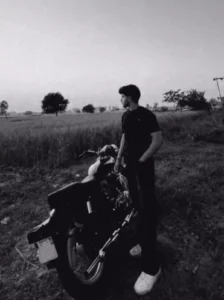
Use my uploaded male reference image as the ONE AND ONLY identity reference. STRICT IDENTITY LOCK: Preserve my exact facial identity, face shape, forehead, hairline, hairstyle, eyebrows, eyes, eyelids, eyelashes, nose, lips, ears, jawline, cheekbones, chin, facial proportions, skin tone, skin texture, pores, facial hair, and natural appearance with absolutely zero identity drift. Do not beautify, reshape, smooth skin, alter facial features, change hairstyle, or apply any stylization. Keep my identity 100% identical to the uploaded reference image.
Create an ultra-realistic cinematic outdoor portrait in a quiet rural landscape during blue hour, photographed in monochrome black-and-white. I am standing beside a modern black street motorcycle parked on a grassy dirt path, with my body leaning slightly against the Royal Enfield old bullet 350 motorcycle. My left hand is casually inside my pants pocket while my right hand rests naturally on the motorcycle seat. My head is turned toward the distant horizon with a calm, thoughtful expression, not looking at the camera.
I am wearing a loose body fit black checked shirt, relaxed-fit black pants, and clean white chunky sneakers. The motorcycle is positioned in the foreground at a three-quarter rear angle while I stand next to it. The background features wide open agricultural fields, scattered trees, low vegetation, and a large empty sky, creating a peaceful, minimal countryside atmosphere. No people, text, emojis, logos, stickers, watermarks, or overlays anywhere in the image.
Use natural overcast evening lighting with soft shadows and smooth tonal transitions. Apply a high-contrast monochrome black-and-white color grade with deep blacks, rich midtones, subtle film grain, and cinematic mood. Maintain realistic textures on the grass, dirt, motorcycle, clothing, and skin. Keep the composition spacious with plenty of negative sky above the subject.

Also make the subject in the same colour grade
Ultra-photorealistic lifestyle photography, cinematic composition, DSLR quality, 35mm lens, f/2.8, natural perspective, shallow depth of field, HDR, ultra-detailed skin texture, realistic fabric folds, premium editorial aesthetic, ultra-sharp focus, 8K resolution, vertical 9:16.
And what makes this article special?
The highlight here is that you will receive daily updates; for instance, if a new trend emerges—such as a specific viral image—it will be added to this article, and you can use the corresponding prompt. If a whole series of photos related to a trend goes viral, a dedicated article will be created for it. However, for general viral photos, there is no need to look elsewhere; you will find them updated right here in this article.
How To Create Image With Chatgpt?
Now, let me explain how to do this using a tool like ChatGPT. First, install the ChatGPT app from the Play Store and sign up using your email ID. Once you are in, you will see the option to use the tool. Start by pasting the prompt—if you haven’t copied it from our website yet, please do so using the provided copy button. Next, click the plus (+) icon, select the photo option, and upload a photo (I have already specified the type of photo required). Finally, hit generate, and it will create an image for you in the exact style of the prompt you copied.
How To Create Image With Google Gemini?
Let me explain how you can create this using Google Gemini. First, open Google Gemini. You need to select a model—since the available models change frequently, choose the latest one currently in use (such as the ‘Pro’ model, which is currently available). After selecting the model, click the plus (+) icon to upload your photo. Once the photo is uploaded, paste the prompt and hit ‘Generate’; it will then create a fantastic image for you.
Conclusion
You should try both tools to see which one works best for you; right now, ChatGPT is producing excellent images, but you can also try Google Gemini. You can use whichever one you prefer to create and publish your posts.