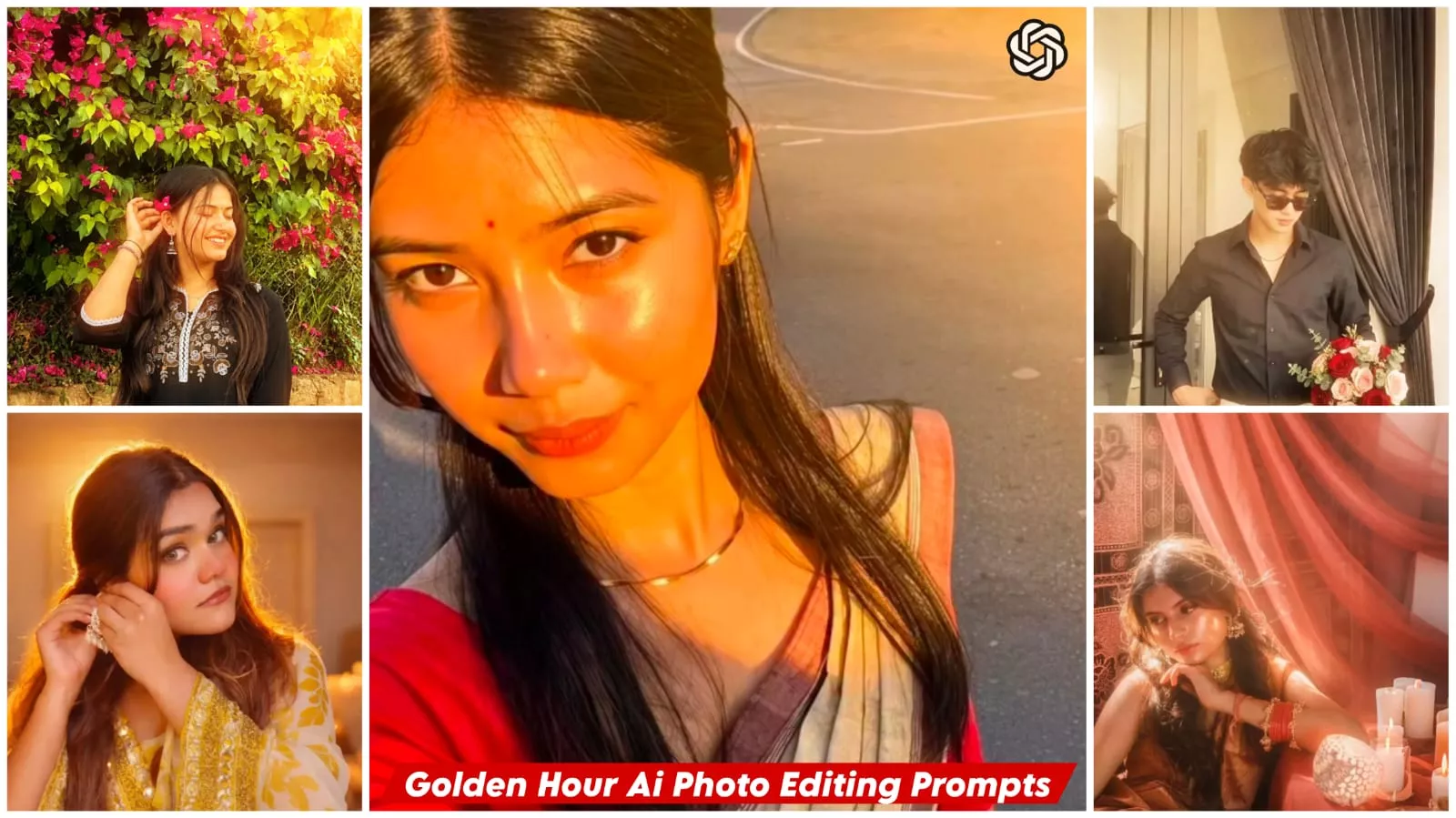
Golden Hour Ai Photo Editing Prompts – In today’s digital landscape, photo editing is no longer limited to simply applying a filter. The technology has advanced to a point where you can transform any ordinary photograph into a professional-quality image—one that effortlessly captures a cinematic aesthetic and the coveted “Golden Hour” effect. The Golden Hour refers to that specific time of day—during sunrise or sunset—when the natural light takes on a soft, golden hue, making your photographs appear incredibly captivating and professional. If you, too, wish to create such Golden Hour-style images, this article outlines the steps required to easily transform your standard photos into stunning visuals featuring this distinct effect. To achieve this, there are a few things you will need to learn: first, understanding exactly what the Golden Hour effect entails; and second, learning the techniques to recreate it. We will also share various “pro tips” and insights to help you master the process.
Details Of Golden Hour Ai Photo Editing Prompts
The “Golden Hour” occurs when the sun is near the horizon—specifically, during sunrise in the morning or sunset in the evening. It is a time characterized by lighting that appears incredibly soft and warm. Shadows are very subtle, and skin tones glow with a completely natural radiance. The benefit of this lighting is that your skin looks smooth and luminous; whenever you snap a photo, the result takes on a distinctly cinematic quality. While this effect typically relies on natural highlights, AI technology now eliminates the need to achieve it manually. You simply need to use a prompt, and your photo will be automatically transformed to feature this stunning effect.
What Is Ai Photo Editing?
AI photo editing means that your photos are automatically enhanced. The lighting, colors, background—everything is completely transformed automatically. For instance, take the “Golden Hour” effect I mentioned: it can effortlessly convert a standard photograph into a Golden Hour shot that looks absolutely cinematic and professional. By simply using a prompt, you can generate a professional-quality output. That is truly remarkable.
I just updated this article with this golden glow effect so you can use it to create some new edits.

Enhance this image with little bit sunlight on the face and good warm lighting in the behind ultra realistic
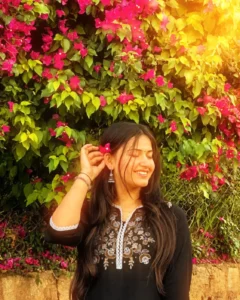
Enhance this exact uploaded photo while preserving the person's facial identity, hairstyle, skin tone, outfit, pose, accessories, and background exactly as in the original. Add soft golden-hour sunlight gently falling on the face from the upper-right side with natural warm highlights and realistic skin tones. Create beautiful warm backlighting behind the subject with subtle sun rays passing through the tree leaves, soft lens flare, glowing bokeh, and cinematic volumetric light. Increase overall warmth, contrast, clarity, and dynamic range while keeping the edit natural and ultra-realistic. Preserve all original details without changing the face or body. Professional DSLR color grading, HDR, realistic shadows, premium outdoor portrait, golden hour, 8K ultra-detailed, photorealistic.
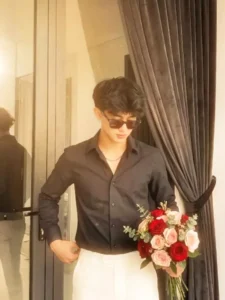
Glad Create soft. etherea studio lighting with warm golden tones. Add diffused sunlight coming from the side, casting gentle soft-edged shadows on the face. Maintain smooth, creamy skin highlights, slight bloom/glow around bright areas, and a hazy cinematic atmosphere. Keep the contrast low, whites glowing, and overall mood dreamy, warm, and angelic. Preserve natural skin texture while adding a subtle glossy sheen.
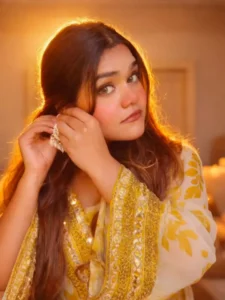
Golden hour portrait lighting, warm sunlight glow from behind creating a soft rim light, luminous radiant skin, soft cinematic shadows, glowing hair strands, dreamy warm tones, elegant editorial beauty photography, shallow depth of field. to the uploaded photo while fully preserving every original detail of the...and shoulders. Render skin with luminous translucency and gentle peachy tones. Enhance stray hair strands backlit by sunlight. Hard rule: Do not change the face and hairs of the subject. Do not change the composition and background.
Ultra realistic DSLR photo of a young Indian man with EXACT SAME FACE as uploaded reference image (200% face match, face lock), eyes open and calm devotion. He is performing jal abhishek by pouring water from a copper pot onto a black Shiva lingam decorated with flowers and leaves.
Wearing light brown t-shirt with Lord Shiva print, temple interior with lamps and pillars in background, warm golden divine light, spiritual
mood, sharp focus, cinematic lighting, 4k, depth of field, aspect ratio 9:16
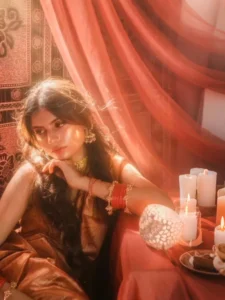
Apply an ethereal lighting filter to the uploaded photo while fully preserving every original detail of the photo unchanged except for lighting, glow, and color mood. Add diffused sunbeams striking the subject's skin, creating a glowing highlight on cheekbones, nose bridge, lips, and hair strands. Maintain clear separation between bright sunlit areas and soft, deep shadows to create a cinematic high-contrast mood. Inject subtle lens bloom, light haze, and a thin layer of atmospheric glow around the face and shoulders. Render skin with luminous translucency and gentle peachy tones. Enhance stray hair strands backlit by sunlight. Color-grade with slightly lowered saturation, and gentle film-like grain. Keep the overall background intact but allow sunlight flares and soft bokeh to wrap naturally around the subject. The result should look like a soft, ethereal daydream-sunlit, delicate, and cinematic.
Hard rule: Do not change the face and hairs of the subject.

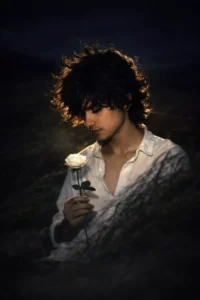
Apply this prompt to my uploaded image Dreamlike cinematic portrait of a young man with tousled black hair, wearing a knitted white oversized shirt made of soft textured fabric. A single Silver thin necklace enhances his style. His sunglasses create a cool aura as he lowers his head gently. Sunlight in warm amber tones brushes his face and shoulder, glowing against a neutral cream wall: plz, face dont change."same face
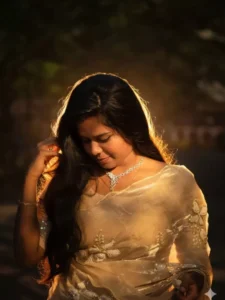
Applv a bold night-flash aesthetic to the uploaded photo while fullv preservinc everv detail of the photo unchanged except for lighting, glow, and color mood. Keep the nighttime environment dark, deep, and unlit, maintaining all existing shadows. Illuminate the subiect with a strong, warm, and direct front-facing flash. The flash should be drawn preciselv to the face and upper bodv, makina the subiect the briahtest element in the entire frame. Add diffused sunbeams striking the subject's skin, creating a alowina hiahlicht on cheekbones, nose bridge, lips, and hair strands. Maintain clear separation between bright sunlit areas and soft deep shadows to create a cinematic high contrast mood. Iniect subtle lens bloom, light haze and thin laver of atmospheric glow around the face and shoulder. Render skin with luminous translucency and gentle peachy tones. Make the flashlight come from my back. Hard rule: Do not change the face of the subject. Do not change the composition and background.
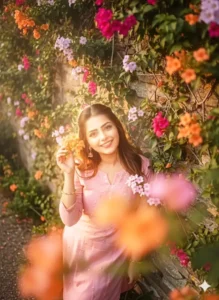
Shadows and background intact. Use a strong warm front flash on the face and upper body so the subject is the brightest element. Add high contrast, subtle bloom, light haze, gentle peach skin glow, soft backlit hair strands, and slight foreground depth. Face, hair, pose, and composition must remain 100% identical.
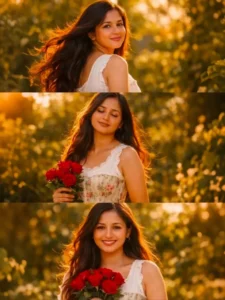
three-frame vertical collage portrait of a young woman in a lush green garden during golden hour, warm sunlight illuminating the scene, romantic cottagecore aesthetic, soft cinematic lighting, natural outdoor setting with trees and bushes in the background.

top frame: the woman turns her head back toward the camera with long dark berry plum flowing in the wind, smiling softly, sunlight highlighting her hair and face.

middle frame: the woman stands peacefully with eyes closed enjoying the warm sunlight, relaxed expression, gentle breeze moving her hair, holding red roses near her side.

bottom frame: the woman faces the camera smiling while holding a bouquet of red roses, hair flowing naturally, soft warm glow on her face.

she is wearing a vintage-inspired white sleeveless cottagecore dress  (no deep neckline no cleavage) and a floral corset waist, natural makeup, glowing skin, dreamy romantic vibe, shallow depth of field, soft background bokeh, cinematic color grading, warm golden tones, editorial fashion photography, ultra realistic, high detail, 50mm lens, photorealistic, aesthetic Instagram style.

Negative Prompt
blurry, low quality, distorted face, bad anatomy, extra fingers, duplicate body parts, watermark, logo, text, oversharpened, cartoon, unrealistic skin
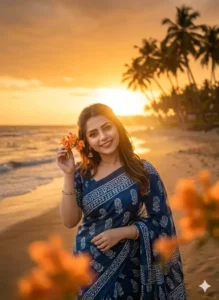
Ultra-realistic cinematic photo of the SAME person (use uploaded image as reference, 100% face match), sitting in the exact same pose, same angle, same composition, same clothing (dark blue saree with white patterns), same hand position, same hairstyle, and same facial expression, DO NOT change the person at all. Replace ONLY the background with a beautiful beach at golden sunset, soft ocean waves, palm trees, and warm glowing sunlight. Add strong warm back/side lighting, cinematic sun flare, soft haze, golden highlights on hair and skin, subtle bloom effect, and natural shadows matching the light direction. Maintain shallow depth of field, realistic lighting consistency, seamless blending, high detail, 4K, photorealistic, no distortion, no face change.
What Will You Need For This Editing Process?
Well, in this specific editing style, you will encounter two distinct types of photo transformations. The first option simply converts your standard photograph into a “Golden Hour” effect. The second option is more comprehensive; it not only alters the entire background and setting but also changes elements such as your clothing. To achieve this, you will require a source photograph. Be sure to keep in mind exactly which type of transformation you wish to create, and select your photo accordingly. Next, you will need to utilize an AI image generation tool—such as ChatGPT or Gemini—choosing whichever one you prefer. As for the necessary prompts, I have already provided them within this article; you can simply make use of those.
How To Create Image With Golden Hour Ai Photo Editing Prompts
Let’s see how to create this photo. To generate this image, you first need to select a high-quality photo of a suitable size, and then you will need to utilize an AI tool. Next, begin by copying a specific prompt—choose whichever one from this message appeals to you the most. Afterward, open either ChatGPT or Gemini—whichever platform you prefer. (I have cited ChatGPT here merely as a reference example.) You can open the tool directly by clicking here; once inside, your first step is to paste the copied prompt. Then, click on the “plus” icon, select the image upload option, and choose a photo from your device’s gallery. As I mentioned earlier, the tool will generate two different variations of the image for you; simply select the one you like best. Finally, hit the “Generate” button, and within just a few seconds, your “Golden Hour” style photo will be ready!
There Are Certain Mistakes You Should Strictly Avoid.
In this style of editing, you should not overemphasize the skin texture or details. Furthermore, you must avoid creating artificial-looking skin tones—specifically, do not give the image an overly “plastic” appearance. You should also refrain from excessive sharpening; if your goal is to refine or clean up the photo, do not over-sharpen it. The prompt has been meticulously crafted to incorporate precise details, ensuring that your final image looks completely natural. You must not use inappropriate or incorrect lighting; stick to the specific lighting style prescribed in the prompt. Additionally, never use a low-quality image as a reference.