Normal To 4k High Quality Photo Editing Prompts – Now you can convert any of your low-quality photos to 4K. Previously, we used to use Photoshop to do this, but it required a lot of effort. Only then could our photos be recovered, and even that could be done with the help of a professional. But now the situation is completely reversed. Even if you’re a beginner, you can still convert such and normal photos to 4K. In this article, we’ll learn how to convert your normal photos to 4K. We’ll also provide you with the best prompts and teach you step-by-step how to use these methods to convert your normal photos to 4K. What should you keep in mind to ensure that the results remain unchanged?
What Are These 4K AI photos?
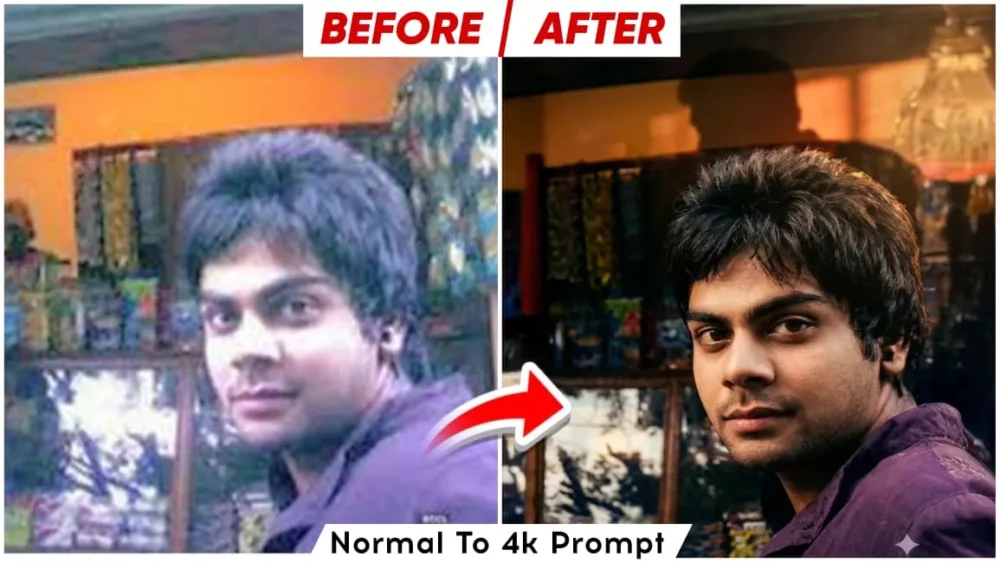
Look, first of all understand that the meaning of 4K AI photo is that I will tell you about such an editing in which we can convert any of our normal photos into 4K. 4K means 3840 into 2160 pixels and what happens in this is that the details of our photo are more. Our photo looks very sharp. If we want to print it, then the quality does not deteriorate even after printing. If you upload it on social media. If your social media supports it, then the result is very unique. Your photo looks most special after it is uploaded. If you have a low quality photo. Now we will provide you a form. With that you can convert it into high quality.
What Are These Prompts?
They work like an instruction. It means that the AI understands what needs to be done in your photo. What needs to be recovered. What needs to be removed. When you use any AI tool, if you use your photo as a reference, then you have to write something in it. Like for example, if I say here Enhance this photo in Ultra HD. If I write this then normally it will adjust our photo as per its wish. But if we write it in detail. Like I have written here. What will it do to it and while fixing that too, it will provide the best result in it. The better your prompt is, the better the result you will get and this is the special thing.
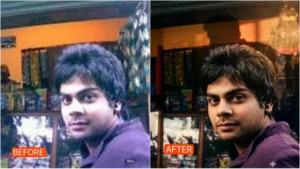
Restore this blurry photo to sharp, high-resolution clarity. Enhance facial features, improve lighting, and bring out background details without changing the original look
"Sharpen the textures in this image—skin, hair, clothing—and resolve the blur in the subject's face. Make it crisp and clear, like a professional portrait."
Dont chnage anything
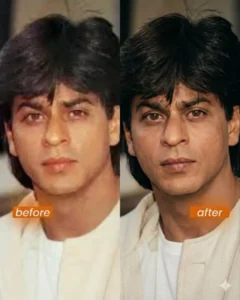
Enhance the portrait while strictly preserving the subject’s identity with accurate facial geometry. Do not change their expression or face shape. Only allow subtle feature cleanup without altering who they are.

Keep the exact same background from the reference image. No replacements, no changes, no new objects, no layout shifts. The environment must look identical.

The image must be recreated as if it was shot on a Sony A1, using an 85mm f1.4 lens, at f1.6, ISO 100, 1/200 shutter speed, cinematic shallow depth of field, perfect facial focus, and an editorial-neutral color profile.

This Sony A1 + 85mm f1.4 setup is mandatory. The final image must clearly look like premium full-frame Sony A1 quality.

Lighting must match the exact direction, angle, and mood of the reference photo. Upgrade the lighting into a cinematic, subject-focused style: soft directional light, warm highlights, cool shadows, deeper contrast, expanded dynamic range, micro-contrast boost, smooth gradations, and zero harsh shadows.

Maintain neutral premium color tone, cinematic contrast curve, natural saturation, real skin texture (not plastic), and subtle film grain. No fake glow, no runway lighting, no oversmoothing.

Render in 4K resolution, 10-bit color, cinematic editorial style, premium clarity, portrait crop, and keep the original environmental vibe untouched.

Re-render the subject with improved realism, depth, texture, and lighting while keeping identity and background fully preserved.

NEGATIVE INSTRUCTIONS:
No new background.
No background change.
No overly dramatic lighting.
No face morphing.
No fake glow.
No flat lighting.
No over-smooth skin.
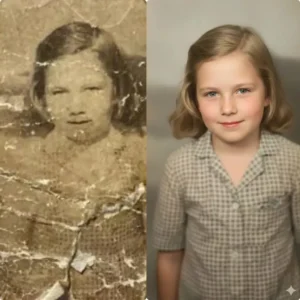
Create an ultra-realistic 8K restored version of an old, damaged photograph. The image should retain the original person’s identity and features but be enhanced with lifelike skin texture, sharp facial details, and natural lighting. Remove scratches, stains, and blur while preserving authenticity. The colors should be soft, balanced, and natural—reviving faded tones into a rich, full-color look. Add depth, contrast, and gentle shadows to create a vibrant yet realistic restored portrait with DSLR-quality clarity and detail.
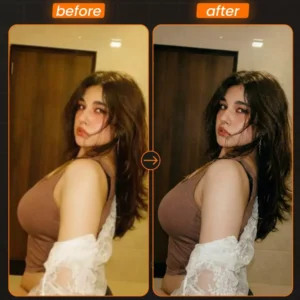
Cinematic portrait restoration. Strictly preserve original pose, expression, and composition. Add warm golden-hour side lighting casting a defined, dramatic shadow on the wall behind. Upscale to Ultra-HD: sharpen details, enhance realistic skin texture, and reduce noise. Mood: Mysterious, high-contrast, warm highlights, deep shadows, photorealistic.
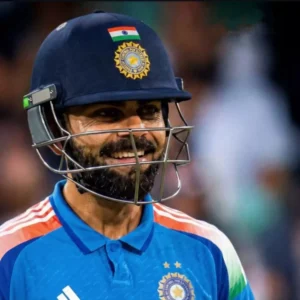
ΤΟ MAKE ANY BLURRY PHOTO 4K USE THIS PROMPT ( MAKE SURE TO ADD PLAYER NAME):- "UPSCALE THE UPLOADED MATCH PHOTO OF (PLAYER NAME) TO 2K RESOLUTION CINEMATIC QUALITY IN THE SAME ASPECT RATIO WHILE PRESERVING THE ORIGINAL SUBJECT, POSE, PROPORTIONS, AND BACKGROUND EXACTLY AS CAPTURED. IF THE IMAGE IS SOFT OR MOTION-BLURRED, FULLY DEBLUR AND RECONSTRUCT FINE DETAILS WITH CLARITY, AVOIDING ARTIFICIAL SHARPENING OR HALLUCINATED TEXTURES. ENHANCE CINEMATIC MATCH LIGHTING WITH STRONG STADIUM FLOODLIGHTS CREATING CRISP HIGHLIGHTS ON THE ATHLETE'S FACE, ARMS, AND JERSEY, EMPHASIZING SWEAT, SKIN TEXTURE, AND FABRIC WRINKLES WHILE GIVING SLIGHT VIGNETTE. PRESERVE DEEP SHADOWS FOR DRAMATIC CONTRAST WHILE MAINTAINING ACCURATE EXPOSURE AND DYNAMIC RANGE. RETAIN THE LIGHT FALLOFF, ATMOSPHERIC GRAIN FOR AN AUTHENTIC IN-GAME MOMENT, THE ORIGINAL CAMERA ANGLE, FRAMING, AND ATMOSPHERIC MOOD. HARD RULE: DO NOT CHANGE THE SUBJECT'S FACIAL STRUCTURE, HAIRSTYLE, OUTFIT, BODY SHAPE, CAMERA ANGLE, POSTURE, BACKGROUND ELEMENTS, OR COMPOSITION."
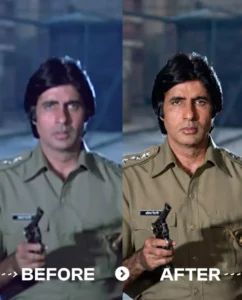
Transform the source image by applying a dramatic, warm cinematic aesthetic typical of high-end music videos. Crucially, the lighting must feature a strong, warm backlight (rim light) originating from behind the subject, creating a glowing golden halo on their hair and shoulders that separates them from the background, while also ensuring ample, soft frontal light on the subject's face so that facial features are clearly and evenly illuminated. The overall atmosphere should be emotional and moody with a shallow depth of field (blurred background), dominated by rich amber, gold, and deep shadow tones, precisely maintaining the original subject's facial features, pose, outfits, background, and gender 100% accurate. Perform a realistic upscale, bringing the subject into extremely sharp focus with enhanced skin texture and detail, styled as bright daytime photography with natural outdoor ambient light retained in the scene and sufficient key light on the face for a well-exposed portrait.
How To Create Normal To 4k High Quality Photo Editing Prompts
To create this photo, I’ve provided you with a photo editor. Now, see how you can convert your normal photo to 4K. First, save your low-quality photo. Then, use Google Gemini here. You can use Gemini or Chat.gpt for this. This is easily done there, so I’ve worked with Google Gemini, so I’ll explain that. What you need to do: First, open Google Gemini. I’ve provided a direct link here. You can go there directly by clicking the button. Once there, first paste the prompt. Go to the Plus option and select your low-quality photo. Then, you’ll find a Fast Thinking and Pro model in the Models section. Select the Pro model there. Then, click Generate, and your photo will be ready.
What are the benefits of this 4K editing?
Let me tell you some of them. First of all, whatever photo you create, it is created in very high quality. People like it a lot. Your photo gets converted into a completely professional look. For example, if your photo remains bloody, people will not like it and it is very good for social media. For example, your engagement, likes, views and followers increase with this. If you do printing, then it is very important for that.