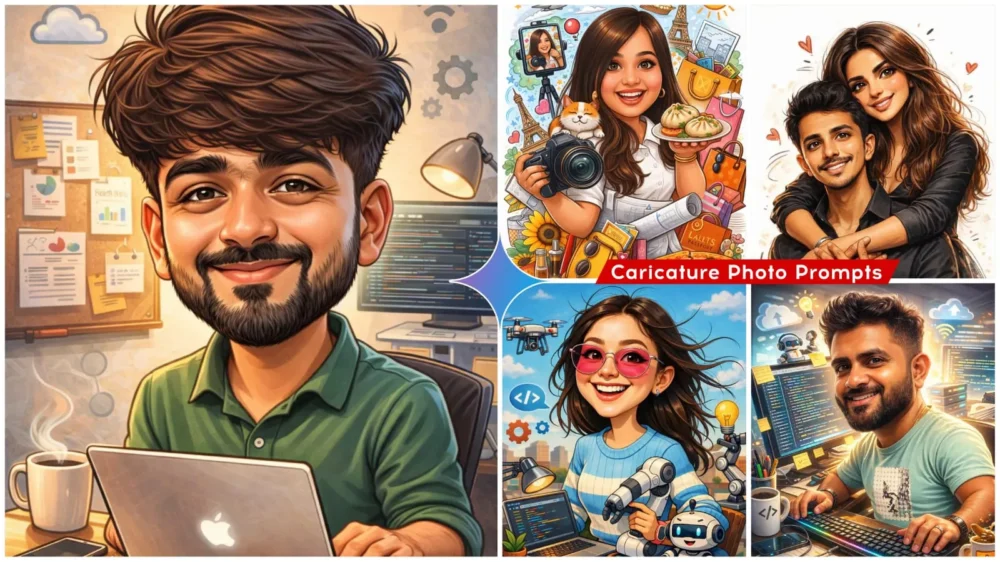
Caricature Ai Photo Editing Prompts – Some such photos are going viral on social media too, in which you will see something like this. In which your face becomes a little bigger or your eyes become round. Your smile becomes a little wider. Your head is shown very big. We call this type of photo an agricultural photo and how it can be made. If you see, people are liking it a lot on social media. I thought why not tell you also what kind of trend you can create in such an easy way. How to create it, I am going to tell you all those steps in this article. If you follow it once, you will get hundred percent best result.
Breakdown Of Caricature Ai Photo Editing Prompts
First, understand what a photo is. It’s an art form that allows you to exaggerate a person’s unique features. For example, you can present them in a humorous way. So, what can you do? For example, if you create a photo, you can show it in it: their face is very large, their eyes are very big. Your smile is very beautiful, they smile well. Then, your beard will be created very large or stylish. The glasses you wear will be very large, they are of a unique type. This means that after seeing it, the user must have looked at it carefully once. Only then will it get a good response from people.
What’s so special about this photo?
I’ve explained a little bit about why people are liking it so much above. But let me explain why this photo creates a fairy-like cartoon image of you. Your face is recognizable, as if it were you. It’s you. But there’s something else to it: it’s presented creatively. For example, your facial features are highlighted. Your face is shown in a very large, enlarged form. Many social media influencers are using similar photos as their DPs and YouTube thumbnails. The results are perfect. If you use this as a thumbnail, people are attracted to similar photos, and they’re impressed by how beautifully created the thumbnail is. It’s like clicking on it the first time. These are some of its features, which you’ll definitely like.
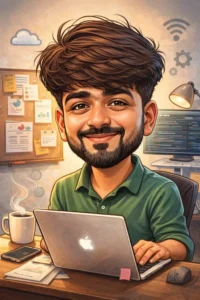
"Create a caricature of me and my job based on everything you know about me."
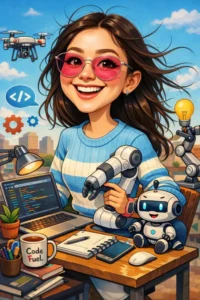
Create a warm, charming crayon-style illustration with soft, textured strokes and bold, childlike colors. Use visible crayon grain, layered shading, and slightly uneven hand-drawn lines. The character should look friendly and rounded with expressive eyes and a big warm smile, set in a cozy, playful background filled with cute crayon-drawn details. The overall mood should feel nostalgic, wholesome, and cheerful, like a handcrafted crayon artwork
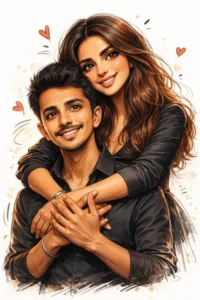
Prompt: Convert this image into a funny sketch cartoon effect, digitally drawn with expressive ink-style outlines, and exaggerated but recognizable facial features. Use vivid digital colors with subtle shading and mild hatching. Maintain a clean [white] background with a few gestural elements to suggest movement. The style should feel lively, energetic, and hand-drawn, capturing the intensity in a playful, caricature-like tone. The overall aesthetic is kinetic and full of personality.
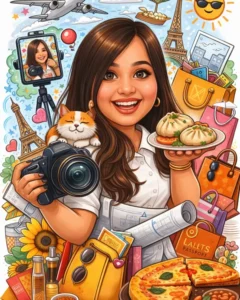
"Create a caricature of me and my job based on everything you know about me."
Do we need any special tricks to create photos like this?
Yes, you definitely won’t be able to understand all of this at once. This gives us an idea of how editing works. Once you understand this properly, you’ll get excellent results. Now, let me explain. This editing here. We’ll create it using Gemini. You know that Google Gemini is one of the best photo editing platforms right now. You can even make videos on it. I’ll focus on photo editing here. You’ll need prompts for this. I’ve already provided you with a few in the article that you like. You can copy them. After that, you’ll be given the Create Image option below. Click on it, and you’ll be taken directly to the Google website. First, you’ll need to paste the prompt. You can paste any prompt there. Then, go to the Plus option and upload your selfie. Your facial reaction should be completely natural, without any additional editing. Then, click on the Generate option. Just wait and your photo will be created and ready.
Difference between the first and second photos
Now, these types of photos are circulating widely on the internet, so let me explain the difference between the first and second photos. The first photo will be generated exactly like the one currently circulating on social media. You’ll see it there: large eyes. A large face, resembling a Greek creature. However, the second photo will be completely different. It has the same theme, but the style is completely different. If you look at it yourself, you’ll see that the editing is completely different. The eyes are also large in this one, but the background and position are different. The body style in this one is completely different. For example, the person is wearing slightly more stylish clothes. In the second one, he’s wearing even more different clothing.