Valentine’s Day Ai Photo Editing Prompts – Valentine’s Day will be here in a short while, and everyone will be uploading their photos there. You’ll notice everyone uploading their Valentine’s Day photos on social media. Looking at the current trend, it seems most people will create their own photos, and these photos are often very professional, so they’ll create those kinds of photos and post them on social media. I noticed a while ago that during the previous festival or other occasion, most people used social media to post their photos. So, I thought, why not tell you about Valentine’s Day editing, which is currently going viral and is very easy to create.
Details Of Valentine’s Day Ai Photo Editing Prompts
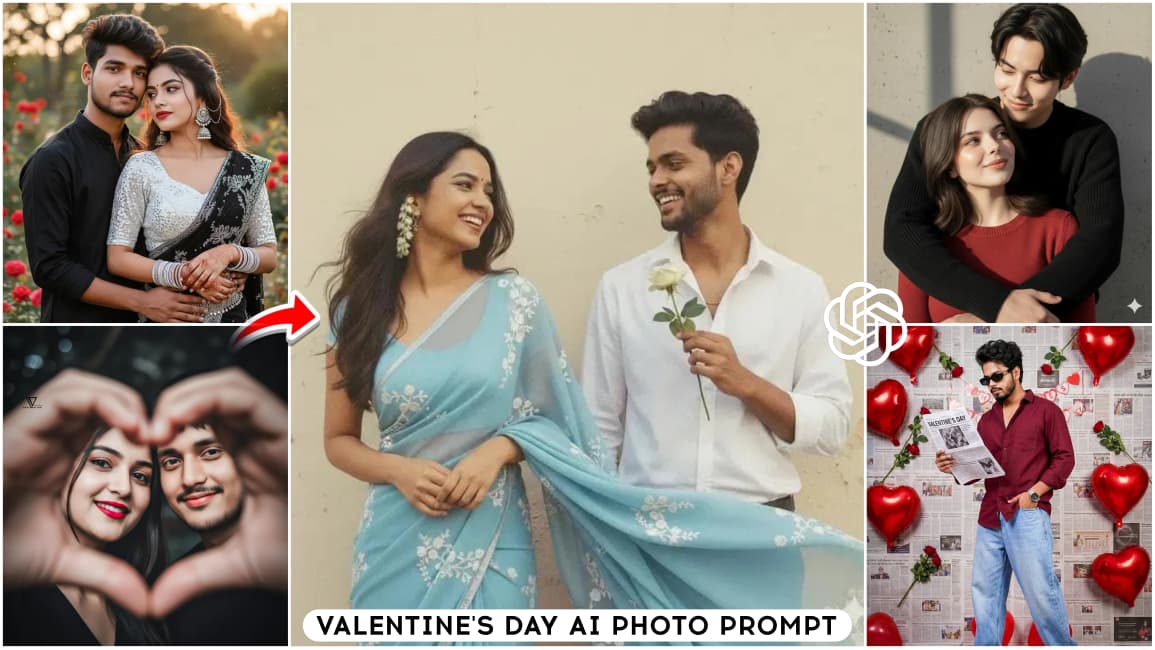
This special Valentine’s Day editing is only for couples, but let me tell you that if you’re single, you can also try this. I’ll explain the trick later, and how to create it. Look at this. This photo shows you have a normal photo. When it’s changed, it converts into a couple’s photo. The couples here are sitting in a location like a park or some other appropriate location. They’re wearing nice clothes, and the best part is that you can customize it. If you want to know more about that, I’ll tell you later.
How can these Valentine’s Day photos be created?
Are they simple to create? Yes, they are. If you’ve explained them in a simple way, you should have Google Gemini. This time, we used Gemini because we’ve been getting excellent results. It also allows us to create more photos. It’s completely free. So, what you need to do now is copy the prompt from there. After that, you’ll see the Create Image option, click on it. Now, go directly to the Google Gemini website or use the application, such as the Google Gemini application. If you can use that, you’ll need to follow the same process. Here, you’ll first paste the prompt into Gemini, then select the Create Image option. What this will do is create a good result for any image you create. After that, you’ll need to go to the Plus option and upload the photo. Just generate it and wait and you will get very good results.
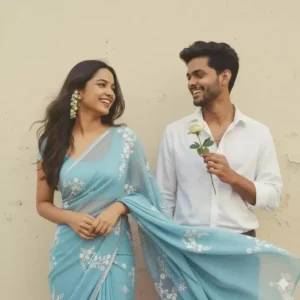
Create a retro Vintage-inspired image, grainy yet bright - based on the reference picture. The girl should be draped in a perfect red Pinterest-style aesthetic retro saree and boy should standing beside her in maroon shirt smiling at her, having a rose in his hand, The vibe must capture the essence of a 90s movie brown haired baddie, with shiny hair and a small white flower tucked visibly into her hair, enhanced by a windy, romantic atmosphere. Both are standing against a solid wall. Create two deferent images with deferente pose.
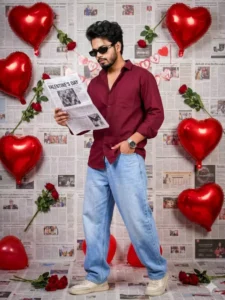
Ultra-realistic real life fashion photography of a young man in a Valentine's Day themed studio setup, captured in a 3:4 portrait aspect ratio, Ultra HD 8K photorealistic quality, looking like a genuine DSLR photograph with hyper-detailed clarity, natural skin texture, zero blur, full sharp focus, no cinematic filters, no artificial glow, and no beauty smoothing. Keep face 100% original and unchanged with no face reshaping, no beauty filter, and no AI facial modification; preserve real skin texture, facial features, expression, and identity exactly as original. He is wearing a maroon/dark rust casual cotton shirt with the top buttons slightly open and full-length sleeves in a relaxed fit, paired with light blue loose-fit wide-leg jeans, off-white/beige casual sneakers, and a silver wristwatch on his left wrist, with no extra accessories. He is in a confident wall lean pose, leaning naturally against the wall.
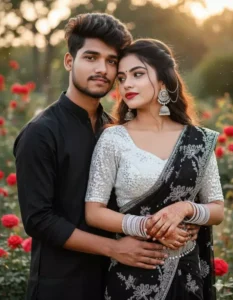
"Ultra-realistic high quality 8k cinematic portrait of a young Indian man & woman with long weathered layered hair style. . Royal white silver bangles, back side jhumka chain and matching earrings. Mehandi kamardhani. tongs-lips 💋 red .with an featuring a sweetheart neckline, white .silver Sequence face 100% seme mib rise mini black Saree blouse designer lace poche that showcases full boydi the floral pattern. The is paired
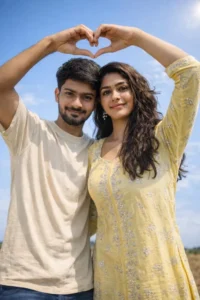
Ultra-realistic 8K daylight low-angle and wide-angle shot of a happy young Indian couple, using both faces exactly from the reference image with 1000% accurate facial identity match. The faces must remain identical to the reference image, do not change or stylize any facial features, bone structure, skin tone, or expressions, only change the pose and camera angle. Boy with the same face as reference, medium messy hair, light beard,wearing a cream oversized t-shirt. Girl with the same face as reference, long wavy dark hair, glowing makeup, wearing a pastel yellow embroidered kurta with silver detailing. Both standing under a clear blue sky, forming a heart shape with their raised arms. Bright natural sunlight from slightly above and front, soft shadows, vibrant sky, romantic joyful vibe, sharp focus on their faces with natural skin texture, HDR look, DSLR realism, shallow depth of field and slightly blurred background. Shot at 35mm, f/2.8, ISO 100, 1/1000s, cinematic Instagram aesthetic, photorealistic, no face alteration, keep both faces 100% same as in the reference image
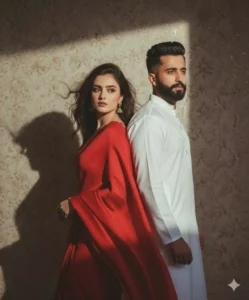
Retro 90s Pinterest-style cinematic, grainy bright. Girl in red saree, leaning back to guy, hair moving in wind. Guy in white kurta Chinese collar, back-to-back pose, looking sideways. Faces identical to reference. Medium shot, 50mm lens, dramatic shadows on wall, nostalgic cinematic feel.
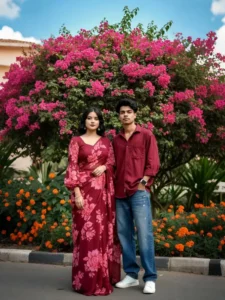
Create A couple photo, styled down, stands outdoors. Girl is wearing a maroon saree with pink floral patterns and a matching long-sleeved blouse.
Boy dress not change.
In the background, there's a vibrant bush with numerous bright pink flowers and some green foliage, along with hints of a clear sky and another plant with orange and yellow flowers. keep our face 100% same as in the reference image.
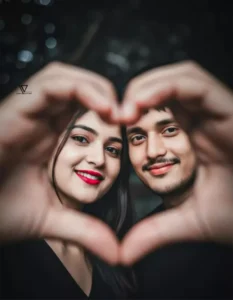
Use the uploaded image to retain exact facial features and expression. A close-up of a couple, a man and a woman, forming a heart shape with their hands in the foreground. The heart frames their smiling faces, revealing the woman's red lipstick. Both have detailed fair skin, dark hair, and smiling eyes. The image features soft, warm lighting and a dark, blurred background, creating a romantic, intimate scene in stunning 16k ultra-resolution.
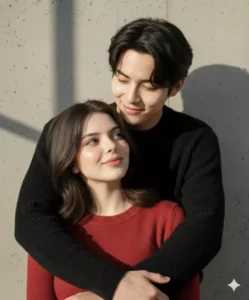
Use our real faces 100% EXACTLY from the attached reference, do NOT change face shape, proportions, eyes, nose, lips, skin structure, or any defining facial features, with no face swap and no facial alteration. Photorealistic, cinematic portrait with minimal retouching and visible natural skin texture, soft film grain, and clean sharp eyes. Captured using a full-frame 85mm lens at aperture f/1.8–f/2.5 with shallow depth of field. Bright natural light with soft shadows creating a warm, cozy, intimate atmosphere. The man gently rests his chin on top of the woman’s head, showing natural and comfortable closeness; both look slightly off-camera with soft, content smiles, sharing a quiet and affectionate moment. They stand very close, the woman leaning back subtly into the man’s chest to emphasize warmth, intimacy, and trust. The man wears a black knitted sweater and the woman wears a red long-sleeved shirt, with outfits naturally tone-matched without affecting facial appearance. Urban setting with a solid gray wall or railing in the background, with shadows of metallic or dark vertical structures such as stairs or a window frame suggesting an outdoor balcony or stairwell. Negative prompt: No anime, No cartoon, No caricature, No stylized faces, No artificial beauty filters.
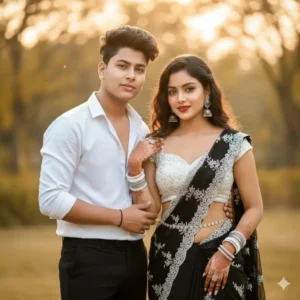
 "Ultra-realistic  high quality 8k cinematic portrait of a young Indian man & woman with long weathered  layered hair style. . Royal white silver bangles, back side jhumka chain and matching earrings. Mehandi kamardhani. tongs-lips 💋 red .with an featuring a sweetheart neckline, white .silver Sequence face 100% seme mib rise mini  black  Saree  blouse designer lace  poche that showcases  full boydi  the floral pattern. The  is paired man white
 shirt black pant
How single people will create their photos
There’s a condition for how single people will create their photos. Here, another condition arises: if you’re a couple, you’ll create one. You’ll upload a photo of yourself and your partner and generate it using the prompt. Another problem arises: when you’re single, if you want photos of yourself with your partner, you can generate an image from AI. First, you can use it as is, and then use it. Another option is to simply use your own photo. You’ll use a single photo. When you generate it, it will automatically add an AI girlfriend for you. It will show you the details you’ve added. Now, you just need to see if you like it or not. If you do, just save it, and you can create more photos in the same way.
How To Customize Your Editing With Prompts
Which one will go here? After customizing, the question here will be that everyone will say, “Brother, the editing you described is the same.” Everyone’s creating the same, so what should we do now? You’ll have an option if you want to avoid creating a photo. You can use the prompt, but customize the elements to your liking. For example, if the dress here is a normal blue color, what you need to do now is change it and add your favorite color. If you want, you can also adjust the background. You can choose any beautiful background you want. For example, if you want a cinematic background, simply type “Cinematic” there. For example, enter cinematic background and background details, whether you want a normal wall or a park. Add all the elements, and your photo will be ready according to your needs.